If you work in game development, VFX, or any industry dealing with large binary assets, chances are your codebase lives in Perforce P4. It’s the version control system behind some of the biggest games and creative projects in the world — and until now, it’s been one of the last major SCMs without first-class Sentry support.
Today, we’re changing that. The Sentry + Perforce P4 integration is now generally available for all Sentry organizations.
What you get
The integration connects your P4 server directly to Sentry, unlocking the same source-code-aware debugging workflows that Git-based teams have relied on for years:
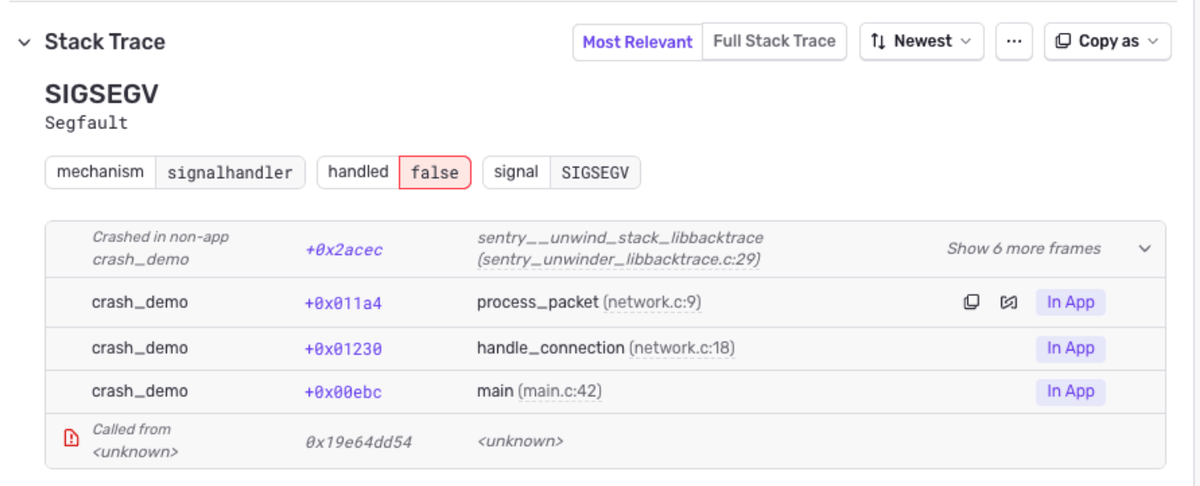
Stack trace linking — Click from an error’s stack trace directly to the corresponding file in your Perforce P4 depot or P4 Code Review (formerly Helix Swarm) instance.
Commit tracking — Associate Perforce P4 changelists with Sentry releases so you always know exactly what code shipped.
Suspect commits — Sentry automatically identifies which changelists likely introduced an error, cutting your triage time.
Suggested assignees — Get assignment recommendations based on changelist authorship — the person who last touched the code gets surfaced first.
P4 Code Review (formerly Swarm) linking — If your team uses the P4 Code Review (formerly Helix Swarm) application for code reviews and browser-based depot browsing, Sentry links directly to your P4 Code Review instance. Stack trace links open the exact file in P4 Code Review’s web UI, so reviewers and investigators can jump from an error straight into the code without needing a local workspace.
On-demand source context
The most requested capability during our beta: show me the code. Previously, showing the source code for native crashes required users to upload source maps to Sentry. Without source maps, showing the stacktraces was possible, but they didn’t have source context.
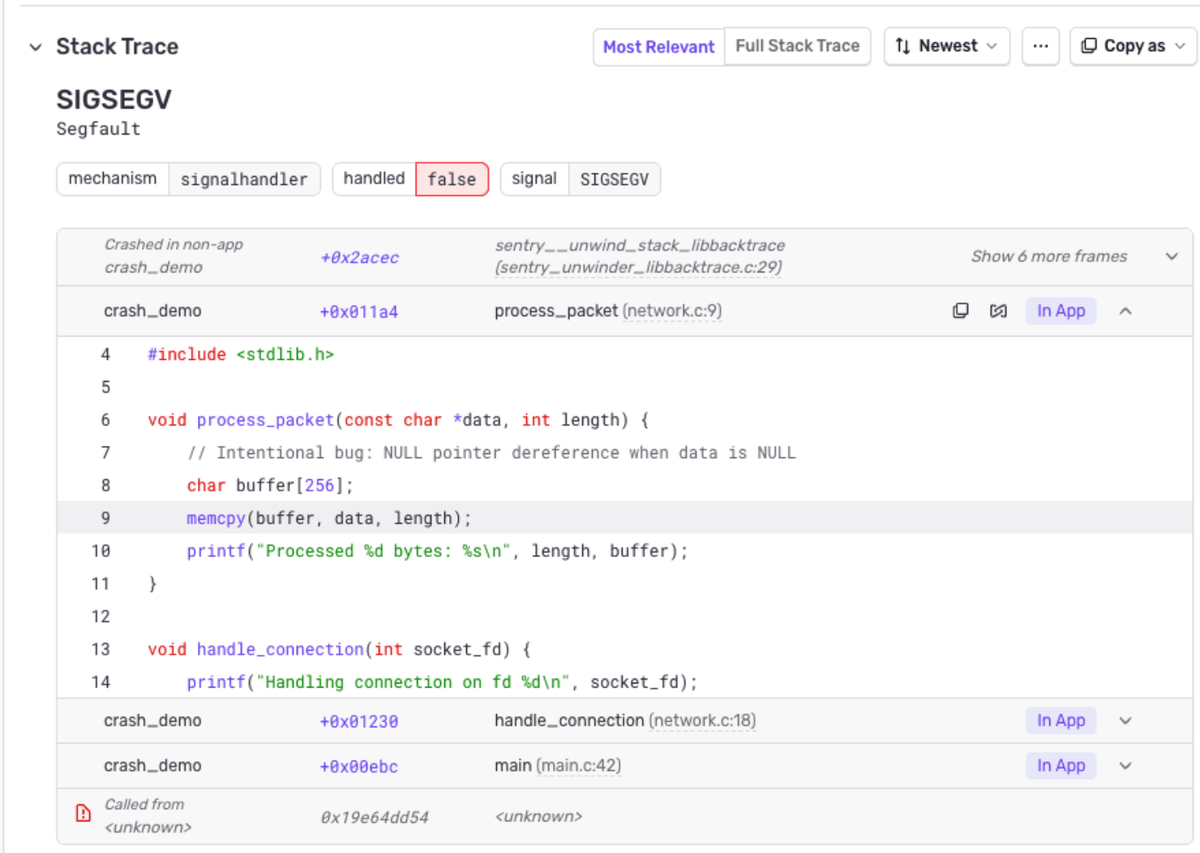
With on-demand SCM source context, Sentry fetches source code directly from your Perforce P4 depot and displays it inline in the stack trace — even when your crash dumps or error reports don’t include embedded source. Expand any in-app frame and Sentry pulls the relevant lines on the fly, with the error line highlighted.
This is especially valuable for native game development workflows where minidumps and crash reports rarely carry source context. Instead of switching to your IDE or running p4 print manually, the code is right there in the issue.
How it works
Setup takes just a few minutes:
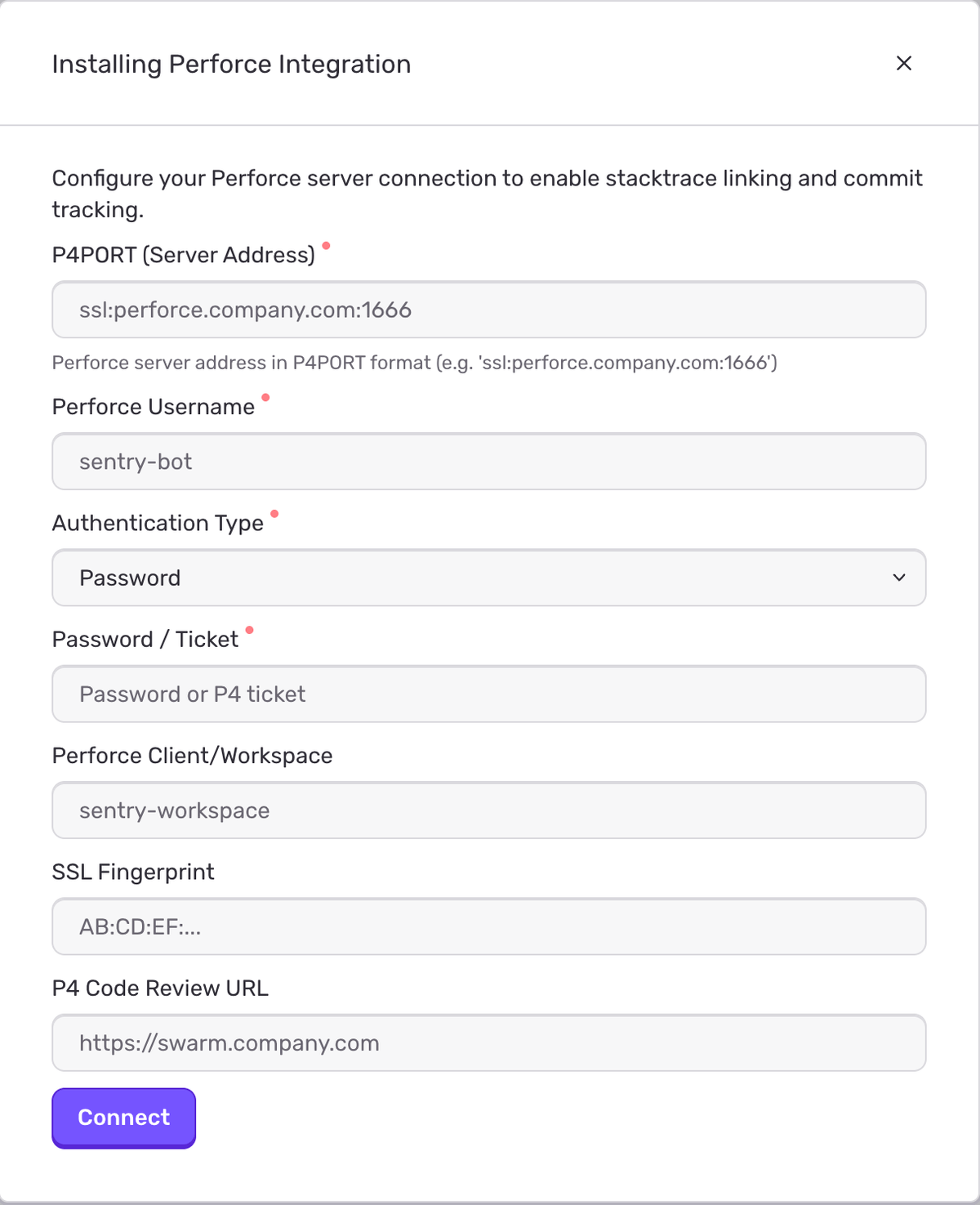
Connect your server — Go to Settings > Integrations > Perforce and enter your credentials.
Configure code mappings — Map your Sentry projects to Perforce P4 depots and set up path translations.
Enable source context (optional) — Turn on SCM source context in your project’s General Settings to get inline code in stack traces.
Sentry communicates with your Perforce P4 server using the P4Python library, executing lightweight read-only commands (p4 depots, p4 changes, p4 print). Each organization maintains isolated credentials, and we support both password-based auth and pre-generated P4 tickets for LDAP environments.
How to get started
During beta, we worked closely with multiple game studios to battle-test the integration against real-world Perforce P4 deployments. We resolved concurrency challenges around P4 trust and ticket file isolation, ensuring connections stay clean and independent — whether you have one project or hundreds hitting the same or multiple servers.
The Perforce integration is available now for all Sentry organizations.
The all-or-nothing sendDefaultPii boolean is going away. dataCollection replaces it with a dial for each category of data, so you can keep the headers you debug with and drop the values you would rather not store.
A full roundup of everything that shipped for Sentry Logs this summer — log pinning, overhauled exports, chart enhancements, terabyte-scale search, and a pile of usability fixes.
A stack trace tells you where your game died, not why. Session Replay for the Sentry Unreal Engine SDK attaches the last few seconds of gameplay to every crash report so you can watch what actually happened.