During a recent Agent Hackweek, an internal Sentry event that gives us a week to build any AI or agent project we want, a colleague pitched me on writing the Laravel AI integration. The goal was to give agents built with Laravel AI the same Agent Tracing support we already have for other frameworks.
I liked the idea, he built Sentry’s Agent Tracing for Python based agents before which meant he already had domain knowledge. We were also supposed to use AI for that, so the language barrier wasn’t a real issue.
Defensive code that didn’t need to exist
I was pretty confident that Claude would handle the coding reasonably well. Laravel exposes Events with typed data, so the shape should be fairly known.
After the first review, I was a bit shocked to see that Claude did in fact fail to figure out the correct shape of data and created a helper to access fields in the most generic way possible:
/** * Access a property from a value that may be an object, array, or null. */private function flexGet(object|array|null $source, string $key): mixed{ if ($source === null) { return null; } if (is_object($source)) { return $source->{$key} ?? null; } return $source[$key] ?? null;}
For anyone else who hasn’t looked at PHP in a minute, this snippet is a generic helper that tries to retrieve values from arrays or objects regardless of their structure. $source->{$key} will resolve $key to its string value and will access the field. Needless to say, this is not good PHP code and is rarely ever useful since most of the time the data shape is more narrow than that.
Hooking into Laravel AI’s lifecycle
Instrumentation in Python or JavaScript is often relatively easy: we can just wrap or patch a function. In PHP, not so much. We have to rely on hooks from a framework or library or ask users to replace classes with their own. We try to avoid the latter, since an integration that requires users to rewrite their code is not much of an integration. Luckily, Laravel AI emits events for most of the important parts, just not quite all of them.
At first glance, Laravel AI provided good ways to hook into its lifecycle. The PromptingAgent and AgentPrompted events cover an entire agent interaction, while InvokingTool and ToolInvoked cover individual tool calls.
Agent Tracing needs one more level of detail: every LLM invocation should appear as its own Chat span. Laravel AI does not expose an event for these invocations, so relying on its lifecycle events alone would leave a significant gap in the trace.
Matching LLM calls to HTTP requests
Most LLM invocations ultimately result in HTTP requests, and Laravel provides events for those: RequestSending and ResponseReceived. We could create a Chat span for every HTTP request made during an agent interaction, but that would also capture unrelated requests, such as HTTP calls made by tools.
Laravel’s HTTP events do not include the AI invocation ID, so we cannot associate the requests directly. Instead, we store the configured provider URL prefix for each active invocation and compare it with the URL of every outgoing request. If more than one active invocation matches, we associate the request with the most recently started one. Only matching requests become Chat spans, which filters out unrelated HTTP traffic without losing individual LLM calls.
Zero-config tracing
The Laravel AI integration shipped with sentry-laravel 4.27. For an application that already has Sentry tracing enabled, updating the SDK is all it takes. There is no integration to register and no Sentry-specific code to add. A regular Laravel AI agent is traced automatically, and implementing Conversational adds Conversations support.
// ...class DemoOpsAgent implements Agent, Conversational, HasTools{ use Promptable, RemembersConversations; public function instructions(): Stringable|string { return 'You are DemoOps, an AI launch director. Be concise and practical.'; } public function messages(): iterable { return []; } public function tools(): iterable { return [ new GetTime, // ... ]; }}
No Sentry code in sight. Agent invocations, LLM requests, and tool calls from this class show up in Agent Tracing, while its conversation context appears in the Agents section in Explore.
Seeing it in Sentry
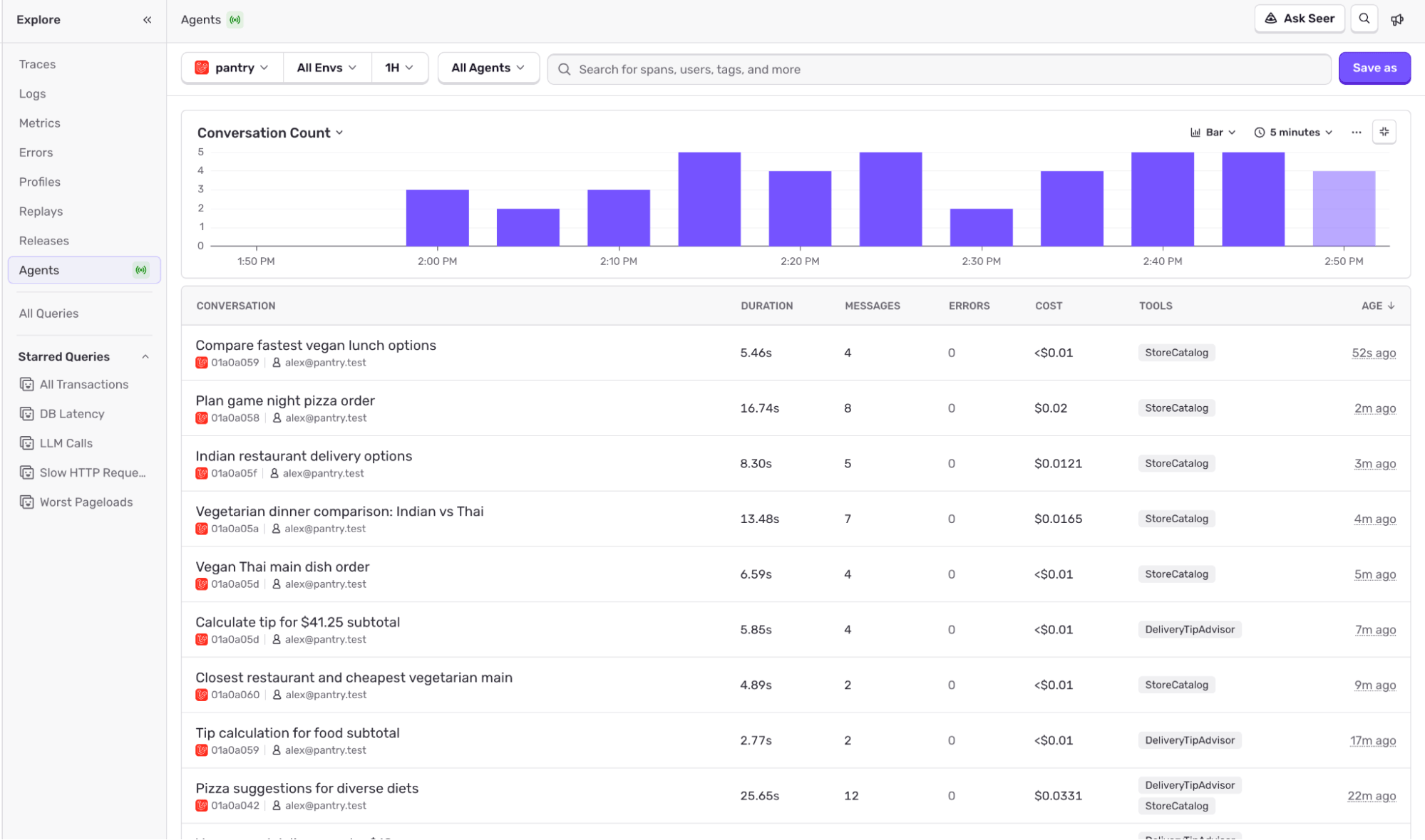
Once the first traces arrive in Sentry, the Agents section in Explore lists conversations with their duration, message and error counts, estimated cost, and the tools used.
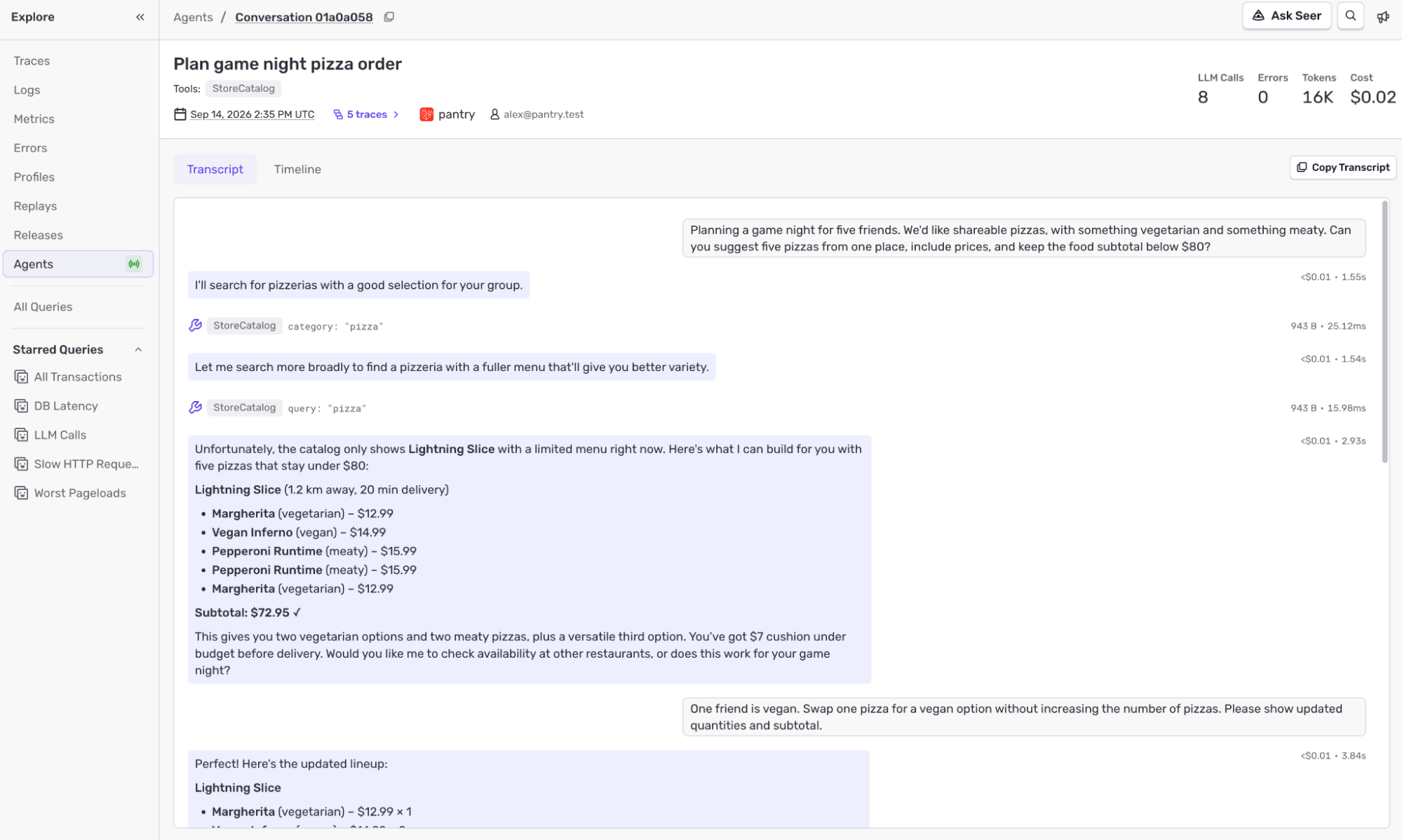
Opening a conversation shows the transcript, with tool calls alongside the user’s messages and the agent’s replies.
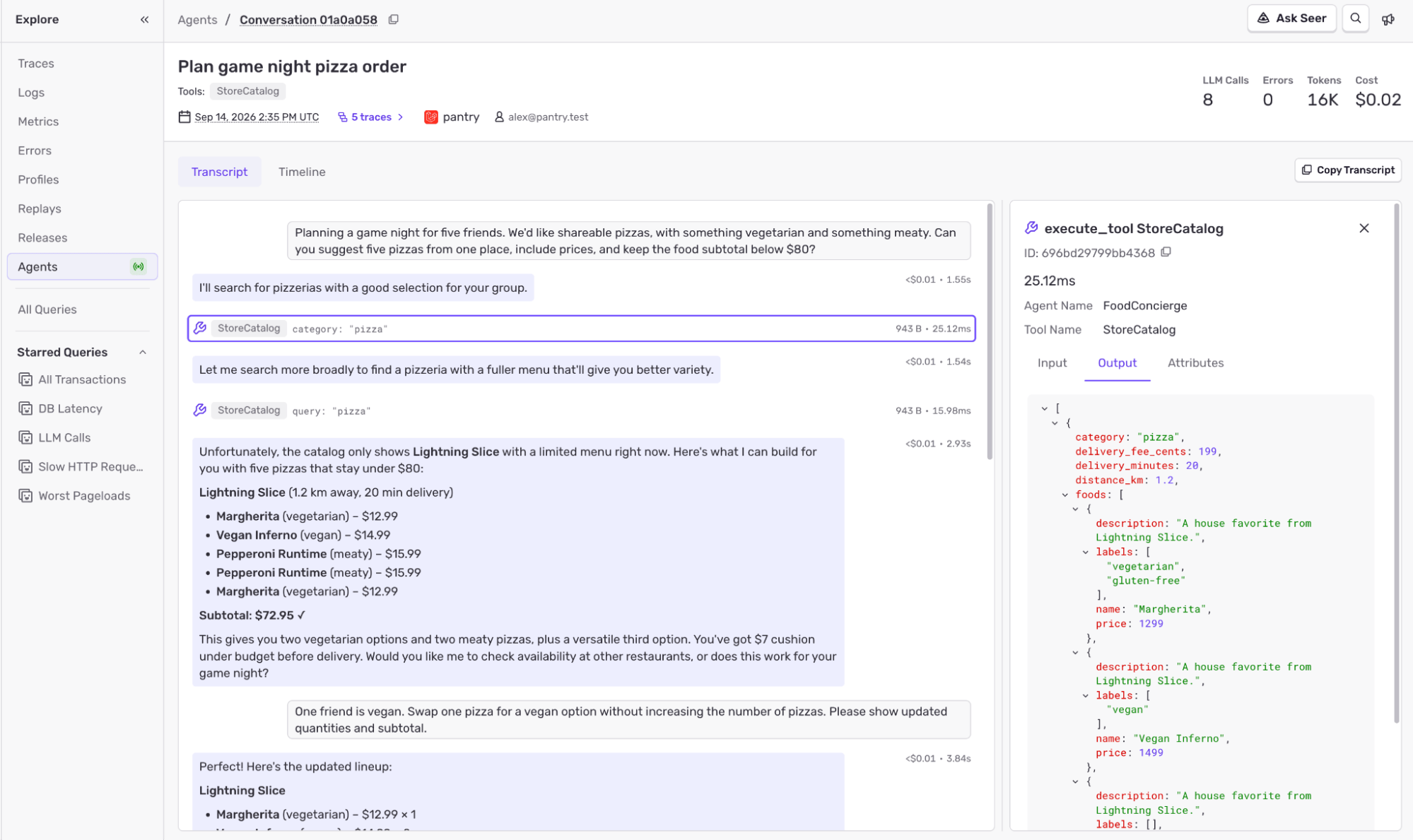
Selecting a tool call shows its inputs and outputs. This makes it possible to compare what the tool returned with the agent’s response.
It’s super easy to get started. If you already have Sentry tracing set up in your Laravel app, all you need to do is update to version 4.27 of the SDK: Laravel Agent Tracing is enabled by default when laravel/ai is installed and tracing is active. For the full instructions on getting up and running, head over to our Laravel Agent Tracing docs and start exploring your agent traces and conversations in Explore > Agents.
We moved Android SDK operations to a worker isolate, then streamlined scope updates by removing duplicate normalization and encoding JSON directly into UTF-8 bytes.
The back/forward cache is one of the most impactful performance features on the web and one of the least observable, because success looks like silence. Here's how we made it measurable.