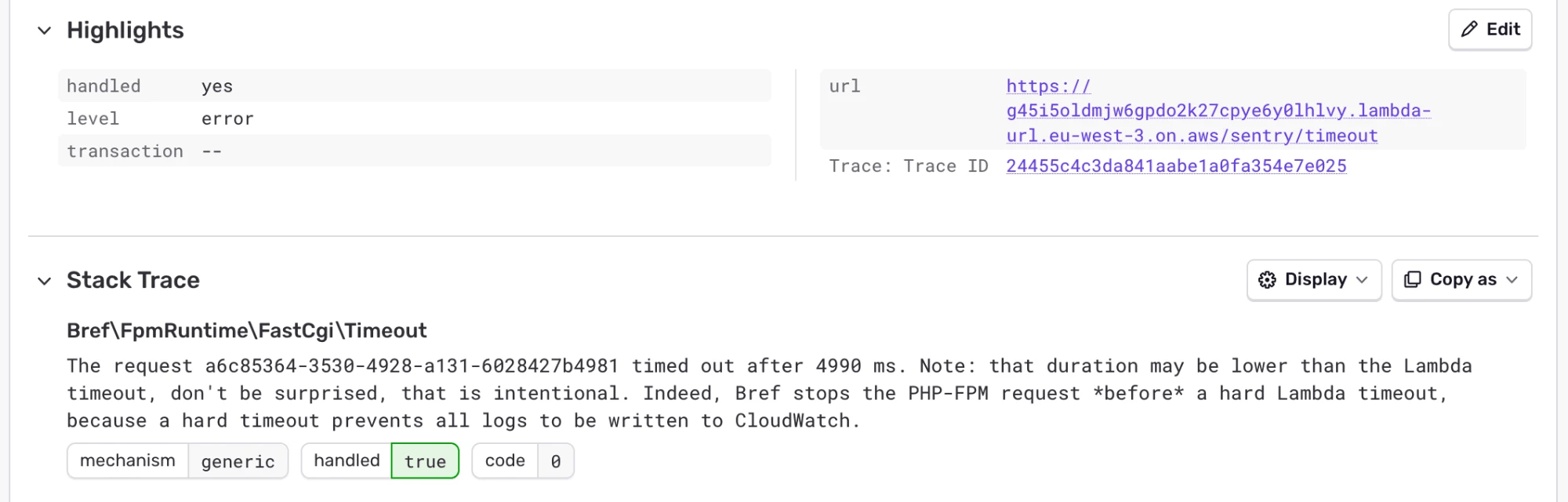
When a PHP request times out on AWS Lambda, it’s cut off before the Sentry SDK can report anything. Nothing shows up in Sentry, and the error only appears in CloudWatch.
Bref is the open source project that runs PHP on AWS Lambda. It serves 30 billion requests a month and has been installed over 12 million times. We built an official integration that reports these errors, and covers the rest of what the Sentry SDK can’t see on AWS Lambda: sentry/sentry-bref.
Catching timeouts outside of PHP
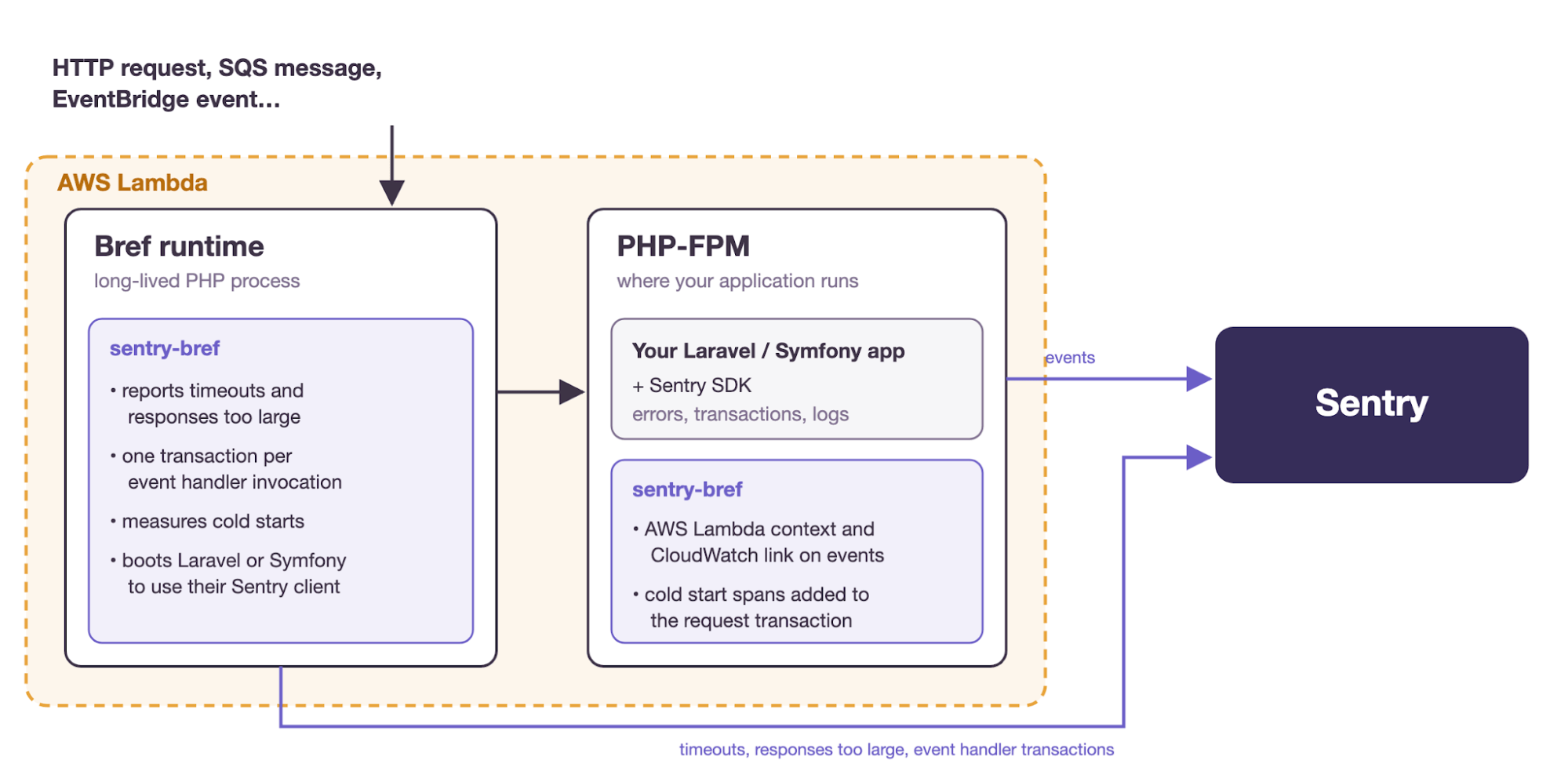
With Bref, your application and the Sentry SDK run in PHP-FPM, inside AWS Lambda. Some errors happen outside of PHP-FPM:
a request times out: Bref stops PHP-FPM 1 second before the AWS Lambda timeout, so the request never finishes
a response is larger than the 6 MB limit of AWS Lambda: PHP has already returned the response when the error happens
The integration reports these errors to Sentry, with the URL and method of the request.
This works with Laravel and Symfony. Other frameworks aren’t supported yet (more on that below).
Tracing AWS Lambda events
PHP applications can also handle AWS Lambda events directly, like SQS messages, EventBridge events or S3 notifications. There is no HTTP request around them, so nothing starts a Sentry transaction, and the Sentry SDK doesn’t catch their exceptions on its own.
The integration creates one transaction per invocation, named after the function, and reports the exceptions thrown by the handler.
With Laravel queues, sentry-laravel already creates a transaction for each job, named after the job and linked to the request that dispatched it. The integration keeps that transaction and adds the cold start to it.
Bref also reuses the same PHP process for several invocations. The integration gives each invocation its own scope, so the breadcrumbs, tags or user of one invocation don’t leak into the next one. Logs and metrics are sent at the end of each invocation, before AWS Lambda freezes the environment.
Cold starts in traces
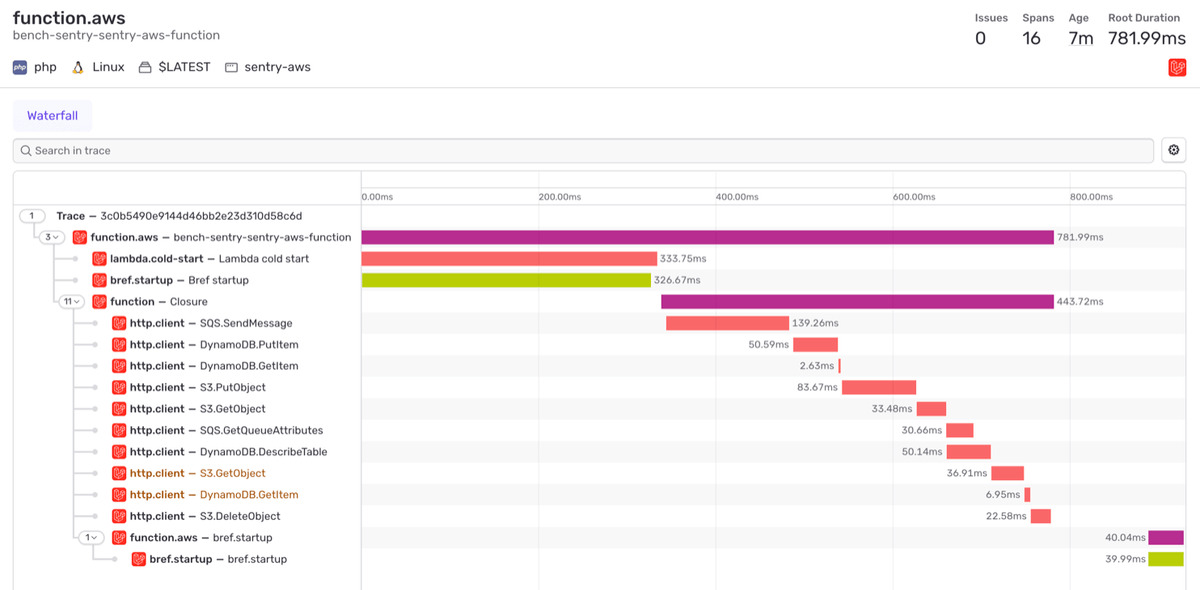
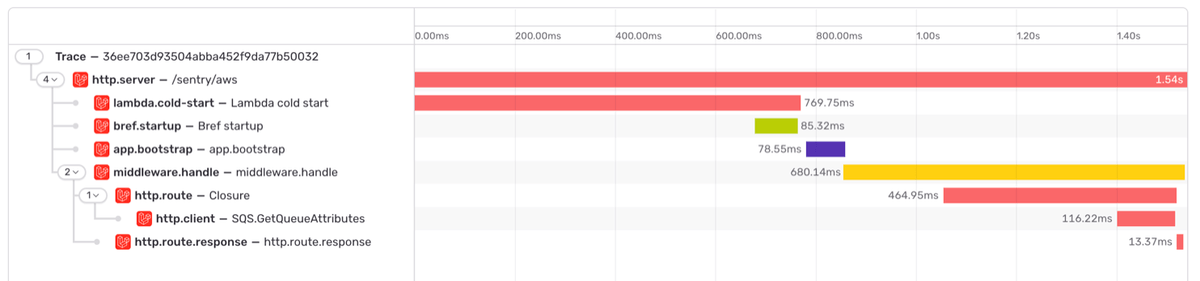
When tracing is enabled, a request or an event that triggers a cold start gets two extra spans: lambda.cold-start and bref.startup. You can see if a request was slow because of your code, or because AWS Lambda had to start a new instance.
Tracing AWS SDK calls
PHP applications on AWS Lambda talk to SQS, DynamoDB or S3 all the time. To trace these calls, pass your AWS SDK clients to the tracer:
use Aws\Sqs\SqsClient;use Sentry\Bref\AwsSdk\AwsSdkTracer;$sqs = new SqsClient(['region' => 'eu-west-1']);// Tracing is opt-in per client: only the clients passed here are tracedAwsSdkTracer::trace($sqs);
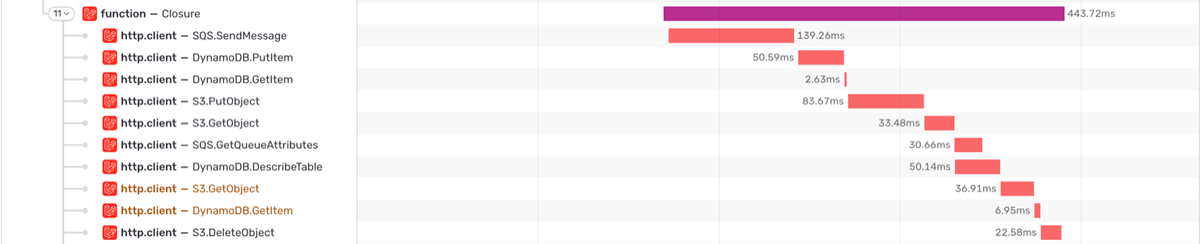
Each call becomes a span and a breadcrumb named after the operation, like SQS.SendMessage, with the HTTP status code and the AWS request ID. Concurrent calls (async calls, command pools) stay separate spans instead of nesting in each other.
Linking events to CloudWatch logs
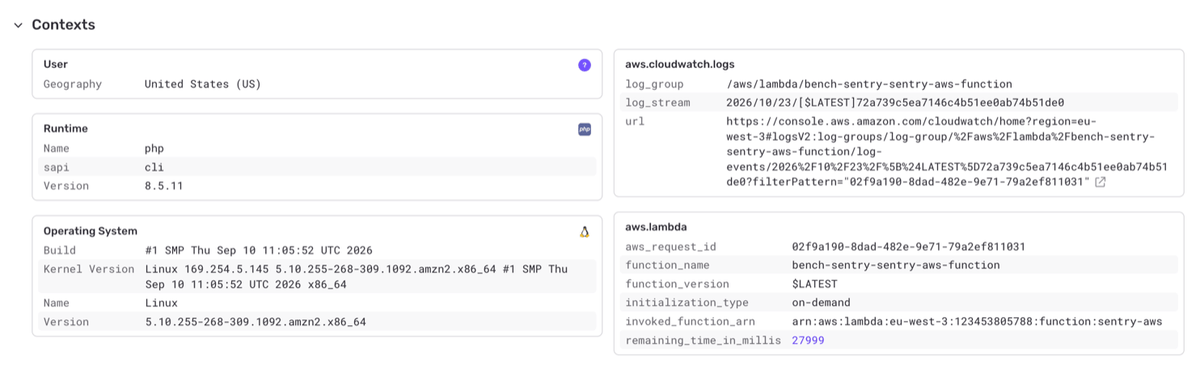
Every event includes the AWS Lambda function name and version, the AWS request ID, and the time left before the timeout. It also links to the CloudWatch logs of that exact invocation, so you can go from a Sentry issue to the logs in one click.
How it works
On AWS Lambda, Bref runs a long-lived PHP process, the Bref runtime. It receives the invocations from AWS Lambda, and either calls your event handler, or forwards HTTP requests to PHP-FPM, where your application runs. The integration hooks into the Bref runtime before and after each invocation.
When a request times out, PHP-FPM is stopped but the Bref runtime is still running, so the integration reports the error from there. To send it with your own Sentry configuration (DSN, environment, before_send…), it boots your Laravel or Symfony application in that process and uses its Sentry client.
The AWS Lambda details come from Bref too: it passes the context of the invocation (request ID, deadline, function ARN) to PHP-FPM and to console commands, and the integration adds it to every event sent from there.
For cold starts, Bref knows when the instance started, and whether AWS Lambda initialized it in advance. The integration measures the cold start in the Bref runtime and stores it in /tmp. Then a middleware adds it to the transaction of the first request in PHP-FPM. Instances that AWS Lambda initializes in advance are left out: nobody waited for these cold starts.
Limitations
Timeouts and responses too large are only reported with Laravel and Symfony. With other frameworks, there is no Sentry client in the Bref runtime.
The cold start span starts when PHP starts. The time AWS Lambda spends creating the instance before that isn’t included.
AWS SDK clients created by your framework, like the SQS client of Laravel queues, aren’t traced. Only the clients you pass to AwsSdkTracer::trace() are.
Get started
You need PHP 8.2 or later and Bref 3 (and Laravel 12 or Symfony 6.4 or later). Set up Sentry in your application first if you haven’t already: PHP, Laravel or Symfony.
Then install the package:
composer require sentry/sentry-bref
With Laravel, that’s it. With Symfony, register the bundle in config/bundles.php:
The Sentry Native SDK for C and C++ is heading to 1.0 with a new default crash backend that speaks Sentry, Windows Error Reporting integration, and big performance gains.
Sentry's .NET SDK 7.0 supports .NET 11, adds UseSentry() for generic hosts and Azure Functions, brings cron monitors to Quartz.NET jobs, and gives Sentry one place to initialize.
Five Agent Tracing recipes from the Sentry Cookbook, from production evals and daily error triage to LLM cost tracking, spend alerts, and OpenTelemetry.