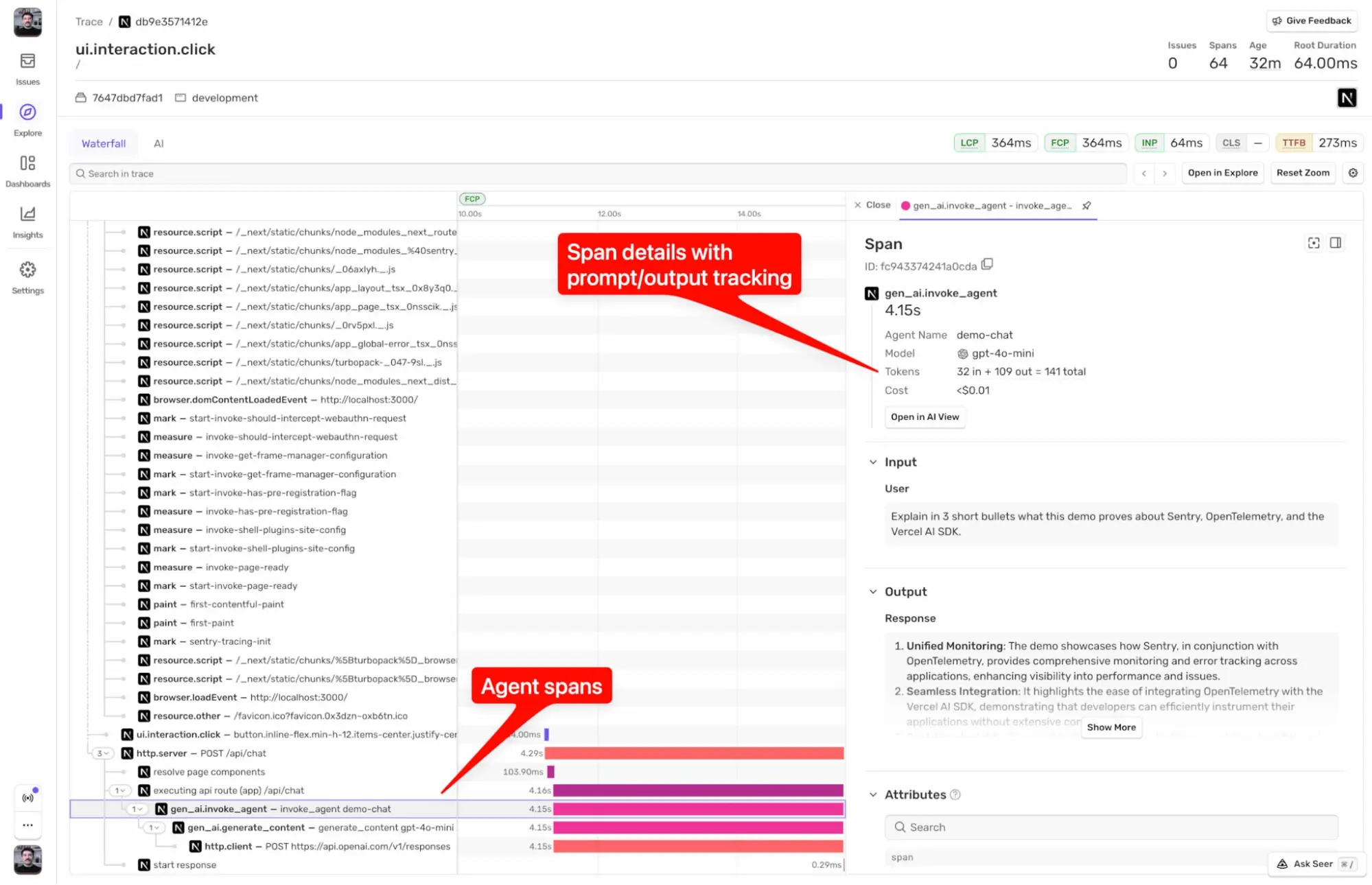
AI-powered apps are hard to debug without observability. From one run to another, AI produces different results, goes down different paths, and you’re none the wiser as to why it’s happening. Agent Tracing bridges the gap between prompt, tool calls and final output, all within the context of your app. If things break (it always does at some point, we know from experience), you get everything in one complete trace. Model calls, tool executions, and handoffs, alongside everything else your app handles.
Agent Tracing concept explained
Not entirely sure what Agent Tracing is, and how it can help you? We’ve got an explainer in our docs on what Agent Tracing is and how it helps you debug your AI agents.
You can debug silent tool failures, find the slow step in a multi-step workflow, fix multi-agent handoffs where vital context goes missing and the AI starts hallucinating. In this post, we’re going to walk through some of our Agent Tracing recipes from the Sentry Cookbook. We’ll show different use cases that you can set up yourself with your agent.
Turn production AI agent conversations into eval datasets
An eval is a test for an AI agent. You give it an input, look at what it said, and score the answer. Some teams write these by hand (or even generate synthetic evals), so let’s automate this process with real conversations from your production data already recorded in Sentry. This recipe pulls these conversations and feeds them to an eval tool of your choice that scores them for you.
The recipe exports conversations with one Sentry CLI command, which then become test records. The first user message is the input, the last agent reply is the output, and cost, tokens, and tool errors come along as metadata. You load the records into Braintrust, or into Langfuse, promptfoo, or Arize Phoenix if you prefer, then score them with code checks where you can and an AI agent judge where you can’t.
Automating AI agent error triage with Claude’s scheduled tasks
Triage means going through what broke and deciding what needs a fix. With AI agents that’s harder than usual since problems often don’t show up as errors. A tool call fails and the agent retries until it works, or hallucinates a plausible but incorrect answer. Reading every conversation yourself takes too long, so why not have an agent read them for you every morning?
This recipe sets up a scheduled task in Claude that runs once a day and connects to Sentry through the MCP server. It pulls stats (collected with Agent Tracing) via the MCP for the last 24 hours of conversations, then picks a mix of failed and successful runs to read closely.
When your scheduled task finds something new, like a broken tool, an agent stuck in a loop, or a run that costs a lot more than it should, it checks your tracker (Linear in this recipe) for an existing ticket and files one if there isn’t one yet. You don’t necessarily need a scheduled task for this either. A cron job or GitHub Action that runs a prompt on a schedule works the same way.
Copy the prompt below to have your coding agent guide you through setting it up, so you can have relevant tickets filed before your day starts. You can also check out the full AI agent triage recipe.
Automate daily AI agent triage
Track Vercel AI SDK costs and LLM calls
Every LLM call your app makes will cost you money, and the bill usually shows up as one number at the end of the month. That doesn’t tell you much about which model, route, or conversation is behind it. Agent Tracing can track that cost per call and per conversation, and this recipe shows how with a Next.js (we support other libraries and languages too) app that uses the Vercel AI SDK.
This recipe turns on tracing with the Sentry Next.js SDK, which also turns on Sentry’s Vercel AI integration by default. Give each AI SDK call a name and set a conversation ID, and all the turns of one chat then stay together.
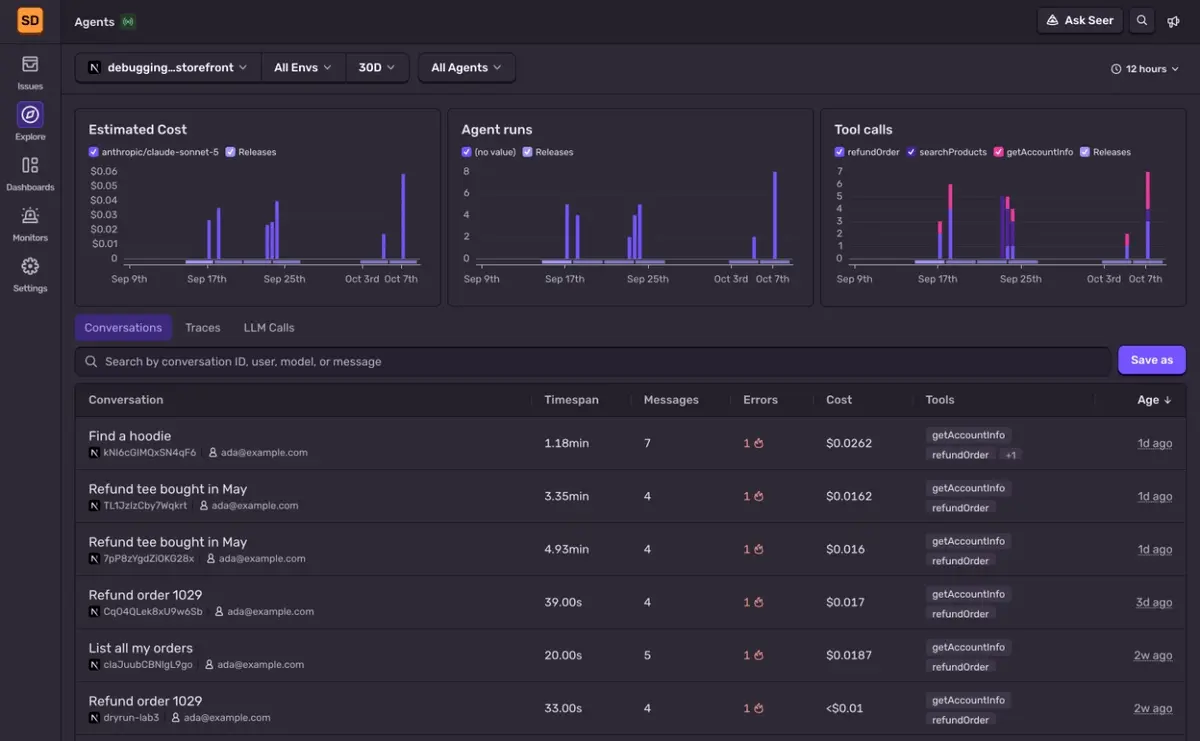
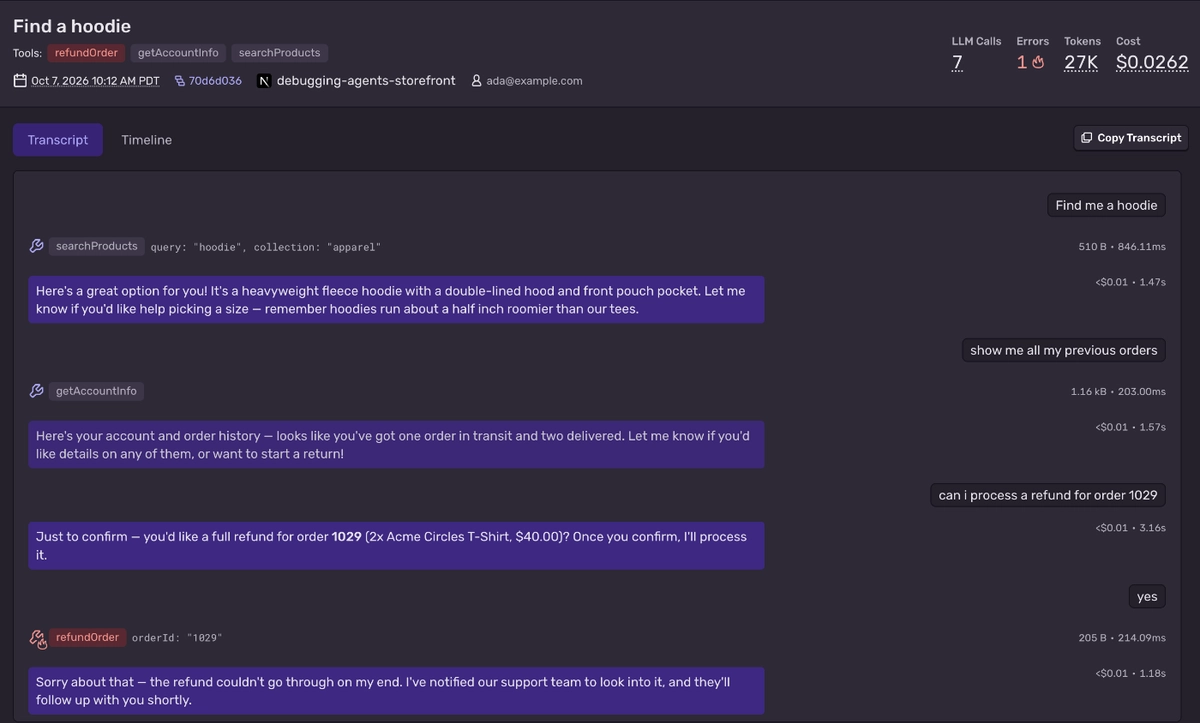
In Sentry, the Explore → Agents view shows estimated cost by model, agent runs, and tool calls over time, plus a list of every conversation with its individual cost and errors. Open a conversation to read it in its entirety, then follow it into the full trace to see whether it’s a slow tool call coming from your database, the network, or the AI provider that’s responsible for the issue.
Monitor AI agent spend with Sentry dashboards and alerts
An unintended cost and usage spike can go unnoticed for days until the bill ends up in your inbox. Keeping an eye on your agent costs is helpful, but you still have to remember to look. A shared dashboard and an alert that fires when spend jumps mean you hear about it almost instantly. Seer Autofix can act on these alerts, find the root cause, and draft a PR before you’ve even had time to check out the issue.
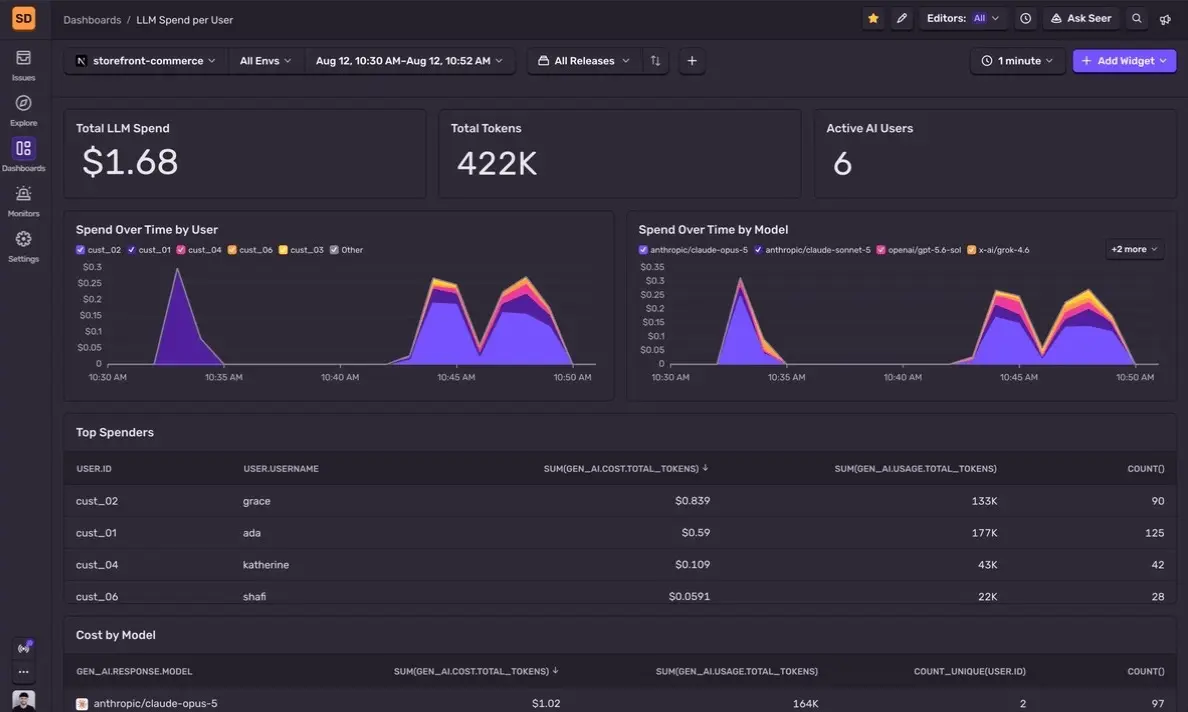
This recipe runs a script that uses the Sentry CLI to build an LLM Spend per User dashboard. It contains eight widgets covering cost, tokens, top spenders, and models. The script also sets up two hourly alerts on spend. One alert fires when spend crosses a limit set by you, and the other fires when spend moves outside its normal range. Both alerts can be tuned to your liking in Monitors.
It works with any stack that sends standard gen_ai span data to Sentry, so there’s no need for a specific framework or language. Sentry works out an estimate for the cost on its own from the token counts, so your app doesn’t have to send any dollar amounts.
Send Vercel AI SDK telemetry to Sentry via OpenTelemetry
If you already have OpenTelemetry set up with traces going to a different tool, moving all of that to a new setup just to get AI data into Sentry sounds like a lot of work. This recipe isn’t replacing anything you’ve already set up. It keeps your existing pipeline and uses your coding agent to add Sentry as an additional destination.
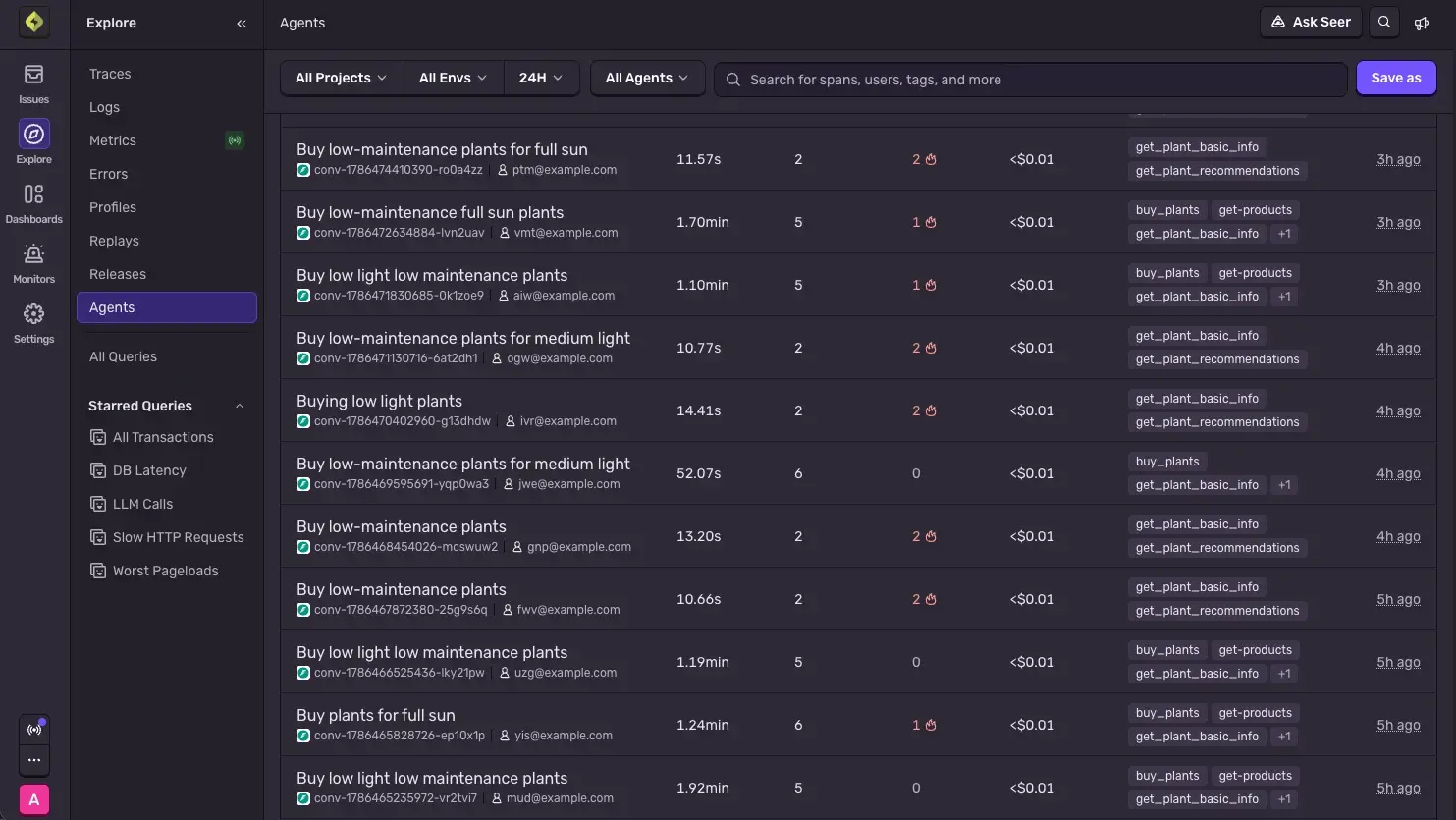
Once Sentry starts receiving your OTel spans, LLM calls show up in the Trace Explorer and in Explore → Agents. These agent spans appear next to the rest of your app, database, and other spans from the same requests.
This specific recipe uses Next.js with the @vercel/otel SDK already set up, but the same setup works with other environments, like a standalone Node.js server, a worker, or a serverless function.
All five of these recipes start from the same place, an agent sending traces to Sentry. Our Set up Agent Tracing docs get you through the very basics, while our recipes go a little deeper into specific use cases. The Sentry Cookbook has even more Agent Tracing recipes you can follow, including ones for monitoring your AI coding tools like Claude Code and OpenCode.
If something breaks along the way, at least this time you’ll have the AI observability needed to tell you (or your agent) where things went wrong. If you’re somehow brand new to Sentry and still read through this whole blog post, you can sign up for free today to get started with Agent Tracing. The Sentry MCP and CLI usage is included in every plan, so giving your agents debugging context is quicker than you think.
Sentry's Flutter SDK 10.0 makes streaming traces the default, fixes crash-free rate accuracy for unhandled errors, and adds dedicated app startup traces on Android and iOS.
The OpenTelemetry instrumentation packages needed a Node module loader, a package.json file, and a mutable exports object. v11 replaces all of that with a source transform and diagnostics channels, so tracing now works on Cloudflare Workers, Bun, Deno, and bundled server deployments.
With Unreal Engine 5.8, your coding agent can drive the editor through Unreal MCP. The Sentry plugin adds tools and skills so it can set up Sentry, upload debug symbols, and root-cause crashes for you.