With the first stable releases out of the gate, we’re happy to announce that Sentry’s Godot SDK is now ready for general use, supporting Windows, Linux, macOS, iOS and Android. We started full-time development a year ago with just a few prototypes, and now it’s finally here - built on top of the mature Sentry platform SDKs, it comes as a GDExtension add-on that you can easily add to your Godot projects.
If you’re new to Sentry, it’s an application monitoring software that helps you manage your game’s health during development, QA and after release. It can automatically track crashes, runtime errors, logs, and even player feedback so you can spend less time chasing bugs and more time creating awesome experiences. Keep reading to explore the key features in the Godot SDK.
Crashes and errors
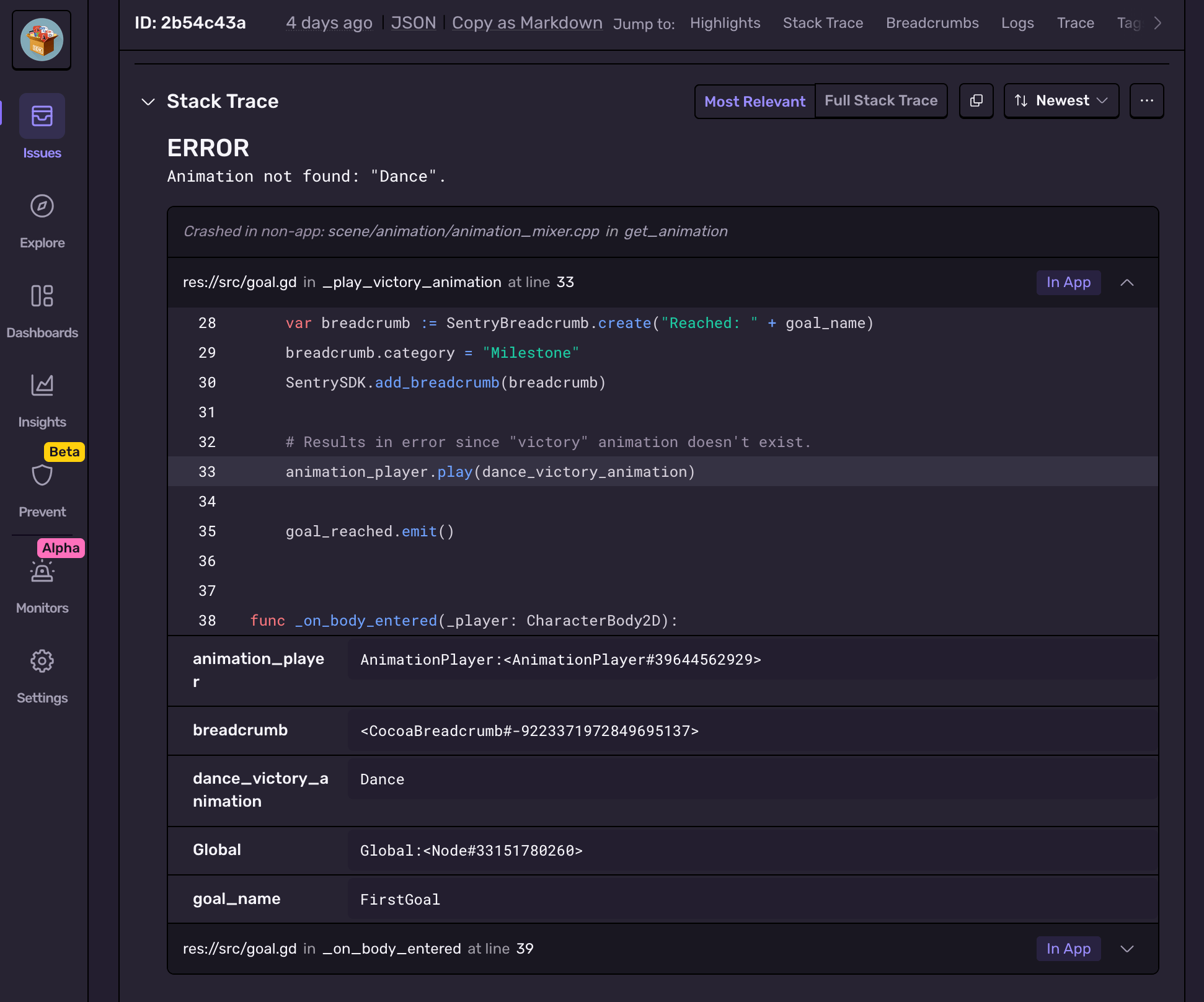
Sentry gathers error and crash reports, grouping them into issues in a convenient dashboard, helping you prioritise which issues need fixing first. It automatically captures Godot Engine runtime and script errors showing detailed stack traces with optional local and member variables information and even surrounding script source context lines when available.
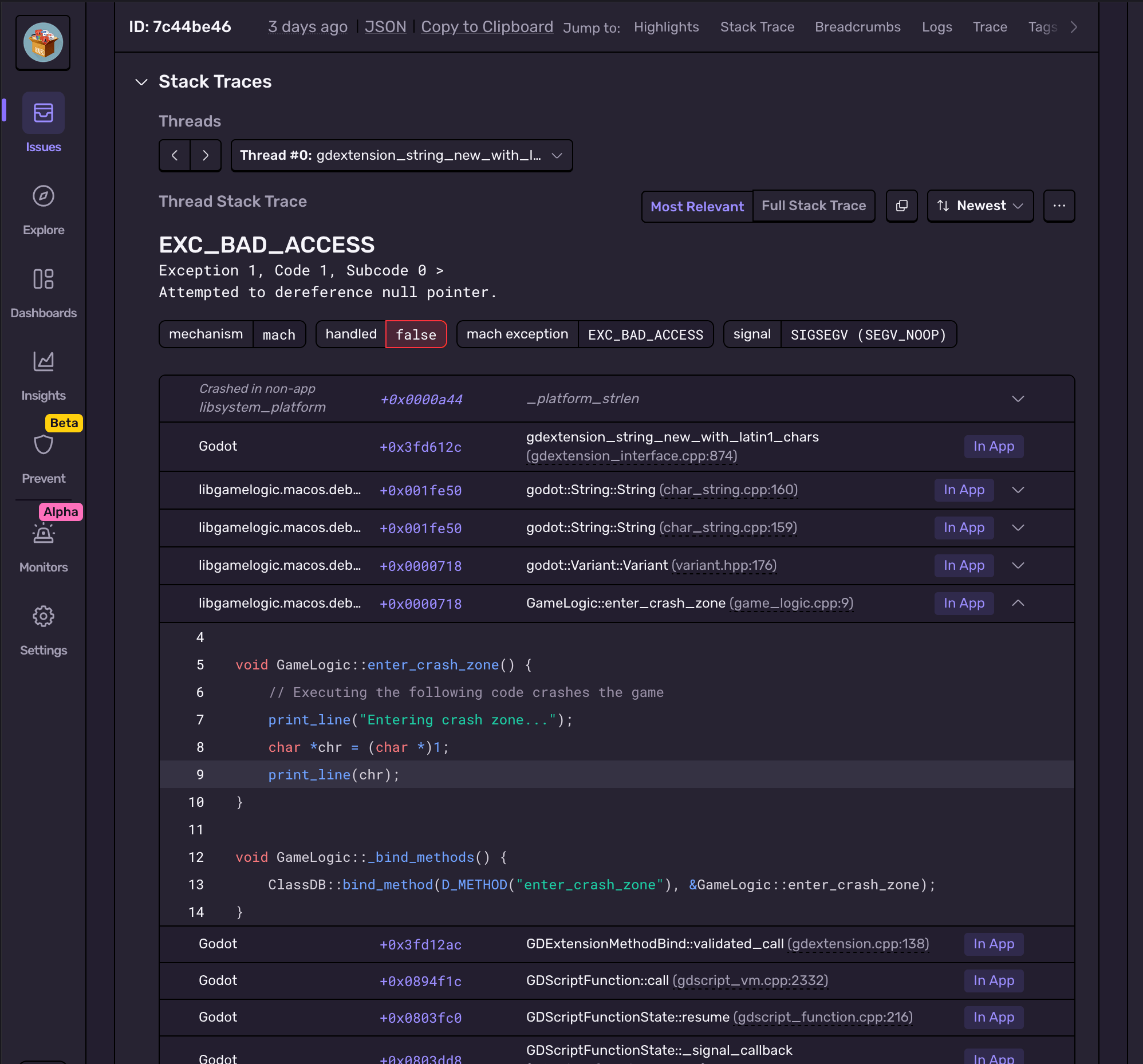
For crashes in C++ layer, Sentry can collect and send minidumps, letting you know when your game crashes and where in the Godot source code it happens. This information can help you understand the cause of the crash, and share the stack trace (or minidump file) with Godot developers, or even fix the issue yourself.
Bringing more context to debugging your game
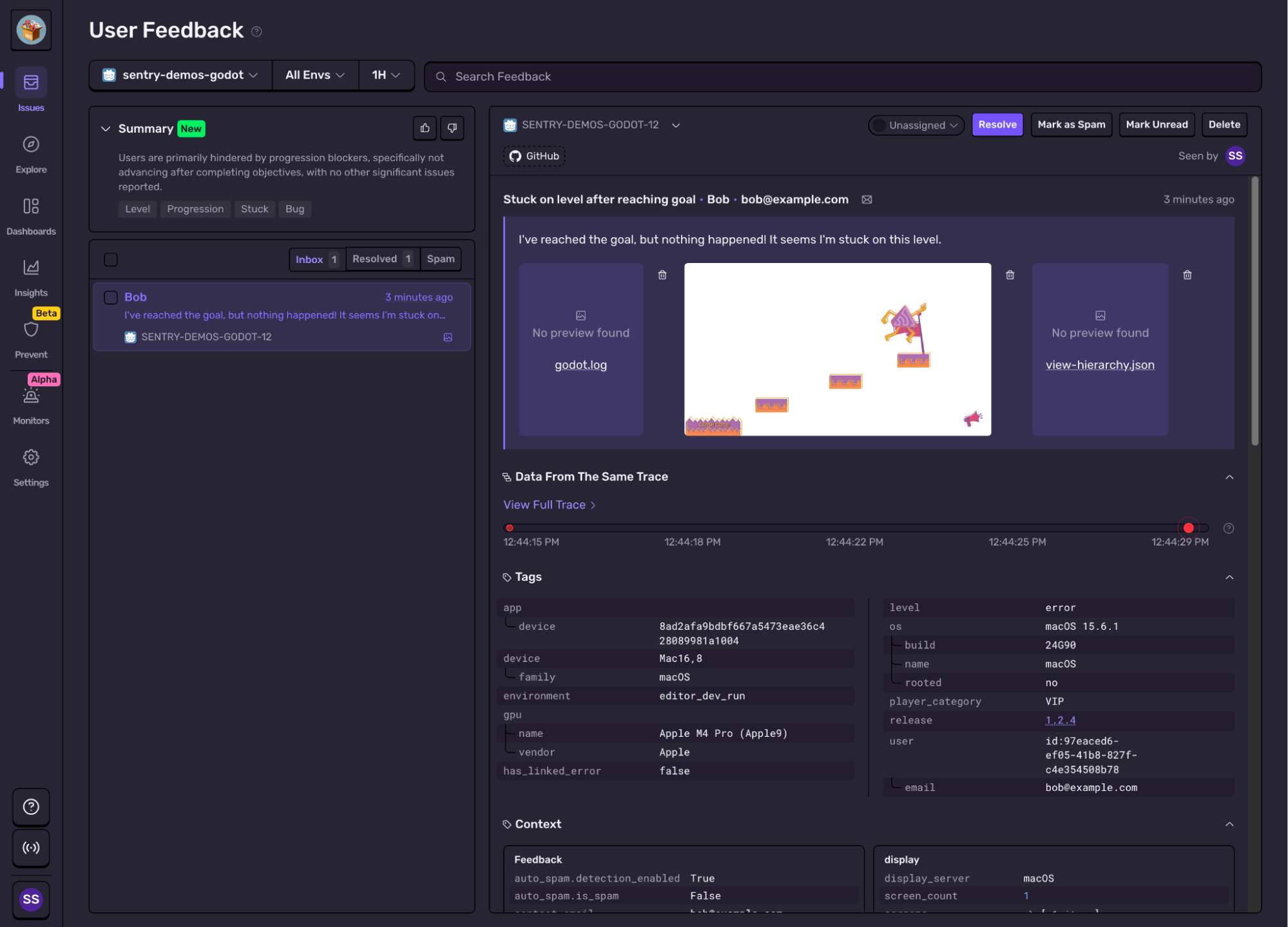
There are almost infinite possible hardware configurations out there. Finding out why some players experience a bug that you can’t reproduce locally can feel daunting. Sentry can help by giving detailed context about hardware and software your players are using, and every issue includes this information for the specific event, so you can see the exact configuration that triggered the problem. And that’s not all - our SDK can send runtime logs, engine statistics, scene tree snapshots, and even in-game screenshots from the moment just before an issue is triggered.
Structured logs
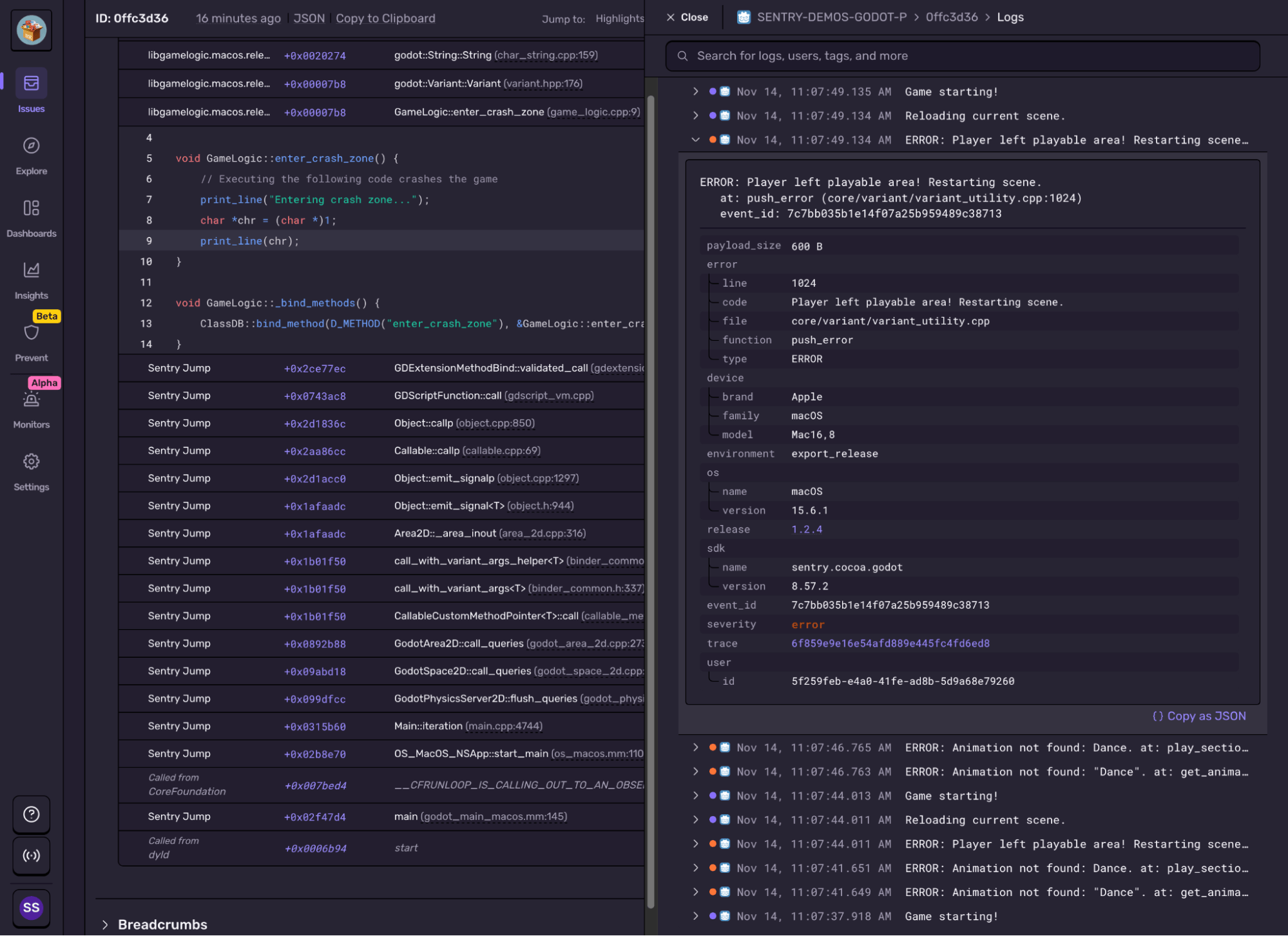
Structured logs are now available in the Godot SDK as well, which means you can capture and link log output to crashes and performance issues in your game. The SDK can capture log output automatically: any time you print() in code or the engine spits out something, Sentry captures it in structured logs. You can then browse and search those log entries directly from the issue. So when a player gets stuck during a scene change or a crash occurs right after loading a resource, you’ll see the exact log trail leading up to the failure, available directly from the issue or trace view:
User feedback
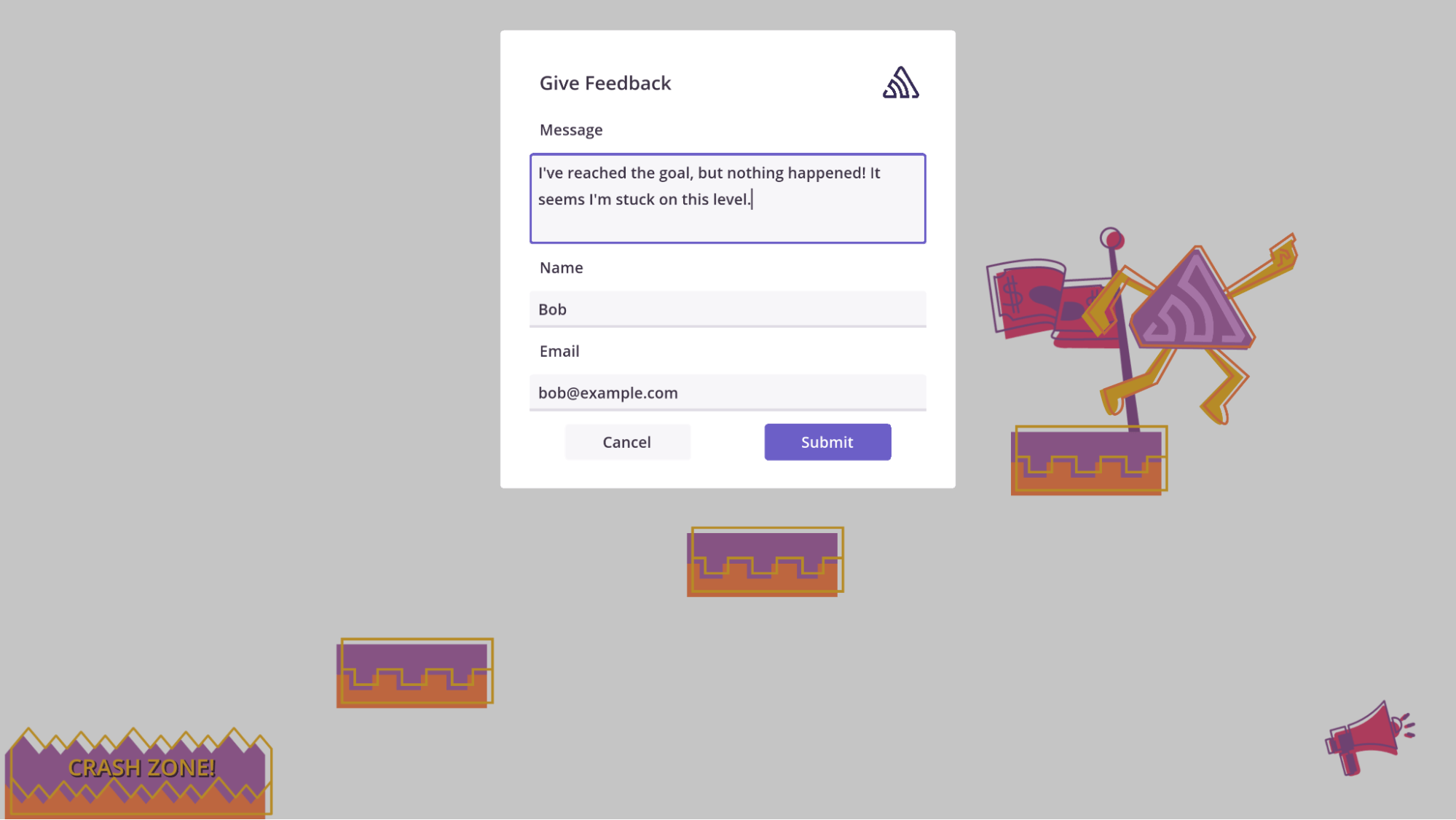
We’ve also added User Feedback support, so players can share details about errors or just give general feedback on their gameplay experience. This means you can see real player insights alongside the usual technical details, helping you prioritize fixes and understand the player experience beyond the stack trace.
There’s a ready-to-use User Feedback UI in the addons/sentry/user_feedback folder that you can use or customize to your liking. Here’s what it looks like in action:
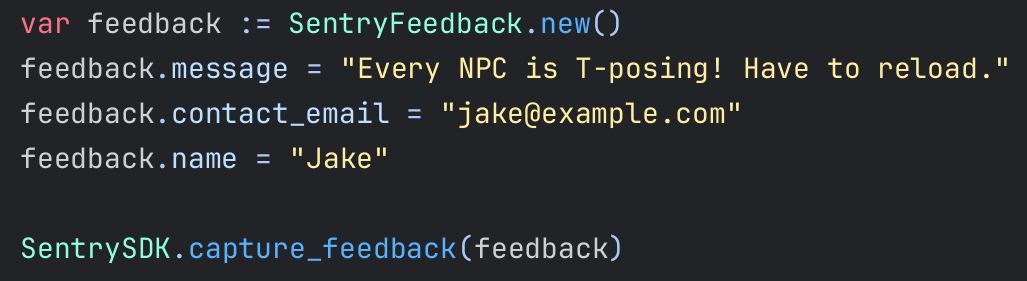
Of course, if you want to get creative, you can build your own interface and submit feedback from code using our API:
Testing improvements
While preparing the SDK for general availability, we also didn’t forget about testing. Our biggest achievement in this area was adding deep validation of event JSON content, which already helped us iron out small inconsistencies between platforms and catch several bugs.
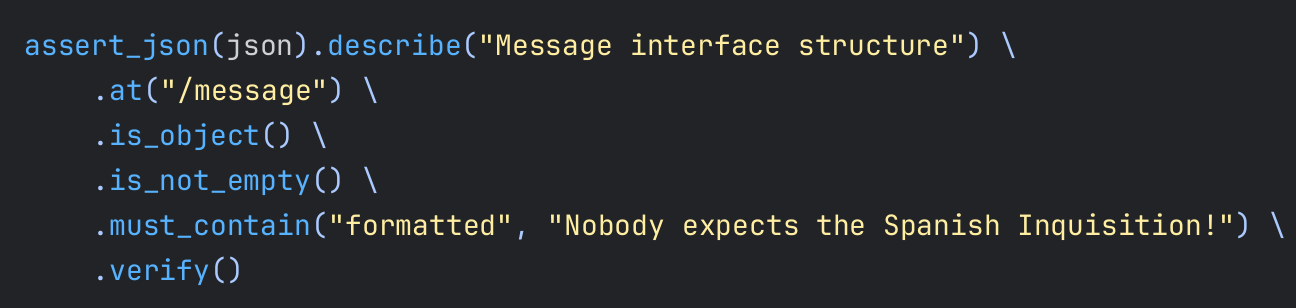
To make this possible, we built a GDScript module that adds a fluent API for sophisticated JSON content testing. It’s important to start testing from GDScript, since this is how most users interact with the SDK’s API. This approach increases our confidence in the release process, knowing that we have a good foundation for catching potential regressions.
This expressive syntax makes it easy to define precise expectations for JSON structures while keeping tests readable and concise. Testing output is also quite informative, showing which steps fail in the call chain, along with helpful bits of JSON content.
Major version changes
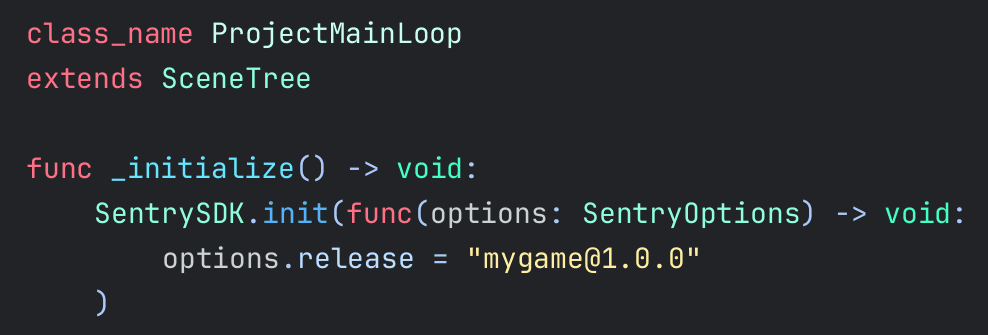
Every major release is an opportunity to look back and improve things. The biggest change is the redesigned SDK initialization process. Instead of relying on a configuration script with a somewhat unclear lifecycle, you can now simply initialize and configure the SDK manually whenever it makes the most sense in your game.
Now that you can initialize the SDK manually, our advice is quite simple: do it as early as possible! The best place to do that is in your project’s main loop script. We also took an opportunity to add a method for cleanly closing the SDK connection if it’s no longer needed. This rounds out our improvements to the SDK lifecycle.
Platform support and getting started
The Sentry Godot SDK comes with support for Windows, Linux, macOS, iOS and Android. Coming soon: support for Web and C# exports, as well as support for W4 console forks.
Crash reporting for PlayStation and Switch is already supported by Sentry, no SDK needed.
A stack trace tells you where your game died, not why. Session Replay for the Sentry Unreal Engine SDK attaches the last few seconds of gameplay to every crash report so you can watch what actually happened.
More code is shipping faster than ever, and most of it is no longer written by people. The speed is the story everyone tells. What matters more is what happens after the code ships, where software is starting to notice it is broken, understand why, and write the fix itself.