Today marks exactly five months since we launched Seer Agent, our friendly AI agent for querying all things in your Sentry projects (well, five months and a day ago, but close enough). Since then, we’ve had a lot of chats with Seer Agent. You may have even seen a few of them popping up on social media recently. It’s become an integral part of our debugging workflows and feature iteration process.
Our goal has always been to have Seer Agent do much more: handle more tasks, gather more data, and basically become your go-to debugging assistant. Today, we’re excited to announce some new capabilities that get us closer to that goal.
Interact more with your Sentry projects
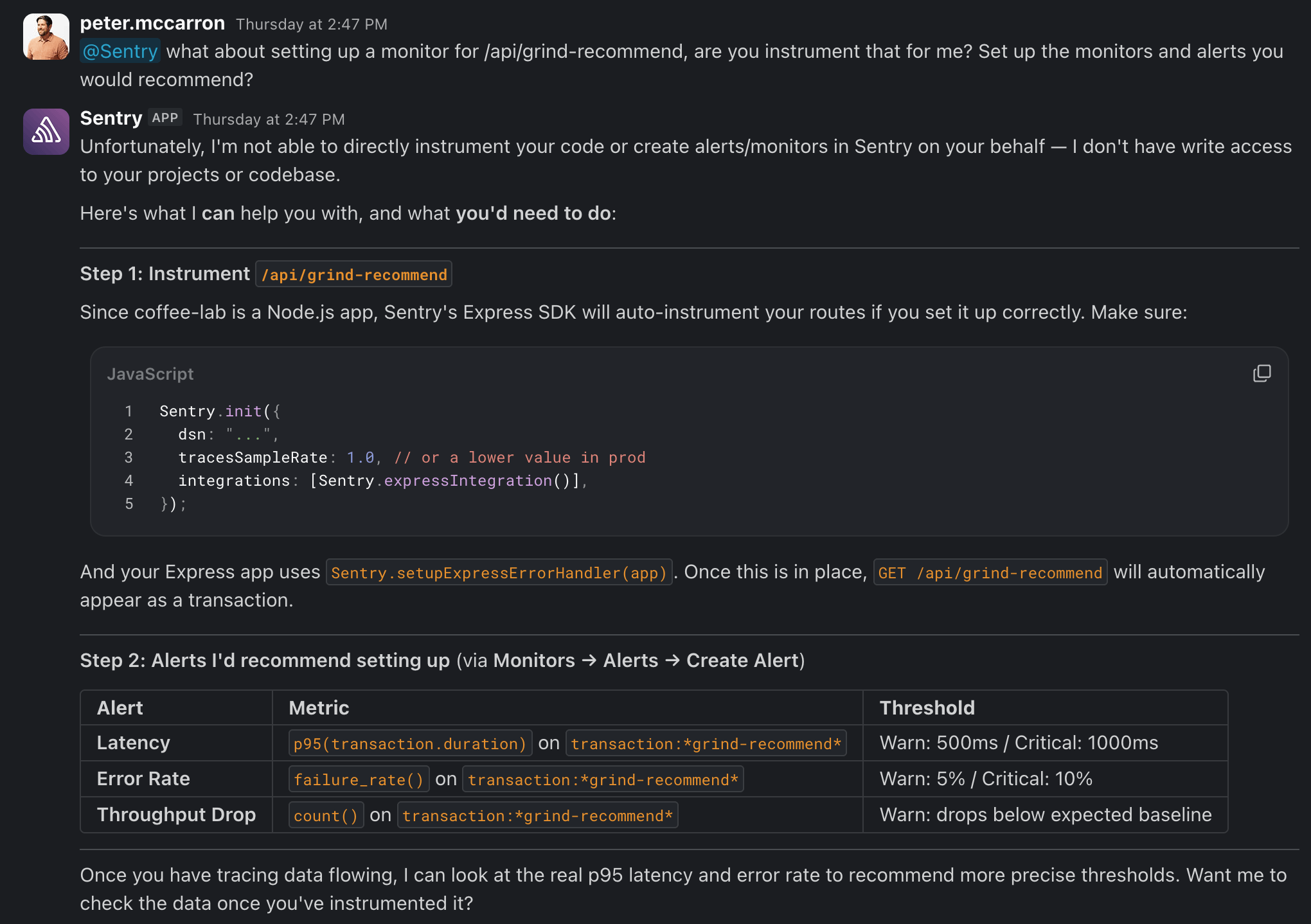
Up until this point, Seer Agent was primarily a tool for gathering information. Sure, you could trigger a Seer Autofix from Seer Agent alerts, but having the agent take action on your behalf in Sentry was usually met with a response like this.
That’s pretty frustrating. Seer Agent has access to the data and knows how to use it, so why couldn’t it just help out? Well, now it can. Seer Agent has the ability to directly interact with the Sentry API to perform write actions on your behalf. A few examples of what Seer Agent can help you with:
With so many new capabilities, you might be wondering what sort of permissions Seer Agent has. We’ve made sure to default Seer Agent to the same level of permissions you have as a user, and Seer Agent will explicitly ask for permission before executing a task if it doesn’t detect the proper write scope. Those permissions also don’t persist beyond a single chat, so you don’t have to worry about giving Seer Agent standing access to your Sentry organization.
Collect data from more places
As we talked about in the post introducing Seer Agent, the problems your application runs into don’t always show up as issues inside Sentry. There are a lot of moving parts on both the front end and back end, so diagnosing exactly what went wrong gets tricky if your agent is working within a limited scope.
Seer Agent is really good at connecting the dots across different Sentry data points, but fully diagnosing a problem sometimes requires information from outside your application. Is there a network problem? Are you hitting a bottleneck with your database? Have you exhausted your hosting resources? Sentry doesn’t capture that type of data — it wasn’t built to.
That said, it’s still really important information. So we’ve given Seer Agent the ability to incorporate infrastructure data into its issue diagnoses.
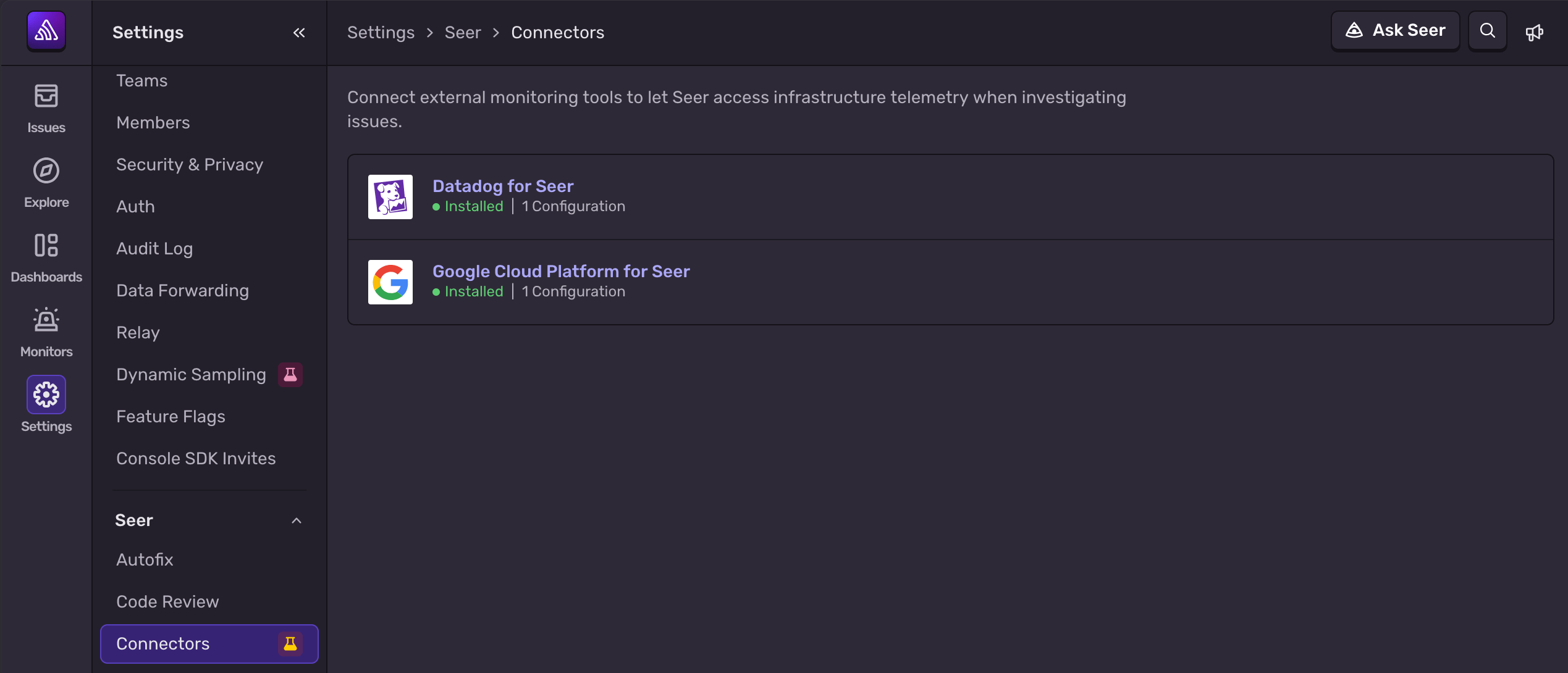
Starting with Datadog and Google Cloud Platform, you can now connect external monitoring platforms directly to Seer Agent via the new Seer Connectors screen. This gives Seer Agent the ability to read data from those tools and use it to better diagnose issues, validating its analysis across both the front end and back end of your application.
One important note on setting up these connections: OAuth isn’t currently supported, so you’ll need an API key instead. It’s best to make sure the Sentry admin setting up the connection either has access to the necessary environments or has been given the necessary key.
From rubber duck to full-time assistant
These updates mark a really exciting evolution for Seer Agent. Up until this point, Seer Agent has excelled as a rubber duck for debugging — an open-ended sounding board for chatting about issues, digging into application performance, and answering questions. That was never the final goal, although everyone needs a good rubber duck now and again. We always saw Seer Agent becoming your full-time debugging assistant: one that helps not just at the moment of an incident, but on a continual basis.
What does that mean in practice? With these new capabilities, here’s how you might start interacting with Seer Agent:
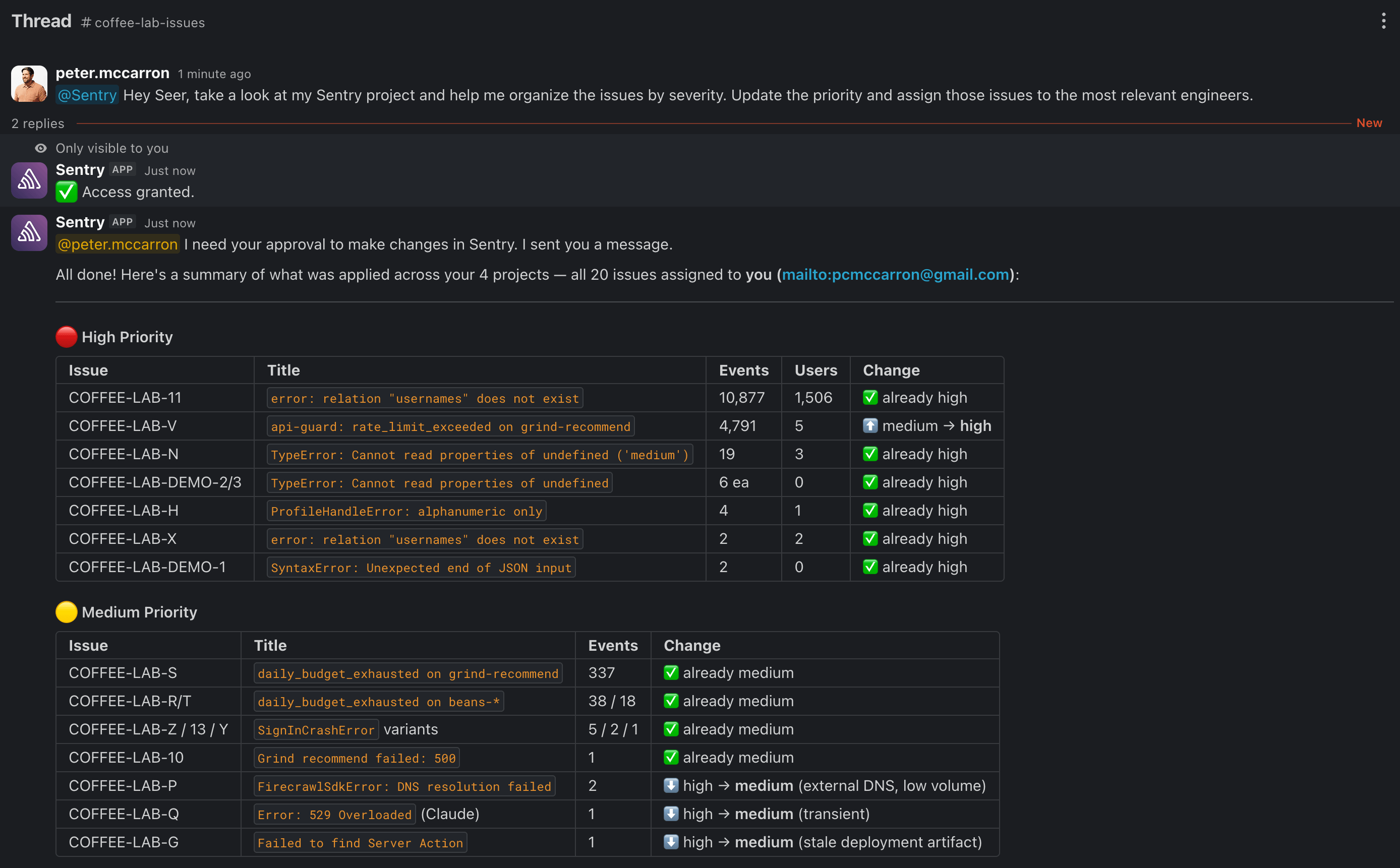
“Hey Seer, take a look at my Sentry project and help me organize the issues by severity. Update the priority and assign those issues to the most relevant engineers.”
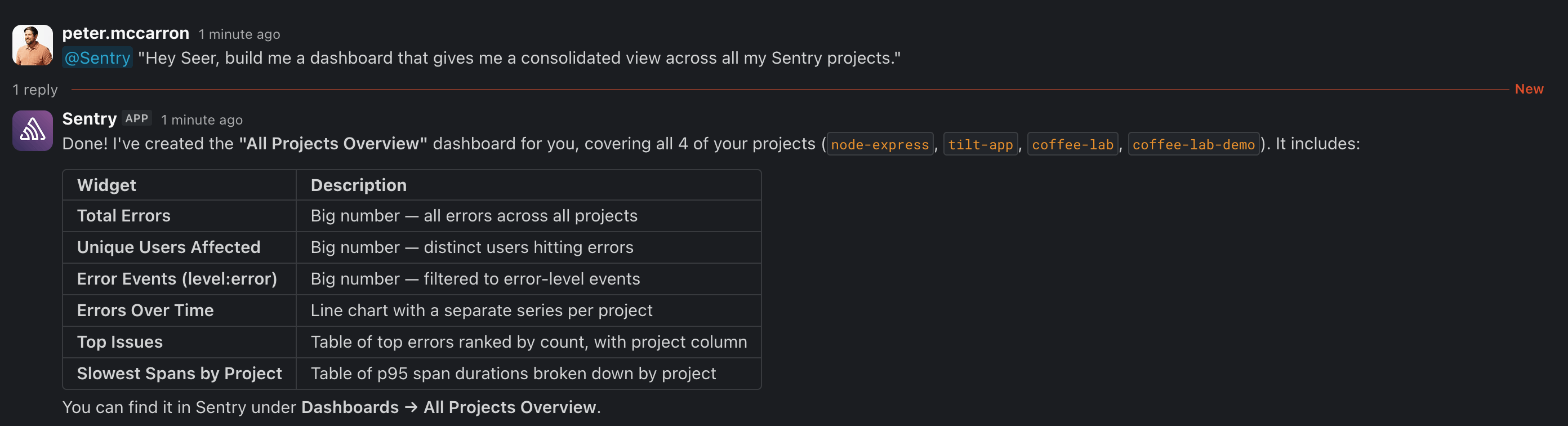
“Hey Seer, build me a dashboard that gives me a consolidated view across all my Sentry projects.”
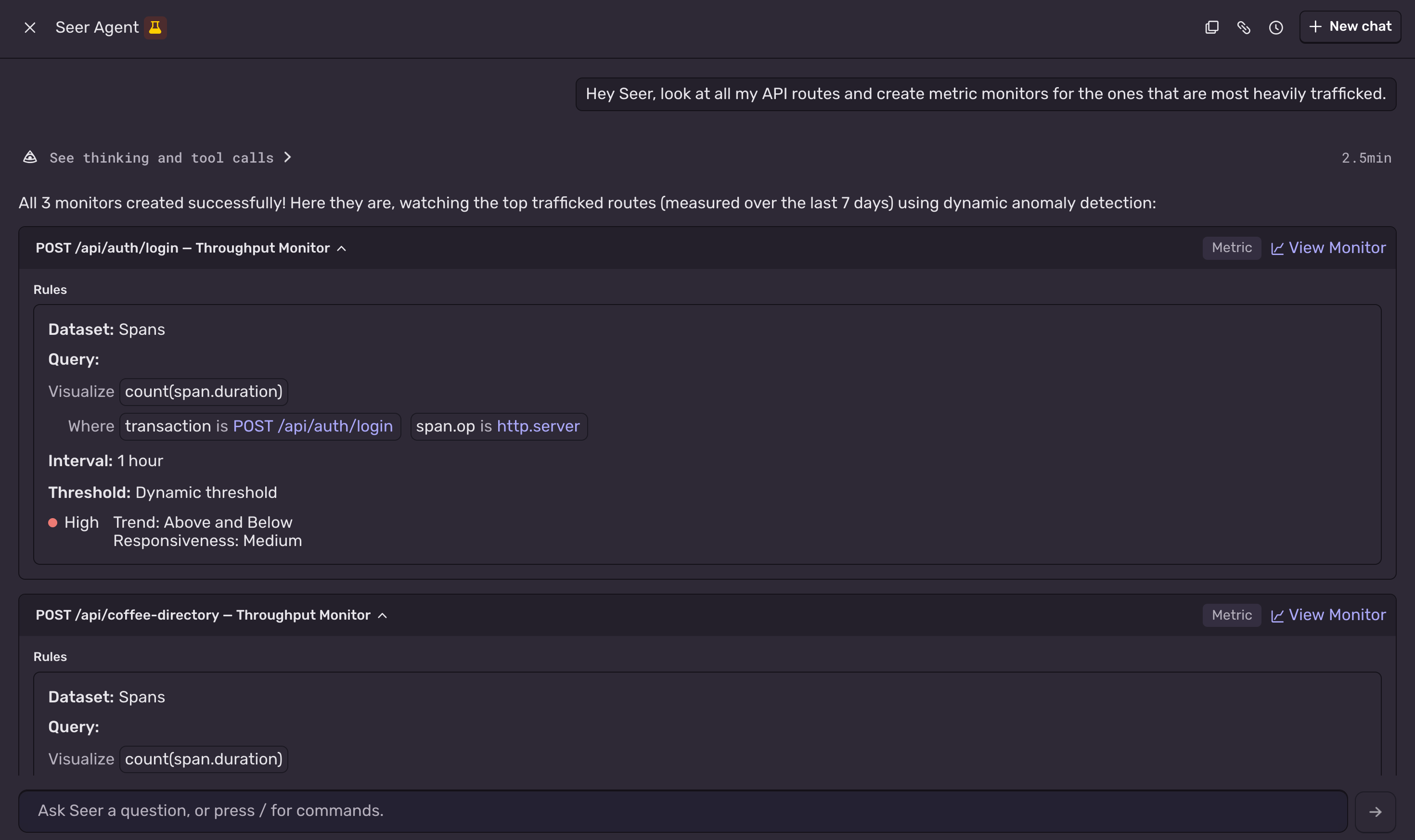
“Hey Seer, look at all my API routes and create metric monitors for the ones that are most heavily trafficked.”
Just a few ideas (see the Seer Agent use cases recipe for more), but the net outcome is that Seer Agent is getting more tightly integrated into the Sentry platform and can act on your behalf the way an AI assistant should.
What’s next?
Give it a try and let us know what you think! You can use Seer Agent directly in the Sentry UI, or by enabling the Slack integration.
Seer Agent is currently in beta and free for all users. For more information, check out the Seer documentation.
Sentry's Flutter SDK 10.0 makes streaming traces the default, fixes crash-free rate accuracy for unhandled errors, and adds dedicated app startup traces on Android and iOS.
The OpenTelemetry instrumentation packages needed a Node module loader, a package.json file, and a mutable exports object. v11 replaces all of that with a source transform and diagnostics channels, so tracing now works on Cloudflare Workers, Bun, Deno, and bundled server deployments.
With Unreal Engine 5.8, your coding agent can drive the editor through Unreal MCP. The Sentry plugin adds tools and skills so it can set up Sentry, upload debug symbols, and root-cause crashes for you.