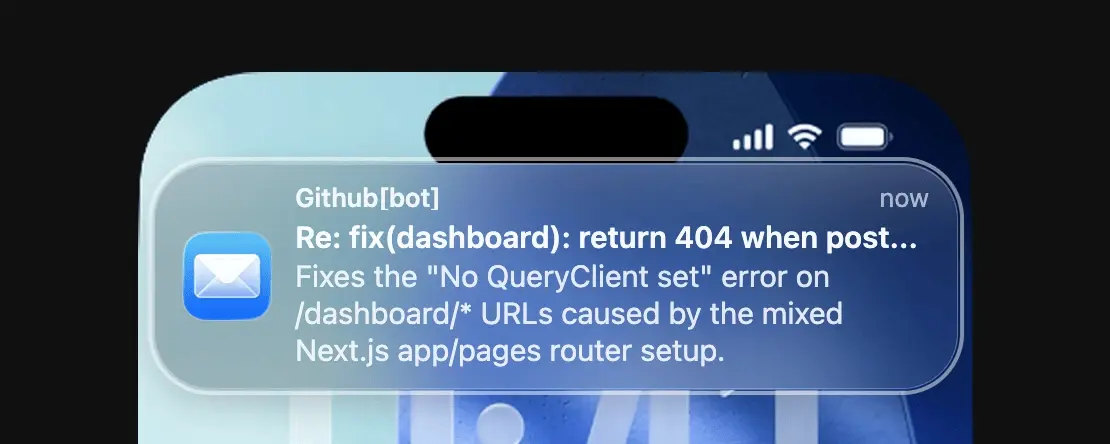
I was at the dentist the other day, getting ready for my appointment. The waiting room was pompously decorated. Each chair seemed to be from a different, expensive Danish designer. As I realize I’m about to get charged through the nose, I get a notification from my beloved Mail app.
** ding **
Screenshot of GitHub email notification
It’s a new Pull Request on GitHub. This one is different though. I have no idea where it came from! As I scramble to figure out what automation triggered this, some intrusive thoughts start to take shape… Have I been hacked?!
I open the code tab to find it’s a perfectly reasonable fix, including a unit test update and all. Not only that, it looks low risk and all checks are green too.
As the dentist calls my name for probably the third time, I panic and (against my better judgment)… I press “Squash and merge”.
I put my phone back in my pocket and mumble to the dentist: “Sorry, I was in the zone…”.
I was never going to fix that bug
You’ve probably shipped to production from the dentist a lot more than I have, but to me this felt like a big shift. It’s not just that I merged some code. It was cheap code. Code that I didn’t need to work for or prioritize.
So what happened? Where did that PR even come from? Hold on for a second.
First, we need to have an honest chat about bugs and prioritization. If you’ve ever worked on any production system, issues will pile up and you’ll eventually end up having to triage bugs, usually asking these questions:
How many users are affected?
What’s the impact?
How long will it take to fix?
Based on this, a stakeholder will assign a priority to the bug. Usually everything that’s less than high goes into what they call “the backlog”.
If you’re new to this, “backlog” in enterprise is short for Bottomless Abyss of Casually Kept, Long-Overdue Grievances.
But how much business value does fixing that bug bring compared to <insert-feature-ceo-is-excited-about-here>? How much harm can that one bug really cause? After all, we had it for months.
Indeed, the fate of this bug was sealed the moment it was compared to a higher priority feature. It’s not a problem of discipline or willpower, it’s a simple problem of economics. The cost of fixing it can’t be justified when compared to adding a feature that potentially brings heaps of new customers.
Fast forward a few years, and you end up with (you guessed it) 57 bugs in the backlog.
I’m excited to show you how we got it down to 1!
The economics of fixing bugs are changing
What I’ve described used to be the case for most companies. I don’t think that’s true anymore. Around Spring 2026, a number of things came together in AI that I believe completely changed the economics of fixing bugs:
model intelligence
larger context
better harnesses & tool calling
new abstractions (skills, hooks, sub/cloud agents, etc.)
longer running agents
All of this resulted in a leap that flipped the economics of fixing bugs from “not worth it” to “what the heck, let’s take this one into the sprint too”.
In the midst of all this, I was happy to have had Sentry running in all of our systems.
You see, all of the above is worthless if you don’t have context. With enough context, most bug fixes become trivial for AI to both fix and verify.
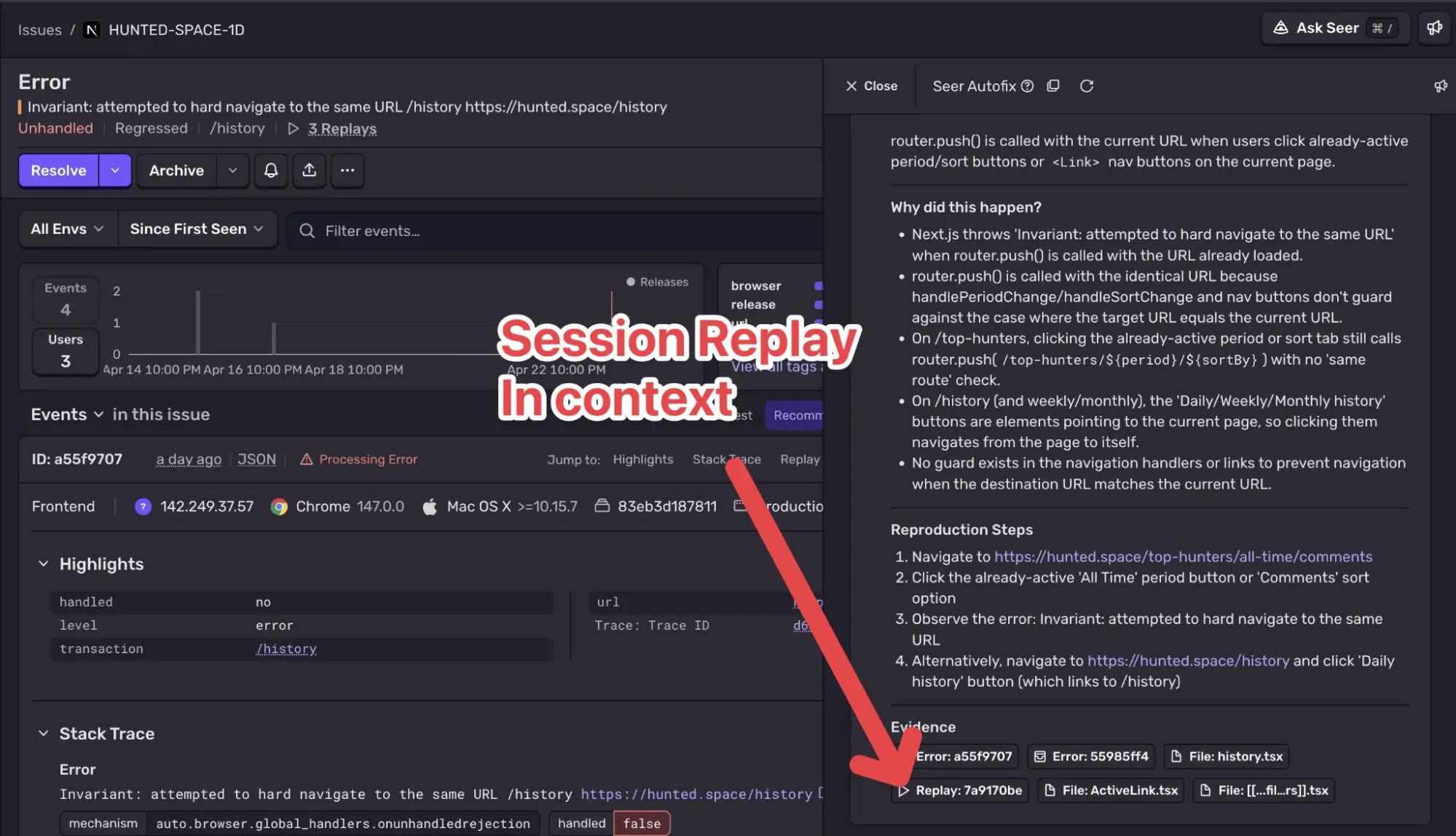
And Sentry has the juiciest, most valuable context of them all: traces, device information, network, logs. Just to name a few. To my surprise, it even uses Session Replays as context?!
An issue in Sentry for a navigation error on hunted.space, with Seer Autofix open on the right showing an “Evidence” footer containing a Session Replay.
Pro tip: the more telemetry you send (traces, profiles, logs), the better every automated fix downstream gets. I highly encourage you to set up JavaScript logs in Sentry.
With this context a third of the job is done without even lifting a finger. Another third is implementing the fix. And the final third is verifying it.
In theory, if we could automate all three thirds, we’d be able to close most bugs in our sleep. And that is exactly what I want to talk about in this post. I believe most bugs can be solved automatically now.
If bugfixing were a stock, it’d slide down like Lehman Brothers in ‘08. Except this time, the crash is the good news.
Let me show you how to set this up.
How to fix your own bugs cheaply while you relax
To pick a correct setup, we need to first get into the mind of a bug. You need to “think like a bug”, if you will.
Bugs have feelings too
Not all bugs are created equal. The nice ones have a cool hairstyle and sunglasses. The bad ones have a mohawk and a tattoo. In general, we can sort bugs into 3 categories:
Go to Seer settings and link your project to the corresponding repository(ies). This is what Seer reads for root cause analysis and code generation.
On the same settings page, also set the Automation step to Stop after PR drafted.
“Stop after PR drafted” is the most hands-off of the three automation levels. If you’d rather keep a human in the loop earlier, you can also stop after Root Cause (analysis only) or after Plan (suggested fix, no PR).
If you can’t find Seer settings, make sure you have enabled “Generative AI Features” in your org’s general settings.
And just like that, no more Friendly Bugs. How does this work in practice?
From my perspective, I just get PRs every few days. They usually contain fixes spanning a few lines of code. I see if all checks are green and hit the merge button. That even closes the issue in Sentry so if you’re as lazy as I am, you’ll love it!
A nice touch: Seer automatically parses your rules files (Cursor, Claude Code, etc.), so both the analysis and the handed-off fix follow the same conventions your own agents do.
From Sentry’s perspective, it’s a more involved process. An issue has to earn its automatic fix:
the issue has enough events registered that it’s clearly not a fluke
the issue is recent (currently, within the last 14 days)
the issue has a sufficient fixability score: Sentry estimates how straightforward the issue is to resolve, and only confident ones proceed
In my experience, what this means is:
You don’t get spammed with PRs.
When a PR comes in it’s usually a slam dunk.
Just by enabling this, you’ve probably already fixed a massive chunk of your bugs. It’s quite remarkable. Let’s go deeper now!
Grumpy bugs
These bugs are harder to crack. They have more unknowns, and typically require deeper investigation. However, they are still mostly isolated and reproducible, only the fix spans multiple files now.
Examples:
a race condition between two API calls that only shows up on slow connections
state that goes stale after a websocket reconnect
an optimistic UI update that never rolls back when the request fails
a pagination bug that skips or duplicates items when data changes between pages
These are a lot harder to justify financially. Typically they’d be written off as “edge case” and deprioritized.
If you expect me to write “but Seer also fixes these” and move on to the next section, I won’t. I can’t lie to you, Seer alone cannot fix these.
Seer is a fantastic investigator, but it doesn’t have a full-blown environment to apply & verify the fix. It can’t spin up a dev server, can’t poke at a database, can’t press the button that triggers the bug 5 steps into the flow.
By now we should know: if the agent can’t verify, the task is not done.
So for Grumpy bugs, we let Seer do what it does best (root cause analysis with all that juicy production context) and then hand off the actual fixing to an agent that does have an environment: a full-blown cloud coding agent.
agents, with more likely on the way. Let’s pick Cursor for this example.
Here’s the setup:
In Sentry, go to Settings → Integrations → “Cursor Agent”, and click “Accept & Install”.
Note: there’s also a Cursor API integration. Make sure to pick the one that has the “Coding Agent” tag.
Head over to Cursor Account Settings and generate an API Key under API Keys in your profile.
Go back to Sentry and paste the API key.
Finally, go to Seer settings, select your project and set Handoff to Agent to “Cursor Cloud Agent” and Automation Steps to “Stop after PR drafted”.
Seer Settings with a project that has Handoff to Agent and Automation Steps set to the described values
If you’d like more control over third-party Cloud Agents, you can keep Seer as the “Handoff Agent” and trigger the third-party Cloud Agent manually on a per-issue basis.
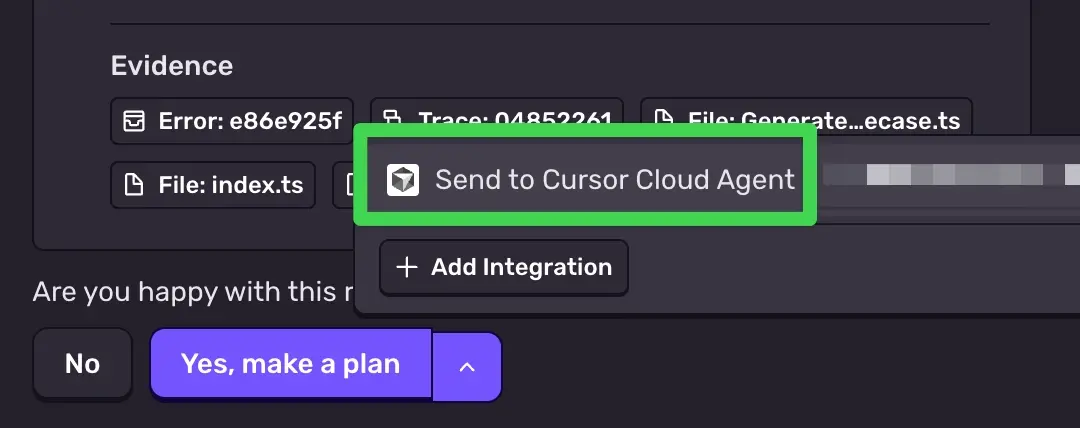
On any issue’s Root Cause Analysis card, click the dropdown next to “Find Solution” and launch a Cursor Cloud Agent. Great for when you want to delegate one specific bug instead of automating everything.
What really happened at the dentist
Now you’re finally ready for the big reveal. Why did I get that PR at the dentist?
Turns out, a colleague happened to enable the Cursor Agent in Seer settings a few days before. Sentry determined the bug was worth fixing, handed it off to Cursor, and after implementing and verifying the fix, it opened a PR (more on this handoff in a minute; it’s the key to the next category of bugs too).
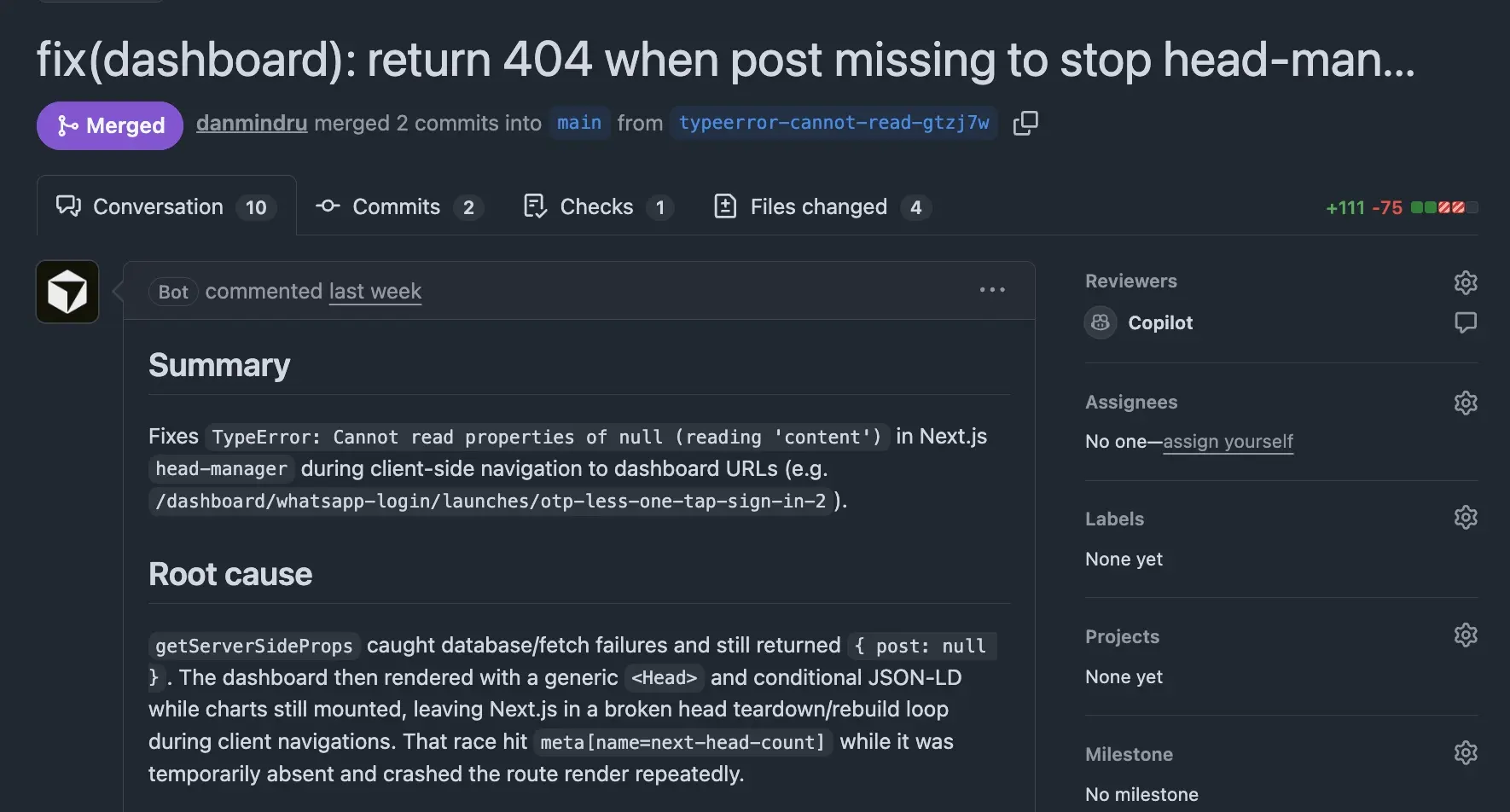
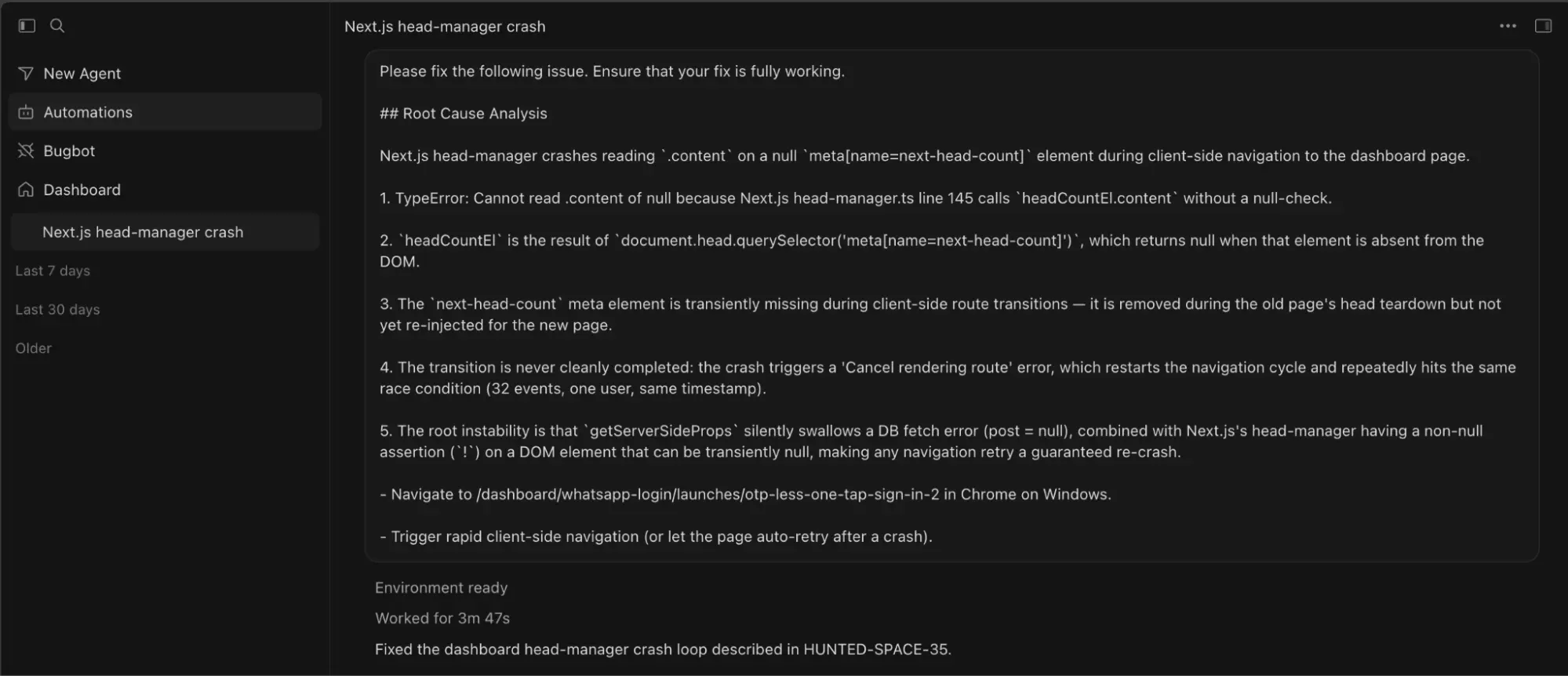
The confusing part was that there was no link back to Sentry, and I couldn’t see the Cursor Agent chat either, hence my initial panic. Checking this on my small screen didn’t help either, as I missed some of the PR metadata I’d usually look for on a larger screen.
GitHub Pull Request overview with the issue description summary and root cause
So, how does the handoff to the coding agent work?
Seer’s Autofix flow has three steps:
Root Cause Analysis
Solution Identification
Code Generation
With a handoff configured, Seer still performs the root cause analysis and gathers that juicy production context (stack traces, breadcrumbs, traces etc.), but instead of generating code itself, step three goes to the Cursor Cloud Agent. The prompt will contain everything Seer found so far.
Cursor Cloud Agent Prompt containing root cause analysis
The agent then checks out your repo in a real environment where it can:
run your unit and integration tests
spin up a dev server and actually exercise the broken flow
use any MCP from the Cursor marketplace to go further: query a dev database, drive a browser, check CI, write and execute E2E tests, take screenshots etc.
In other words, it closes the loop. Investigate → fix → verify. That last third of the job, the expensive one that used to be handed over to a human, is now also automated.
With this in place, you’re likely down to 80-90% of bugs being fixed. Now it’s time for the boss level. Things won’t be as smooth from here, let’s take a look.
Punk bugs
These are the bugs that take a good look at your test suite and burst into laughter. They’re not isolated, they’re barely reproducible, and the root cause usually lives somewhere AI can’t casually wander in, like production data or a third-party service.
Examples:
a crash caused by old production data: records created by a migration 5 years ago, in a shape your current code could never produce
a bug that only triggers for one customer because of their specific combination of feature flags, plan, and account age
behavior that depends on a third-party service doing something undocumented (an auth provider, a payment webhook arriving twice)
an issue that only shows up at production scale: a query that’s fine with 10k rows and pathological with 50 million
something environmental: a corporate proxy, production config, a browser extension, a device you don’t own
The missing piece is production. If you made it this far down the article, you’re probably clever enough to know we should never, under any circumstances, give AI access to production.
The best way to fix these is to have the agent work with you. Typically, this will involve you cloning some records to dev, observing the agent and generally taking the time to understand what’s going wrong.
The context is still just as valuable though, so how do we get it?
The setup for these bugs is:
Add the hosted Sentry MCP server to your favorite IDE or agentic CLI. In Cursor that’s Settings → MCP → New MCP Server (or just edit mcp.json in most agentic coding tools):
Log in to your Sentry org via OAuth. Click through and you’re done.
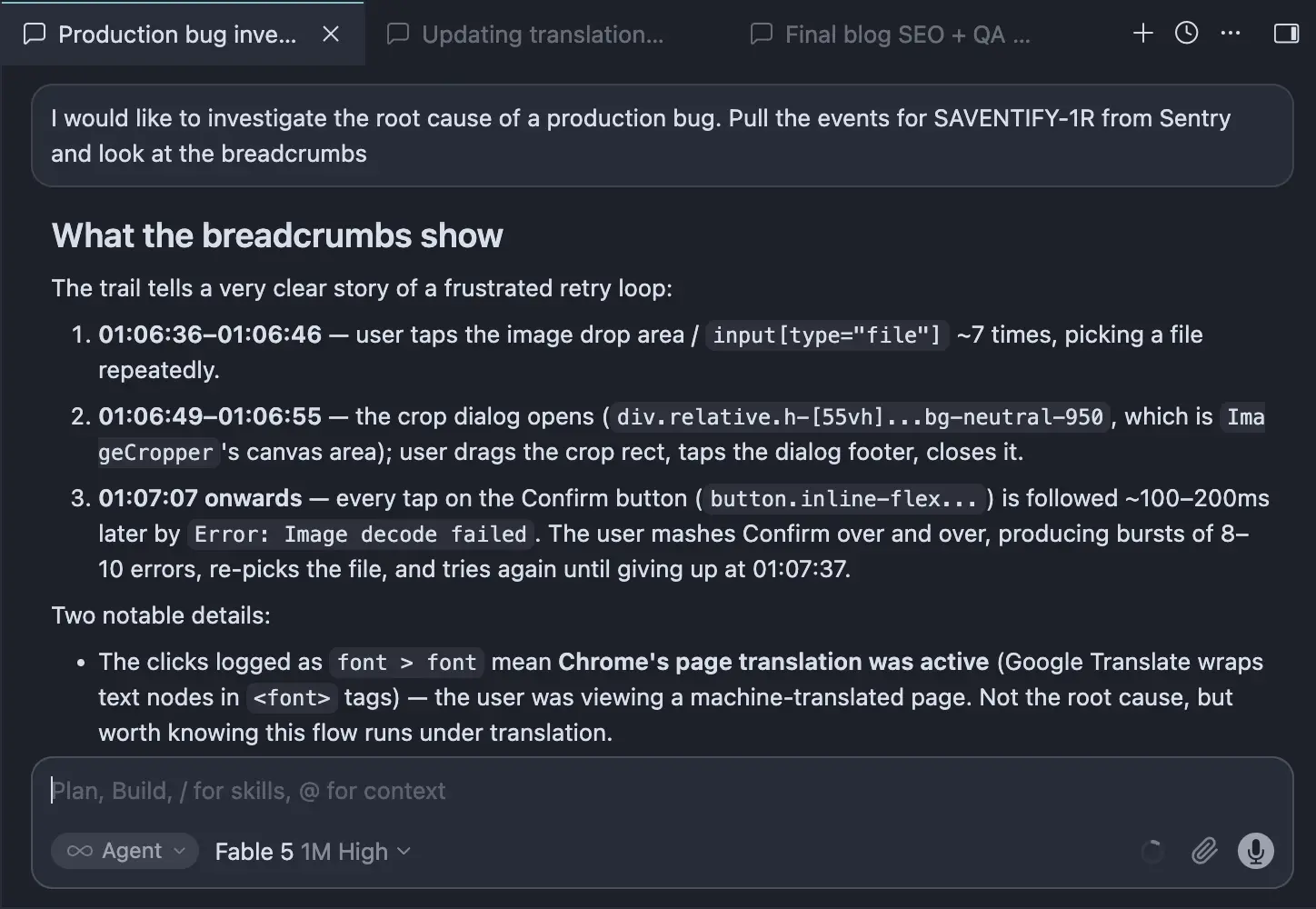
Open the agent chat and start asking questions in plain English: “I would like to investigate the root cause of a production bug. Pull the events for SAVENTIFY-1R from Sentry and look at the breadcrumbs”.
The MCP server gives your agent direct access to everything it needs to investigate and propose a fix, including Seer that can run a tool to root cause analyze right from the chat.
As the agent pulls the context, you contribute with historical data and business logic that’s not obvious:
“Those accounts were migrated from the old system in 2021 and have a different config”
“We changed payment providers that quarter”
“That customer is behind a corporate proxy”
Each of these one-liners will dramatically increase your chances of finding the correct root cause. Once you do, the fix can be fully automated and sent off to a Cloud Agent to fix if it can also be reproduced on a dev environment. Otherwise, you’ll need to manually verify the fix.
Because of this, these bugs will always be expensive to fix. In some cases, they can only be fixed by a person that happens to have specific historical/business context. Realistically, no amount of AI can get around it, and I suppose that’s why building software can be a blessing and a curse at the same time.
Reducing investigation and verification time is the best we can hope for, and this workflow does exactly that.
What was that one bug you couldn’t fix?
I know this is what you’ve all been waiting for.
“If you’re so clever at explaining this bullet proof setup, Dan, then how come you didn’t fix all your bugs?”
This boils down to cost and a high risk / low reward combination. Just to reproduce, this bug requires:
A production MSAL config
A Microsoft failed request + redirect and
Timing to be just right in order to reproduce.
In short, users experience this bug as data loss, which is catastrophic in my eyes. When they perform certain create/update actions and their auth token expires, MSAL sometimes fails to perform a silent refresh token call, and the application will go through a series of redirects that drops the redirect URL together with the data they entered.
This has been so hard to fix that we’ve contemplated switching auth providers. A few times now. It might be cheaper and more reliable at this point.
In the meantime, we had to take a step back and think outside of the box. After many failed attempts at a fix, we ended up implementing save/restore on every keystroke, so at least users can pick up where they left off next time they access that URL.
Wrapping things up
It’s hard to say what makes people emotionally attached to a product. It’s usually a mix of branding, design, features, performance, customer support and ultimately: value for money.
However, it’s a lot easier to figure out when people start to hate a product: If you introduce enough paper cuts, they will start to think they can’t trust your app anymore. Not addressing bugs is risky business. Once a certain threshold is crossed, there’s not much you can do to turn it around. Even if the mistake is on their side, they’ll still attribute it to your product.
This will leave users more and more frustrated, and ultimately make them recommend against your product. That’s the absolute worst case scenario.
Luckily, most bugs are not like this.
Thanks to recent AI advancements, Sentry and Seer, most bugs can now be fixed at a fraction of the cost. I strongly encourage you to try it, you won’t look back!
Most of a session happens after the page users landed on. With soft navigation web vitals in SDK v11, every page they visit gets its own LCP, CLS, and INP.
Two people and one beagle-shaped AI agent run madewithvuejs.com. Here's how Milly connects to GitHub, Linear, and Sentry to ship code and fix production bugs on her own.
Logs and metrics look nearly identical when you're instrumenting code. Using a signup handler as the example, here's how to tell which question each one answers, and when you can just count the logs.