TL;DR - Sentry Snapshots is in beta. Get screenshot diffing in CI to catch unintended visual changes. Works for any platform with a frontend. Read the Snapshots docs to get started.
Sentry Snapshots diffs screenshots on every commit and blocks the PR if there are any visual changes so you can confirm they’re intentional. Users don’t interact with code, they interact with something they can see and touch. Snapshots gives you a lightweight way to test it.
It’s easier than ever to change code. It’s also easier than ever to trade quality for speed. Modern codebases need guardrails to ensure correctness. Our goal with Snapshots is to be a check for your code and a resource to improve your workflow.
What is snapshot testing
The core flow of snapshot testing is simple:
Make a code change
Generate screenshots of your application
Compare those screenshots against a baseline
Surface any changes
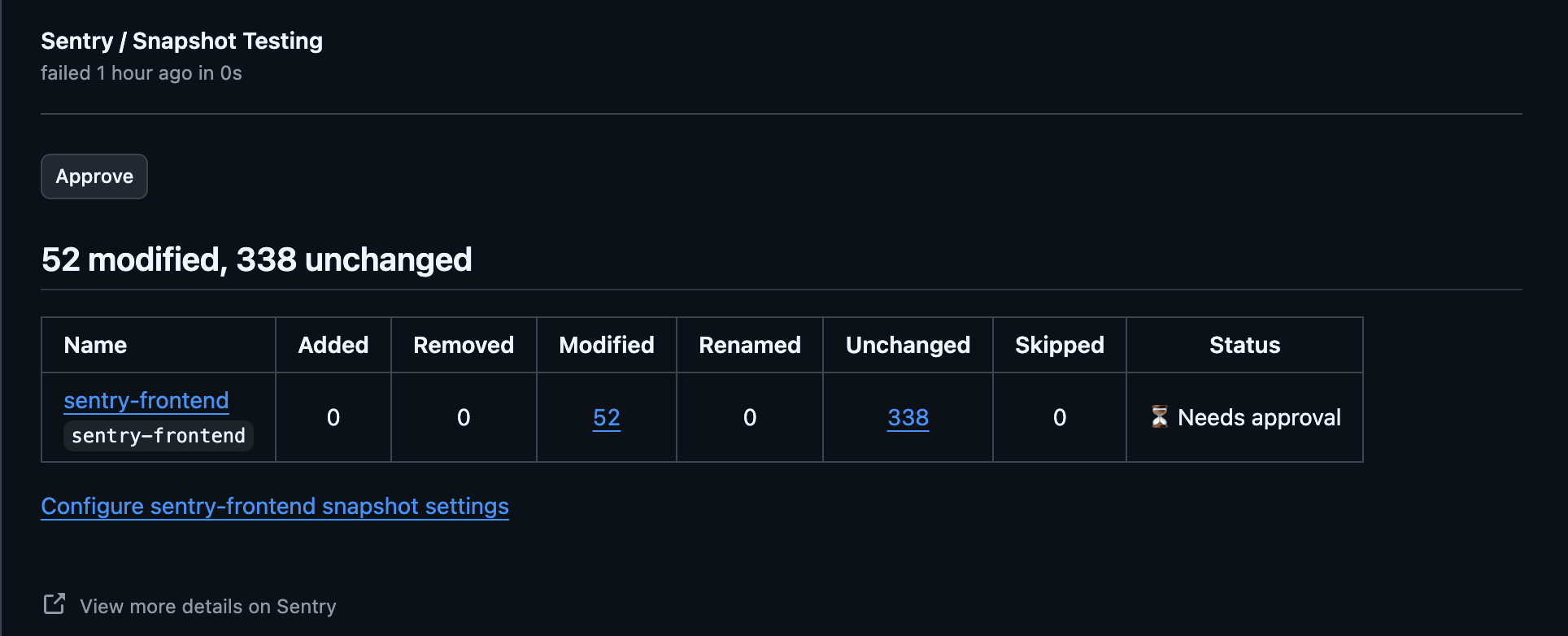
In Sentry Snapshots, you upload screenshots, we diff them, then post in the PR if there are any diffs.
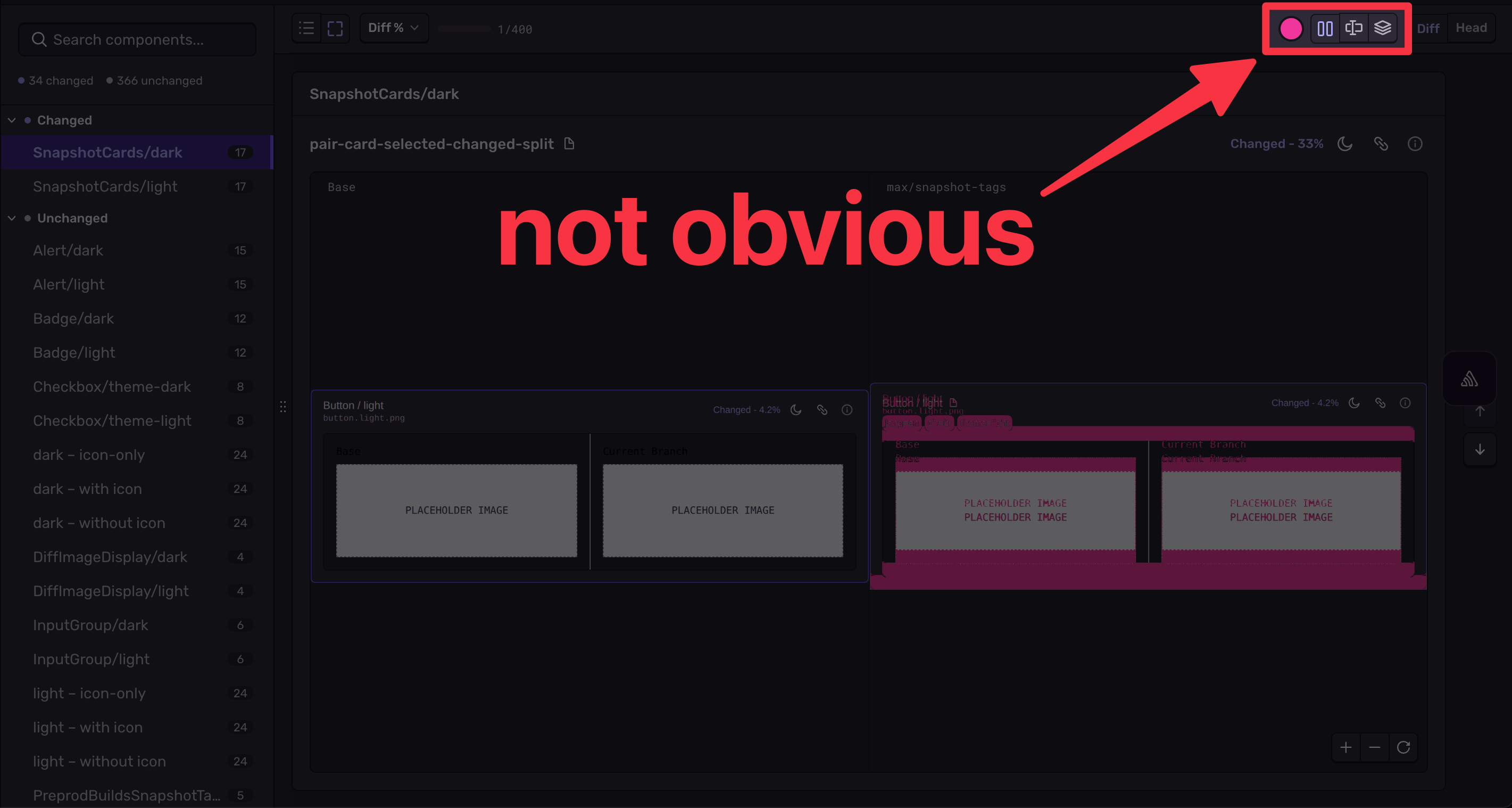
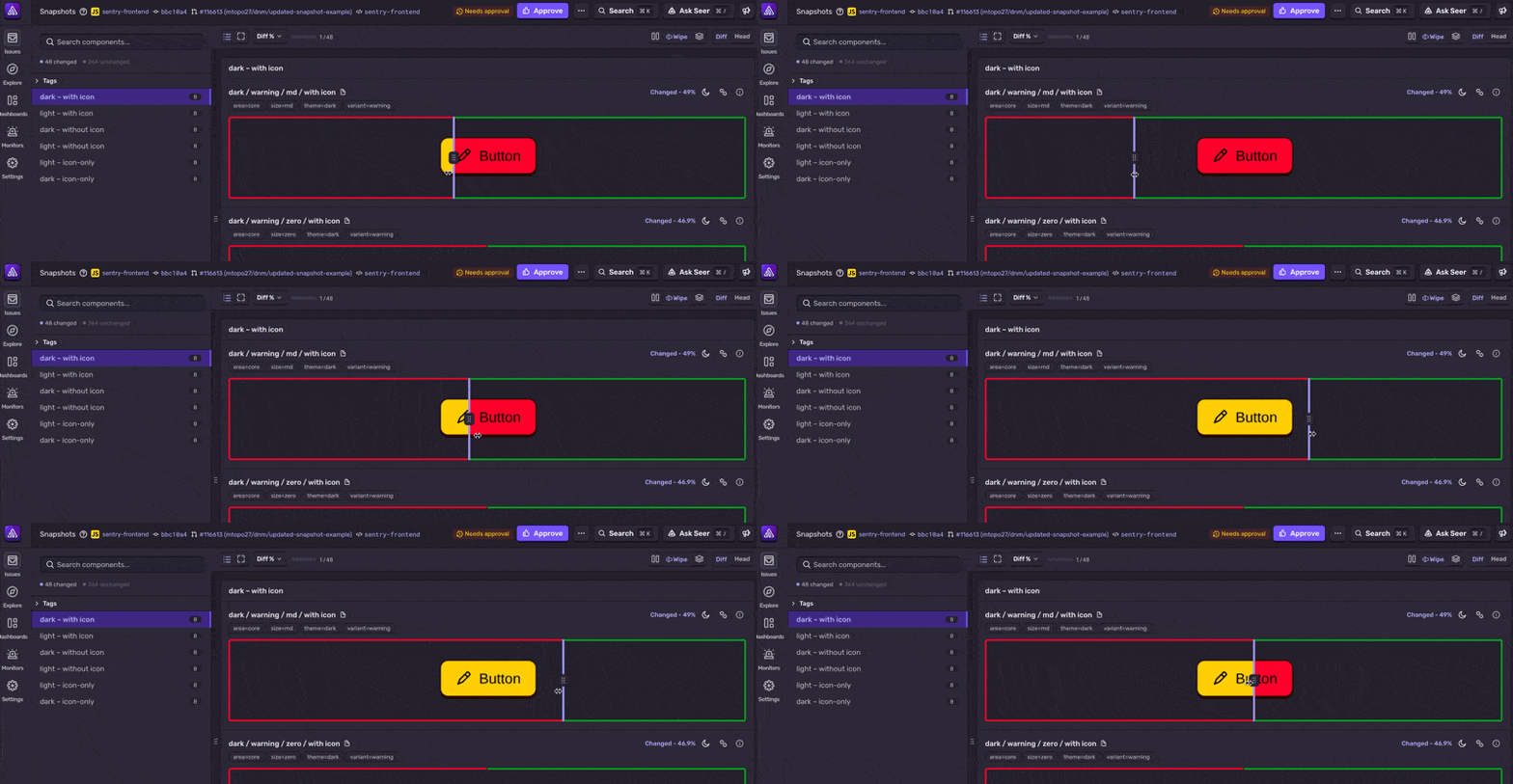
You can then jump into the UX to see what exactly those changes are:
This simple workflow adds an axis of visual coverage. Test your application looks as expected in different themes, languages, or viewports. Snapshot testing validates that you’re not changing more than intended.
How Sentry Snapshots works with agents
Snapshot testing as it’s always existed, as a guardrail for visual changes, is especially helpful for agents. Maybe you have a haphazard prompt, agent makes a change, run snapshot testing, block PR if a change is detected.
But Snapshots can also be an artifact that can be used by agents. Here’s a runthrough of how we recently used Snapshots to help make a visual change to Snapshots itself.
The issue
Multiple users gave similar feedback around our “Snapshot Toolbar”:
Being confused at the initial red “diff mask” on a snapshot
Wanting to hide the mask (this was already possible)
Wanting to change “diff” views, but not being sure how to
Basically, we had discoverability issues for features that exist.
Snapshots as context
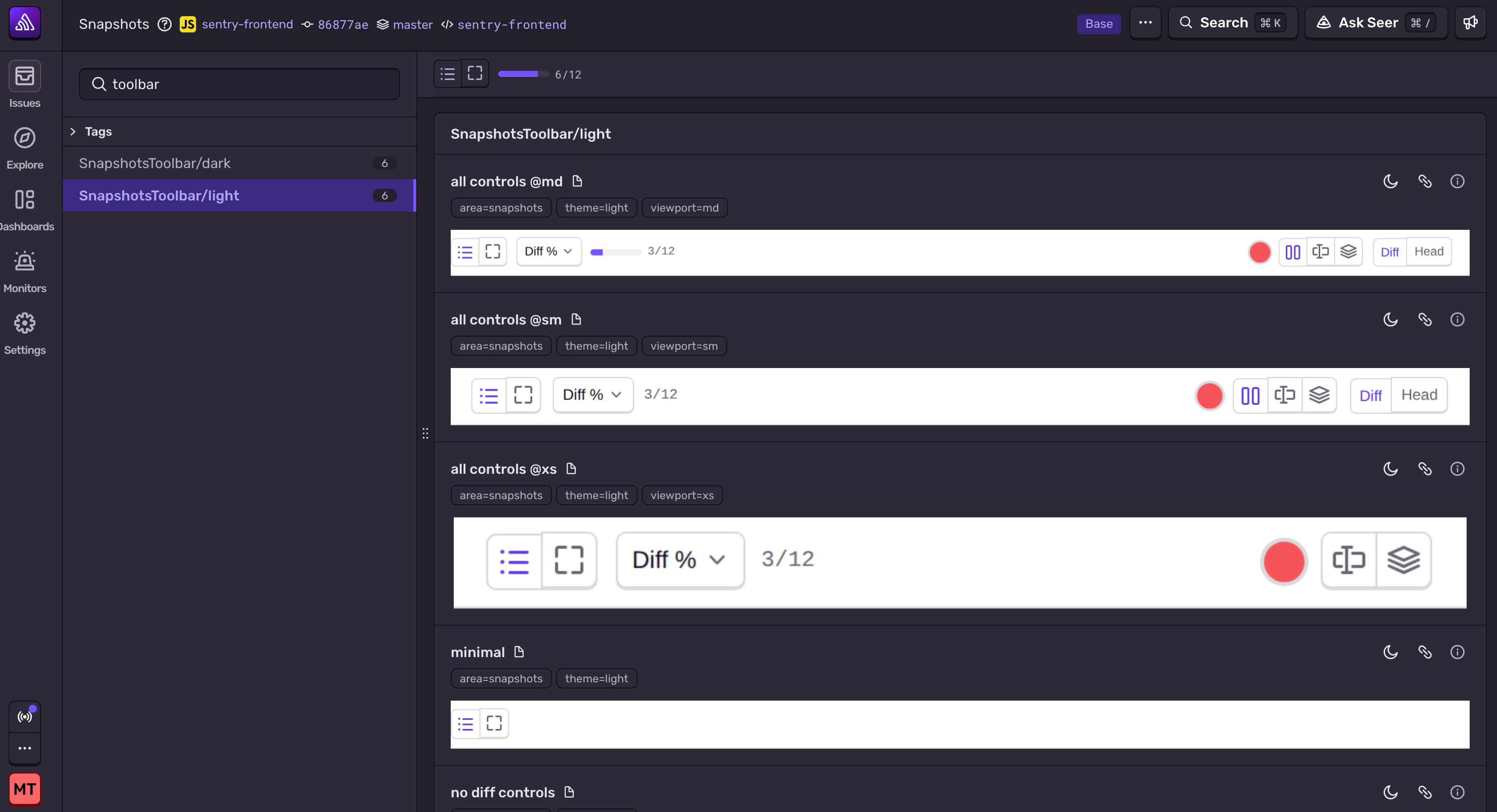
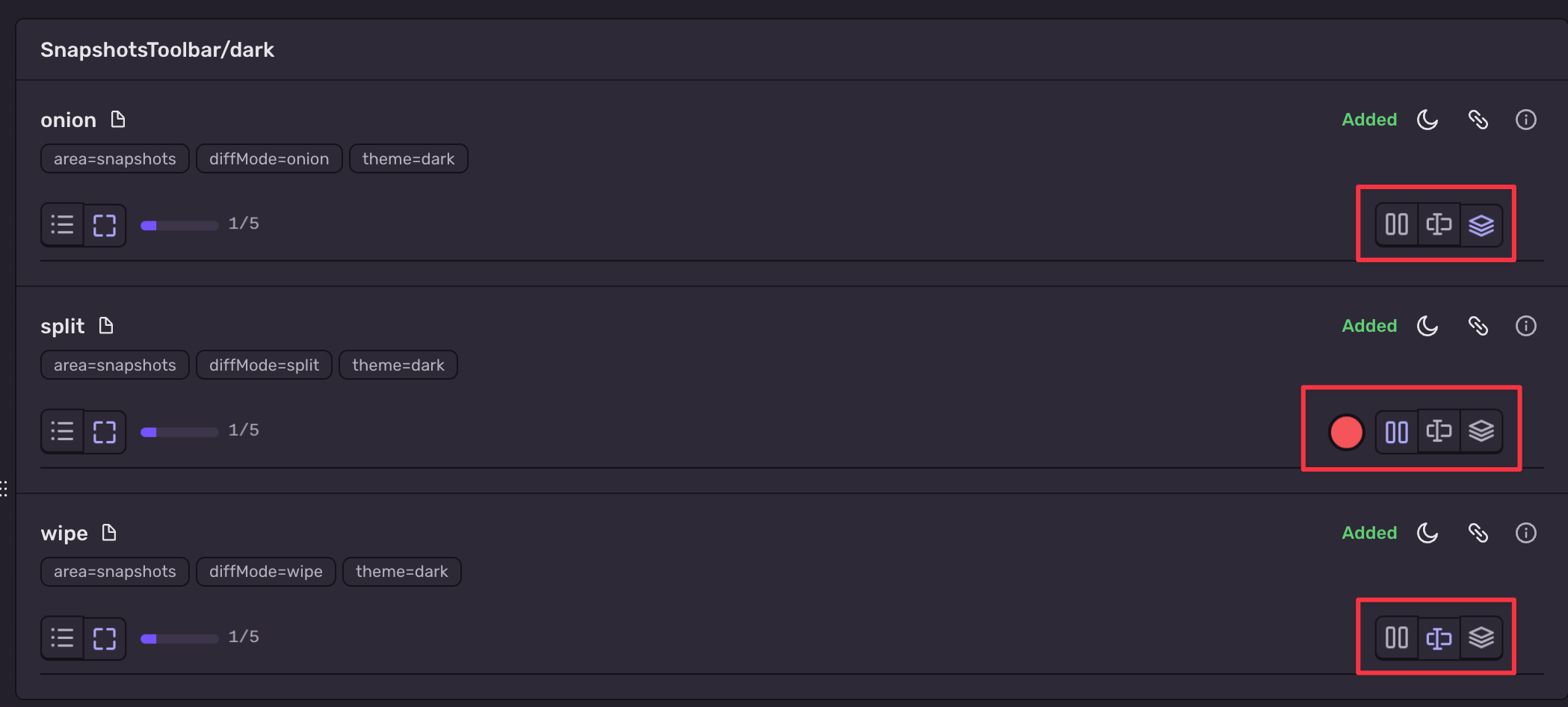
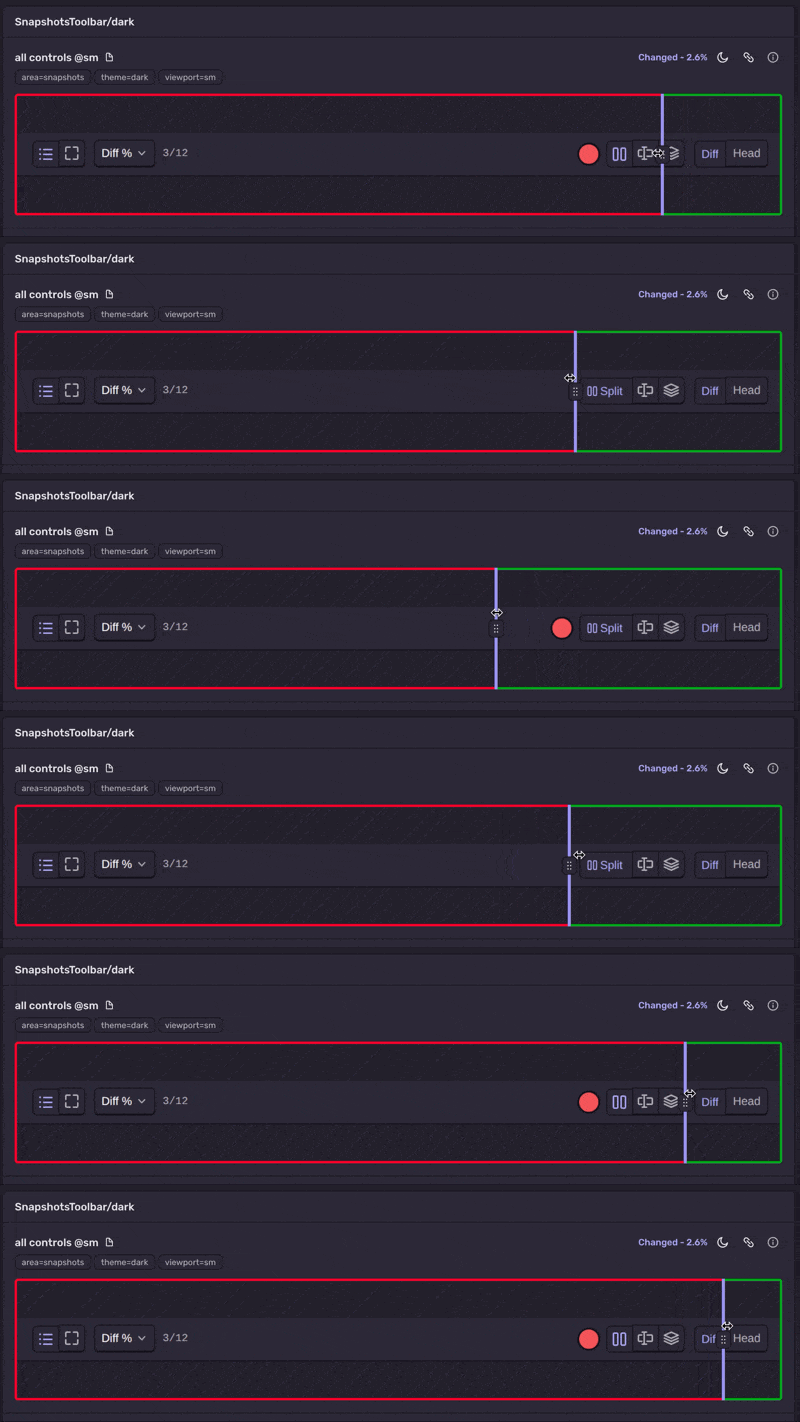
The first step was to increase our coverage. We had some tests in place, but wanted to add screenshots for different active states in our component (there are slight differences depending on the active view):
To add to our test, we obviously need to find where our test is.
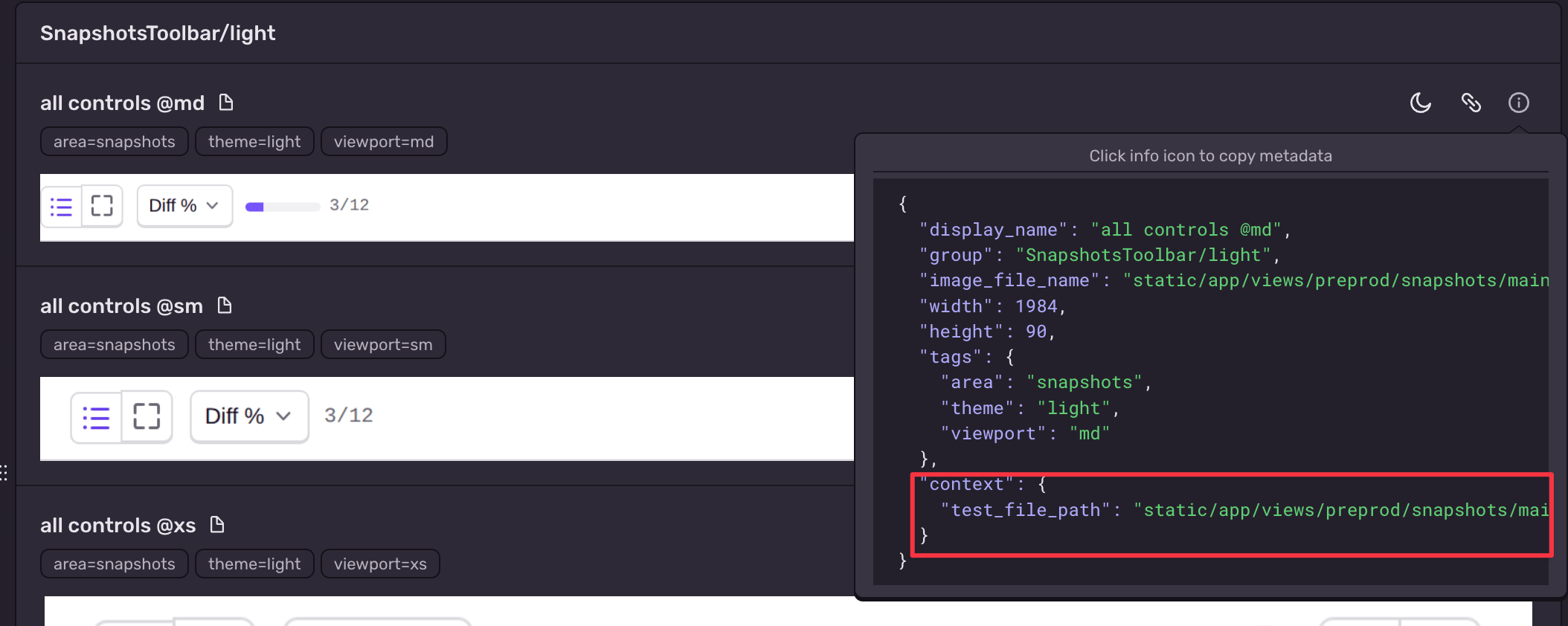
Sentry Snapshots lets you add context metadata to every image. This can be whatever you want and is designed to provide information to agents. In Sentry’s dogfooding of Snapshots, we pass a source_test_file, which is just a path to where the file is.
To add more snapshot tests, all I had to do was copy-paste the metadata to an LLM and explain what I wanted to do:
Find this snapshot test and add states for the different diff views{ "display_name": "all controls @md", "group": "SnapshotsToolbar/light", "image_file_name": "static/app/views/preprod/snapshots/main/snapshotstoolbar-light-allcontrols-md.png", "width": 1984, "height": 90, "tags": { "area": "snapshots", "theme": "light", "viewport": "md" }, "context": { "test_file_path": "static/app/views/preprod/snapshots/main/snapshotsToolbar.snapshots.tsx" }}
If you have a good framework for writing snapshot tests, agents are very good at writing more, especially if you tell them exactly where to look. Here’s the new tests we produced (unique UI highlighted for example purposes):
In this case, I was doing work related to snapshot tests so copy-pasting was easy, but this data is also available via the sentry-mcp and our REST API to use in other scenarios. I used the literal context prop to direct the agent, but you also have access to the produced images and diffs to pass in, which are a helpful reference for agents.
Reviewing diffs from CI
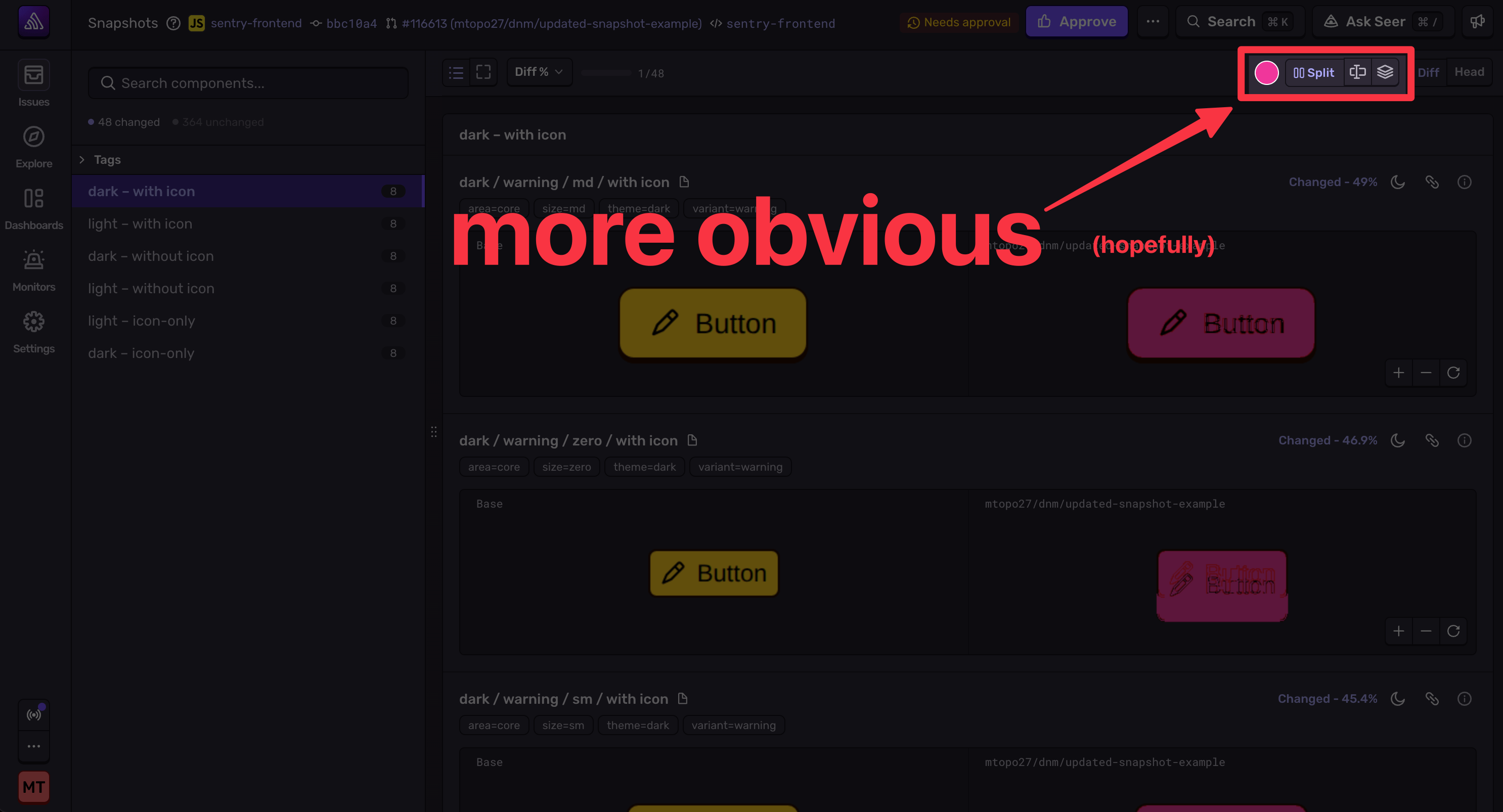
Our initial stab to improve discoverability was to show the active label. But this didn’t do as much as we wanted, specifically for the overlay mask.
We passed in the link to the snapshot to the LLM:
I want to make the color picker more noticeable, but it's still too subtle.Make it have a light border on dark theme and dark border on light theme:https://sentry.sentry.io/preprod/snapshots/299186/?selectedTypes=changed&selectedSnapshot=static%2Fapp%2Fviews%2Fpreprod%2Fsnapshots%2Fmain%2Fsnapshotstoolbar-dark-allcontrols-sm.png
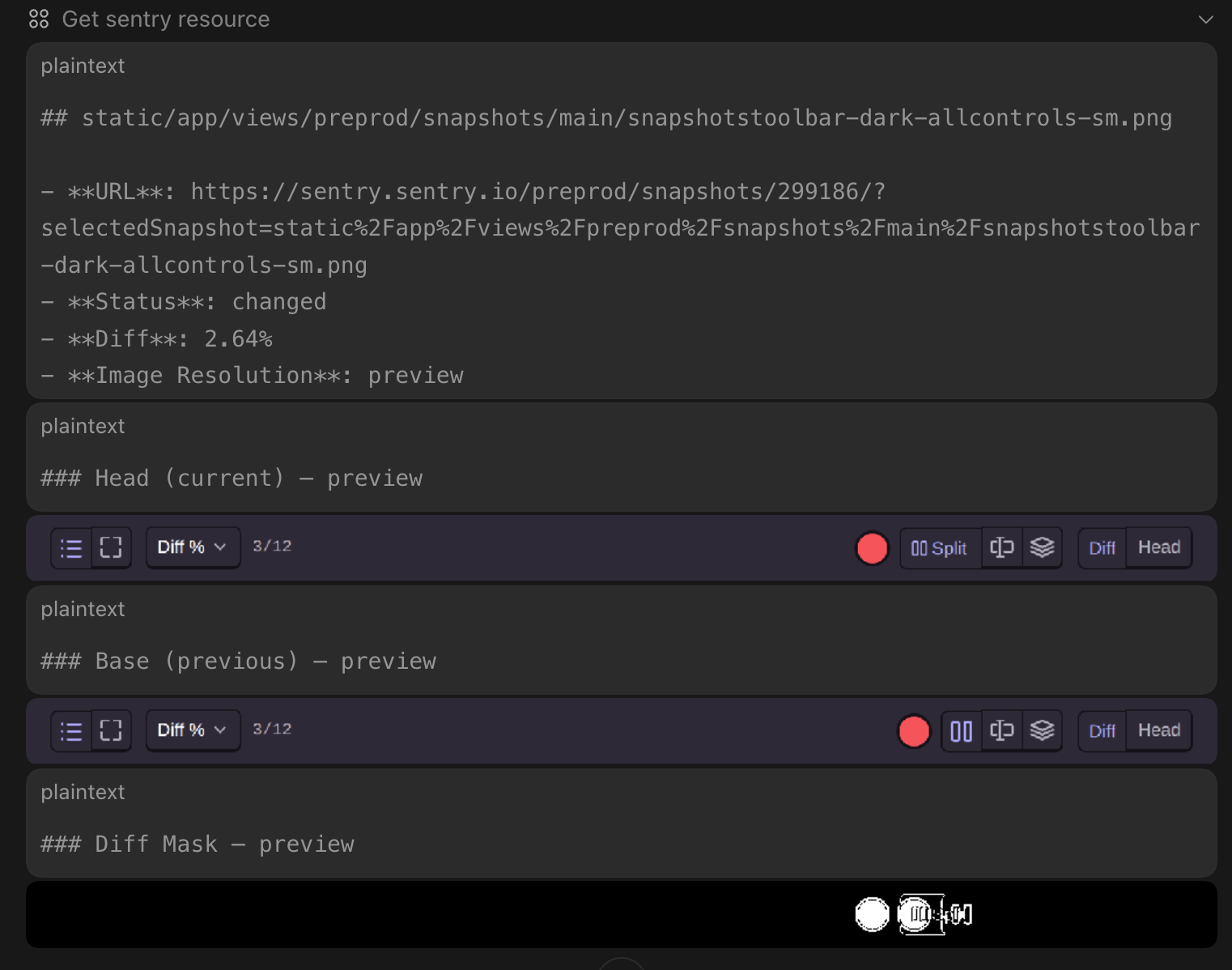
This triggered the agent to use the sentry-mcp to get the snapshot resource, including:
Base image
Head image
Diff mask
Metadata
The agent easily made the change. Realistically, this simple change probably could have done without the resource, but the screenshot data + context metadata provides context specific to the task. The context includes narrowed screenshot data, as well as your local PR information. This is a repeatable, programmatic way of hitting your LLM with a screenshot + “do the thing.”
Snapshots as local verification
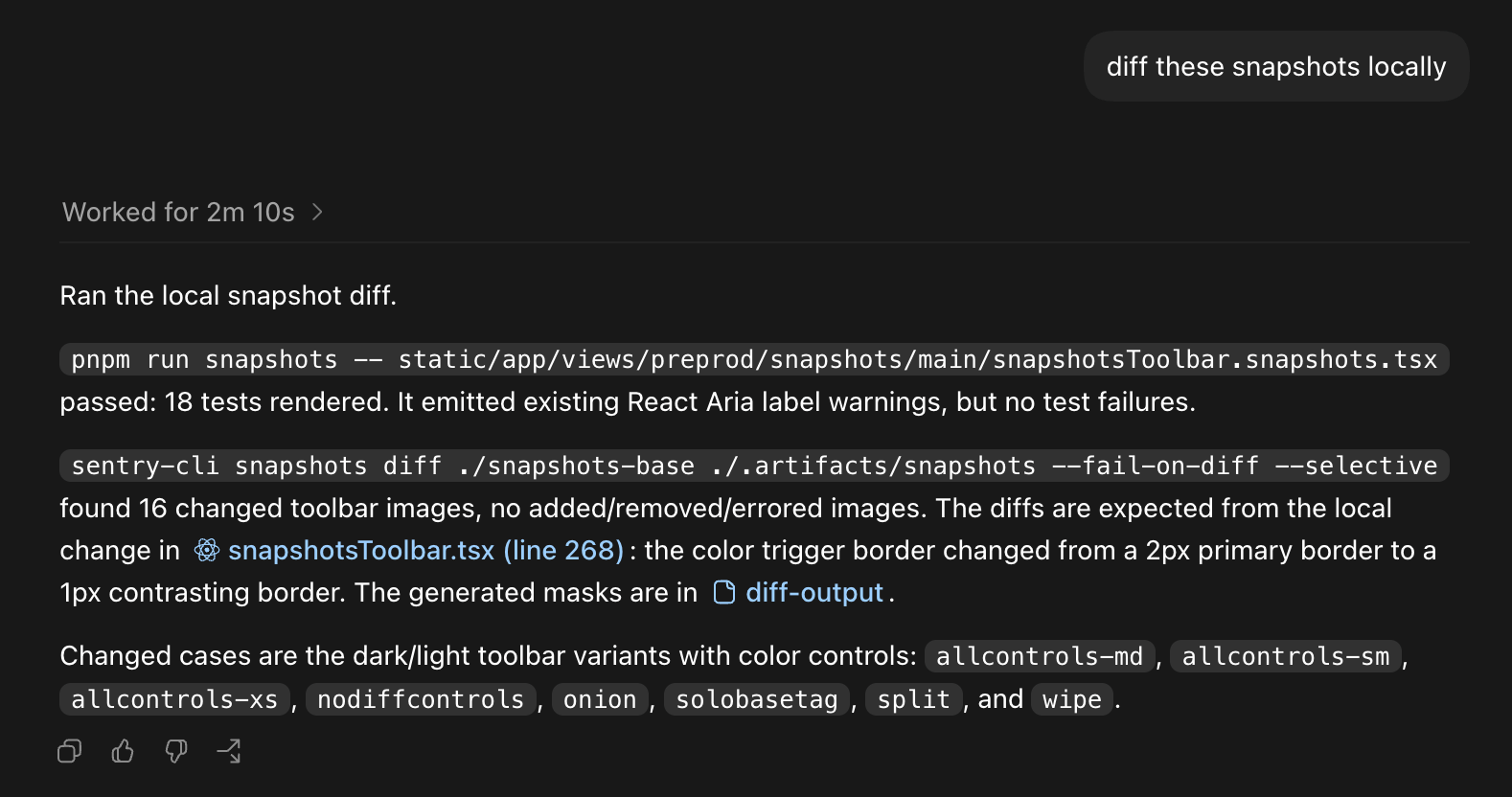
To finish the loop, we need our agent to be able to produce and diff snapshots. Producing snapshots is bespoke to the repo. The sentry-cli lets you download the baseline images and diff your local set against them. We can have our agent do the diffing and then expose the results to us (or if you also like to live dangerously, have the LLM judge and commit if it looks intended).
This can be useful independent of an agent, but you can also have your agent do this as part of the pre-commit process or in a prompt.
The local diff is exactly as expected. We pushed up the new commit, where Snapshots in CI also flagged the diff. We approved, merged, and voila:
This was a simple change, but it’s easy to see how all of these workflows can be extended. Snapshots can be used as hyper-relevant context, which your agent can query against, make changes, and run verification loops locally.
Snapshot testing is not for everyone, nor is it a good fit for every repo. There is a non-zero chance you’ve read this far out of anger, seething to yourself that snapshot testing is a useless PITA. It can be more trouble than it’s worth to produce good screenshots. You may have fought with managing “goldens” or git-lfs in the past.
We agree, which is why we first built Snapshots at Emerge Tools. Our original Snapshots product focused on mobile apps and abstracted all the painful parts away and was used by companies like OpenAI to build out ChatGPT and Codex. Sentry Snapshots takes what we thought worked well and extends the functionality to any platform.
It might be true that your code is not easy to snapshot; we’re in the midst of improving how we use Snapshots at Sentry ourselves. But we’ve seen how effective a snapshot testing workflow can be and are excited to keep building it out.
Getting started with Snapshots
Sentry’s motto is “code breaks, fix it faster.” Snapshots is a step to prevent it from breaking at all.
Snapshots is now available in beta for all users. There are recommended workflows for iOS and Android to go from Previews to Screenshots (the iOS repo was recently highlighted as part of Codex’s new iOS functionality). You can use Snapshots on any platform with a frontend.
The OpenTelemetry instrumentation packages needed a Node module loader, a package.json file, and a mutable exports object. v11 replaces all of that with a source transform and diagnostics channels, so tracing now works on Cloudflare Workers, Bun, Deno, and bundled server deployments.
With Unreal Engine 5.8, your coding agent can drive the editor through Unreal MCP. The Sentry plugin adds tools and skills so it can set up Sentry, upload debug symbols, and root-cause crashes for you.
Should you use Seer or just connect the MCP to your agent? A breakdown of what Seer, the Sentry agent plugin, the CLI, and coding agent handoffs each do — and when to reach for one over the other.