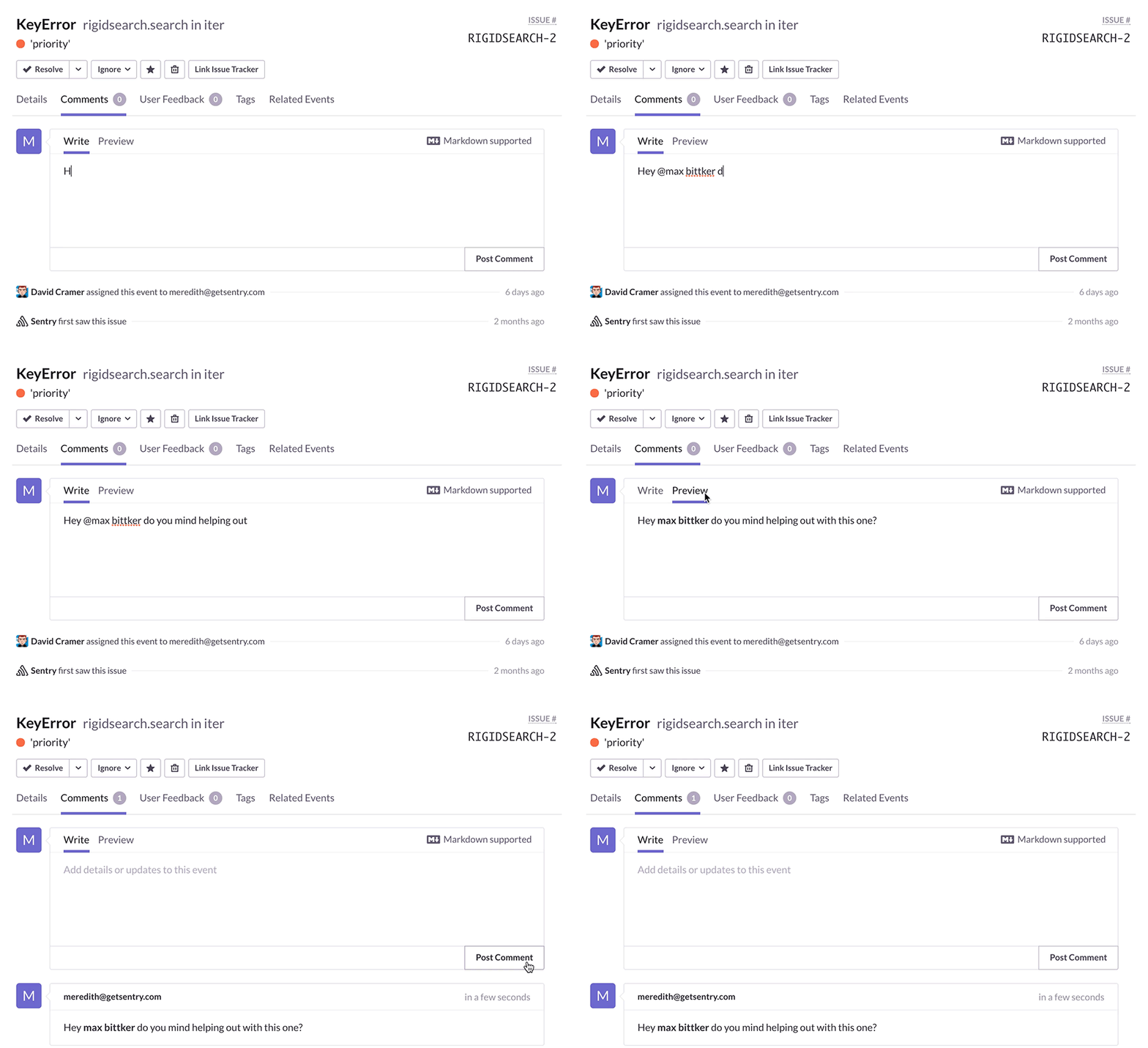
Collaboration is a major 🗝️ for success. You can now mention other members in issues, making teamwork even easier. Use @ to tag team members - they’ll receive an email and be subscribed to that issue.
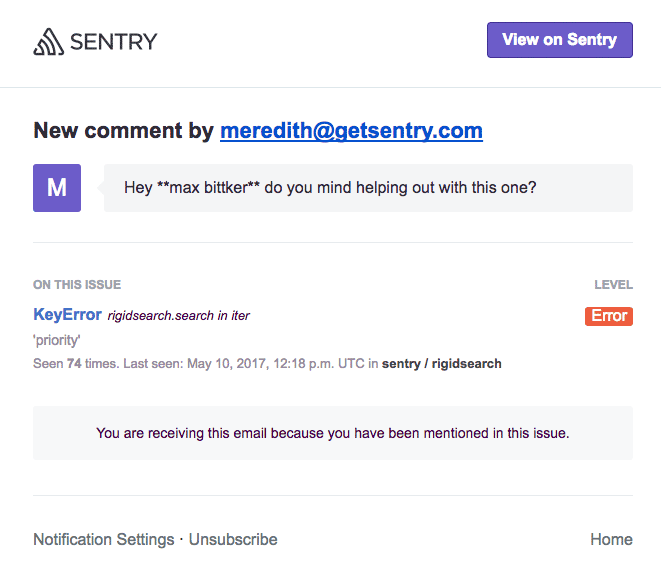
Any mentioned user will be able to see why they are getting notifications in the body of the emails they receive:
In your issue dashboard you can do a quick search for subscribed:me to see which issues you are subscribed to, any with a little green comment icon
will be issues you are mentioned in.
You can manually unsubscribe from any issue by selecting Unsubscribe Me. (a.k.a Don’t @ me)
So, if you want to debug React, do Django error tracking, or handle an obscure Rails exception, you can now collaborate with your entire team using Sentry.
Sentry's Flutter SDK 10.0 makes streaming traces the default, fixes crash-free rate accuracy for unhandled errors, and adds dedicated app startup traces on Android and iOS.
The OpenTelemetry instrumentation packages needed a Node module loader, a package.json file, and a mutable exports object. v11 replaces all of that with a source transform and diagnostics channels, so tracing now works on Cloudflare Workers, Bun, Deno, and bundled server deployments.
With Unreal Engine 5.8, your coding agent can drive the editor through Unreal MCP. The Sentry plugin adds tools and skills so it can set up Sentry, upload debug symbols, and root-cause crashes for you.