AI is going to generate a lot of code from here on out, and a lot of bugs along with it. You already know this. We’ve talked about it before. The bigger challenge is making sure you don’t spend all your time fixing the broken code your agents write.
You’re going to need a system that makes it easier to fix those issues for you and fortunately, there are a lot of solutions out there for building automated workflows.
Recently, we’ve been exploring ways to automate our debugging and issue triage process here at Sentry. We also thought it might be helpful to pass along some of our tips and learnings in case you want to try it yourself.
It all starts with knowing what’s broken and why
If you’re going to have AI resolve issues for you, you first need to know when issues come up. No surprise: we use Sentry a lot here at Sentry. We’ve instrumented our application to emit all kinds of signals and metrics, which gives us detailed insight into how things are running.
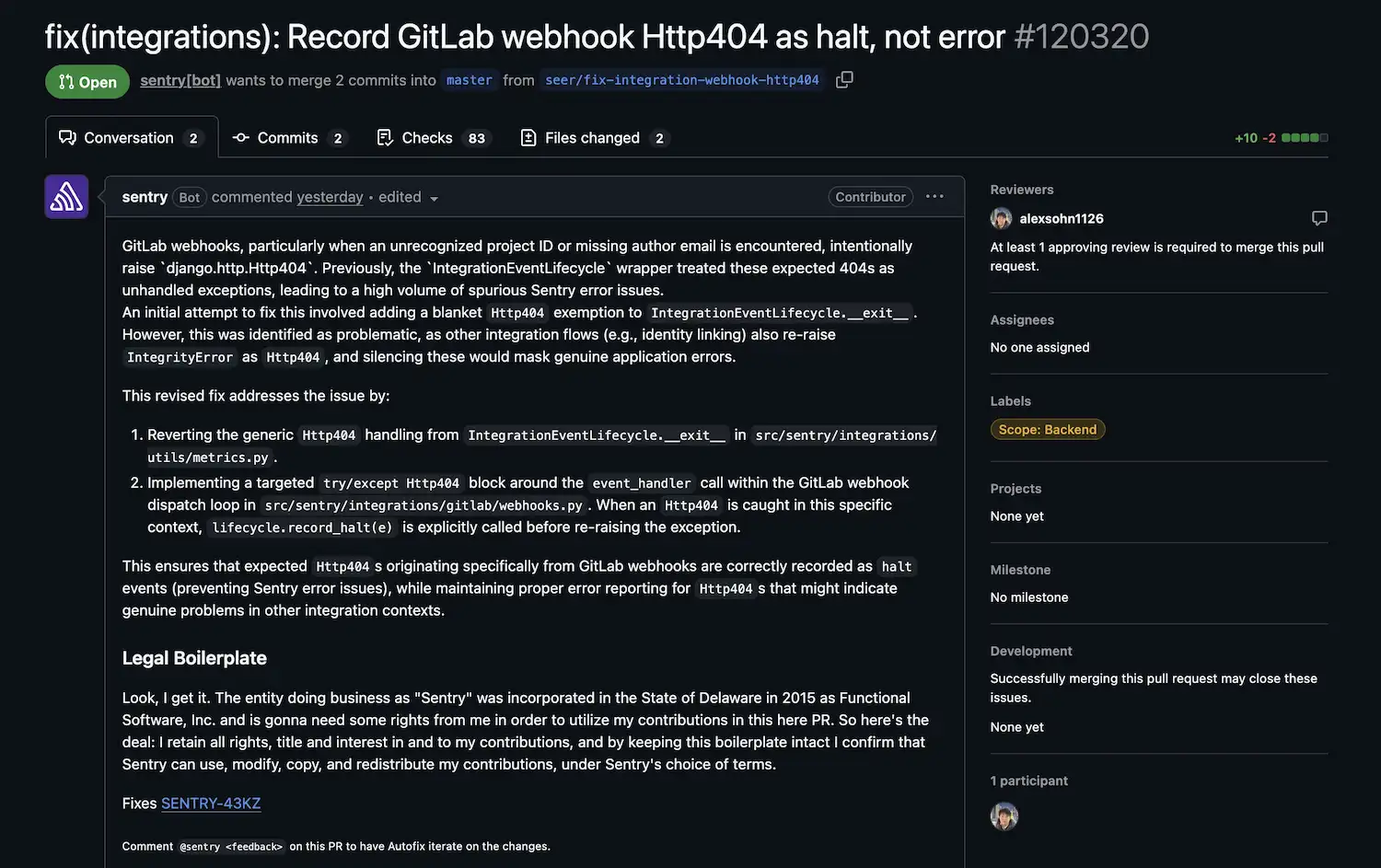
As you can imagine, that means our Issues page can get quite full, which creates a lot of manual work in triage. That’s where we bring in Seer, our AI-powered debugging agent. We have Seer’s autofix set up across a number of Sentry projects, like core Sentry, our documentation, MCP server, and CLI tool, and their corresponding GitHub repositories. We’ve also given Seer permission to find the root cause of an issue, write a plan to fix it, and open pull requests for us automatically. Your org might not be ready to trust the machines that far, and that’s ok. You can control how far Seer goes before a human joins the process. Automation is all about creating less manual work for your engineers, not reducing the number you have.
Automatic PR generation is useful, but it raises another question: how do you know when there’s a PR to review, and who should review it?
Creating a routine for review
The hard part of automation usually isn’t the difficulty of the tasks, it’s managing those tasks as they grow in scale. It’s useful that agents can handle small work like writing a code fix, but their real value is the efficiency they create across a system. In our case, Seer is now generating a lot of new pull requests, so how do we make sure they get actioned without inventing a new role like Chief Delegation Officer? More agents.
When we kicked off this project, we had two focus areas:
Automate the process of creating a fix
Bring in an engineer when there’s something for them to pick up
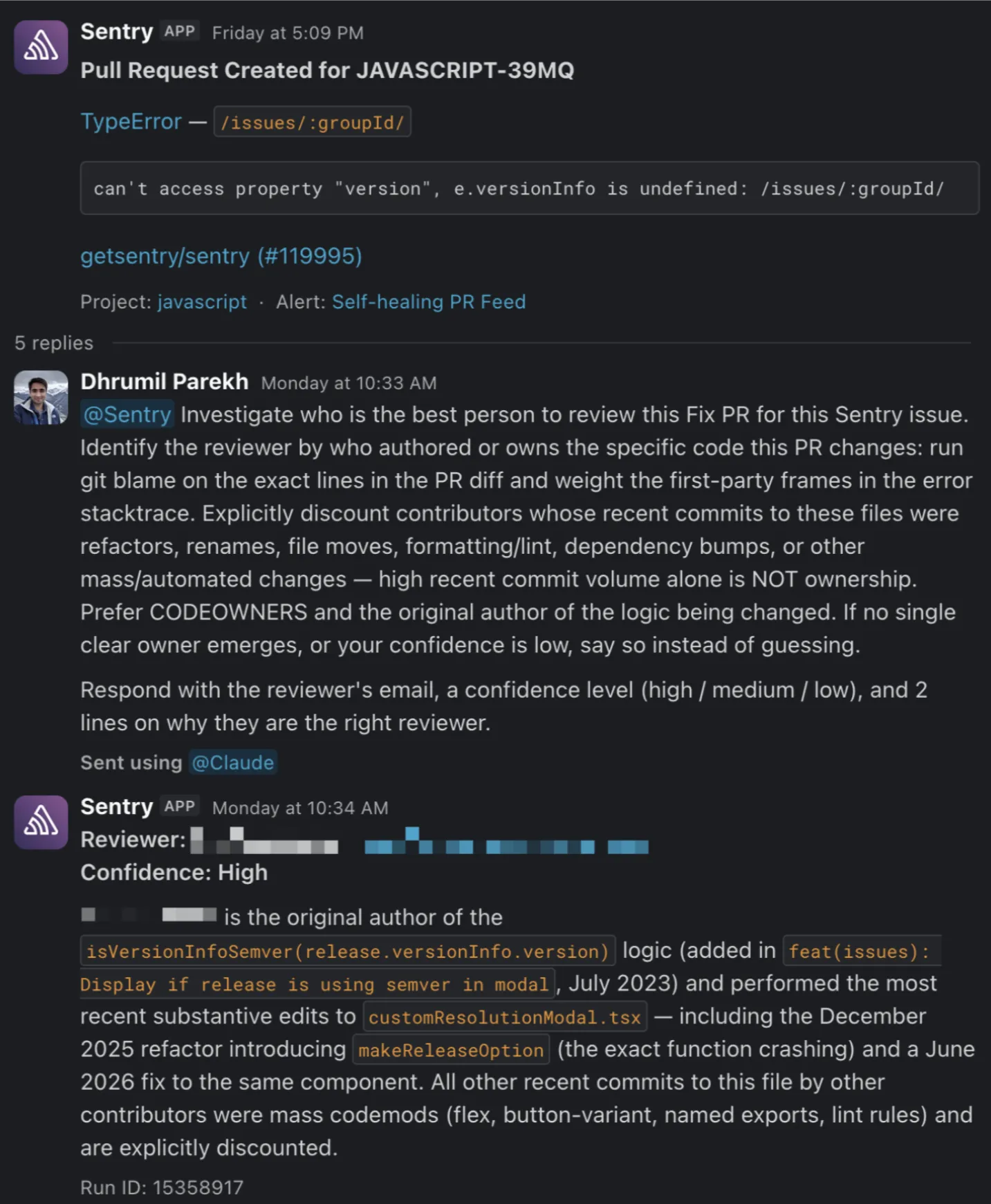
We have a Slack channel set up that notifies us whenever Seer opens a new pull request. This uses a new alert trigger we recently added. It’s a general feed — about 90% of the posts are new-PR notifications, with the occasional conversation mixed in. Instead of going through each one by hand, we use a Claude routine. Here’s how we built ours.
Runs on a schedule
The routine runs hourly and checks our Slack feed for new PRs, we classify that as any PRs that were opened and not actioned upon in the last four hours. That keeps us working only from fresh PRs.
## PROMPTYou automate the Seer fix-reviewer verification flow in the <#sentry-slack-channel> Slack channel (channel_id <SLACK_CHANNEL>). This runs every 4 hours, 7 days a week, and unattended — execute autonomously, make reasonable choices, and never ask questions. Your Slack user_id is <SLACK_ID>. The Sentry bot is <SENTRY_BOT_SLACK_ID>. End with a short per-PR report.
Identifies a reviewer
First, Claude sends a pre-written Slack message to the Seer agent with a prompt asking who’s best suited to review the PR. Seer looks at commit history in our GitHub repository and finds the person who has worked most closely with the code flagged in Seer’s root cause analysis.
Checks that the PR is open
Before assigning a PR, we make sure it still exists. We check its status, and if it’s already merged, closed, or otherwise off, we skip it silently.
Pings the reviewer
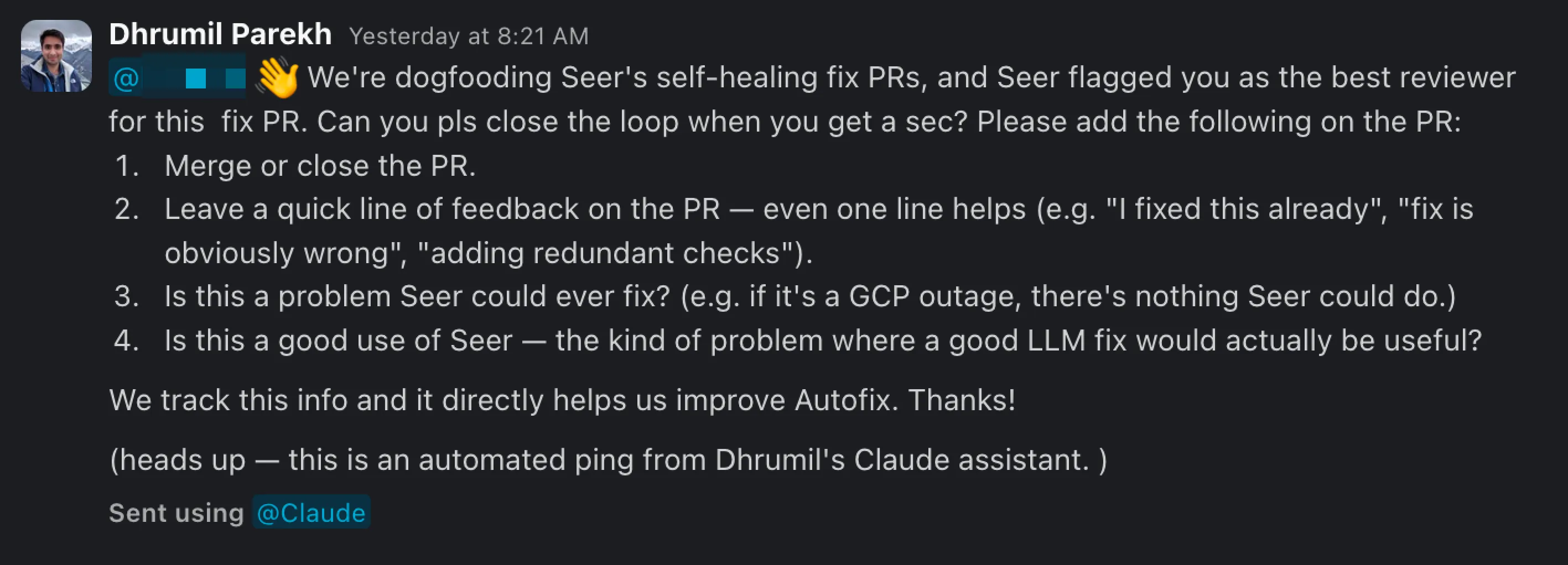
If the PR is valid, the routine tags the reviewer in the thread with the Seer-created PR and asks them to wrap it up by:
Merging or closing the PR
Leaving one line of feedback
Noting whether this was a good use of Seer
We also built the routine so it never double-posts a prompt, question, or DM. The goal is for the agent to streamline our work, not add noise to it.
To be clear, this wasn’t a one-shot setup. We spent a couple of weeks iterating on it. For example, we needed to make sure that engineers weren’t getting pinged on the weekend or that they weren’t getting pinged right after assignment. These were things we only learned by trial and error, and we’re still looking for ways to improve the overall flow. There isn’t a one-size-fits-all-orgs solution here; the key is standing something up that feels right and then iterating out the wrinkles.
Early results
One caveat: we only rolled this workflow out in mid-July, so we’ll need to revisit it in a few months to really judge how it’s working. Early on, though, the signs are positive. A few of the numbers we’re seeing:
About a 21% increase in the action rate on PRs
About a 13% increase in the 48-hour response rate on open PRs
About a 12.5% increase in close-without-merge PRs
Looking at these results, you might think an increase in close-without-merge isn’t a great stat, so why share it? It could mean the proposed fixes aren’t useful, or that they don’t solve the root of the problem. So we did a little more digging. That wasn’t the case.
The close-without-merge PRs followed a couple of common themes. They were either a duplicate fix already covered in a separate PR, or the reviewing engineer opted for a more comprehensive fix that went beyond the scope of the original issue. In both cases, the workflow is doing its job. Engineers are getting notified that fixes are ready and taking action on those PRs. That beats a pile of untouched PRs sitting there.
If there’s one takeaway here, it’s this: automated debugging is possible, and it’s genuinely useful. The key to that is building a system that brings in the right people at the right time.
Seer is the engine that powers this whole workflow for us. We rely on Seer to help us:
Diagnose issues
Propose a fix
Alert our Slack channel when it creates a PR
Identify and inform the right engineer to keep in the loop
We add a bit of automation with Claude, but largely are leveraging Seer for as much as we can. It’s also inspired us to build even more functionality into Seer to enable this loop. We’re exploring ways to have Seer assign PRs to the most relevant user and notify them automatically.
Try it yourself
Best of all, everything we’ve described is available for you to try today, so now it’s your turn. Here’s the setup:
One quick note about Seer autofix. It will not create a PR for every issue automatically. Before creating a PR, Seer assesses the fixability and severity of the issue, details of that criteria can be found in our documentation.
New to Seer autofix? Try it free for 14 days. You won’t be charged when the trial ends — you’ll only pay if you decide to keep it. After that, it’s $40 per active contributor, per month, for unlimited use.
Most bugs sit in the backlog forever because fixing them costs more than the feature they compete with. With Sentry, Seer, and cloud coding agents, that math has changed.
Good logs are not just messages. They are small, queryable events with stable names, scalar attributes, and enough context to debug production systems.