
← Back to Blog Home


AI updates for all Sentry users
Instead of giving you yet another chatbot, we built AI straight into the parts of Sentry where teams lose time, turning your existing data into instant context — and it’s now available to all Sentry users.
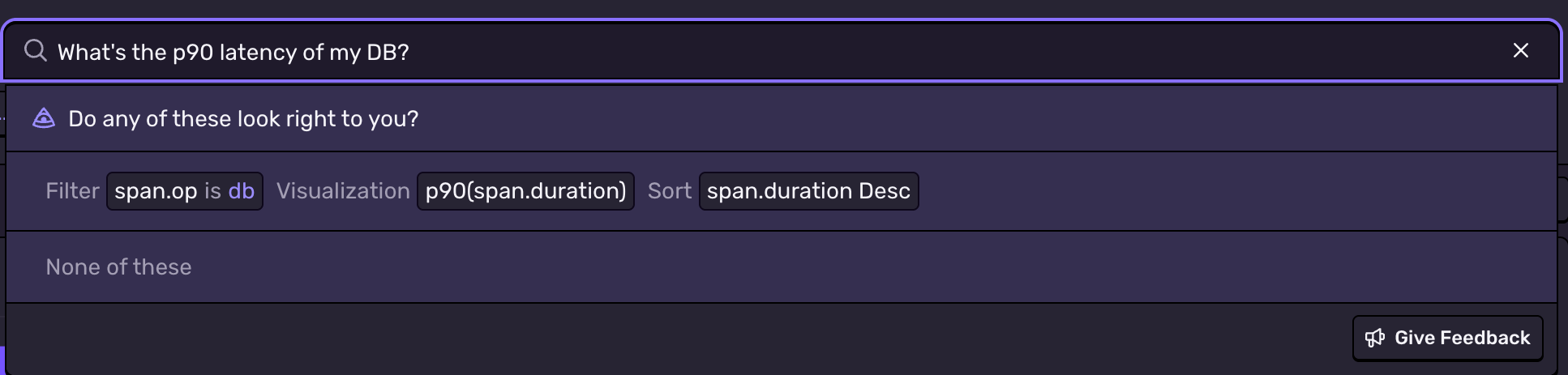
Just ask your question with natural-language queries in Trace Explorer
Trace Explorer now accepts plain-language questions and turns them into real queries. Instead of remembering operators or field names, you can describe what you want directly.
A question like “What’s the p90 latency of my DB?” generates the underlying query, identifies the relevant spans, and surfaces the latency distribution without requiring you to write any syntax. You get the same depth of trace data as before, with much less effort spent forming the query.
Get a first take on what’s causing an issue
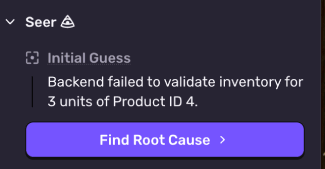
When you hit a new issue, the first question is usually “Where do I start?”
Initial guess - located on each issue - automatically runs an initial analysis of the issue context to determine what the problem could be. It provides a starting point for you before running a deeper analysis with Seer, which looks at your source code and additional Sentry telemetry to more accurately determine the root cause.
Get to the insight faster with Session Replay Summaries
Jumping to the moment an error occurred is useful, but understanding how the user got there still takes time. Long sessions often involve dozens of interactions, network calls, or UI states that matter but aren’t visible from the error timestamp alone. Replay Summaries analyze the replay’s metadata—DOM events, network requests, console logs—and generate a short explanation of the events that actually contributed to the failure, along with time stamps linking you to each event.
For example, if a user clicks the checkout button, sends a request that returns a 500, and your frontend fails and shows the user an error state, the summary will combine these into a single narrative:
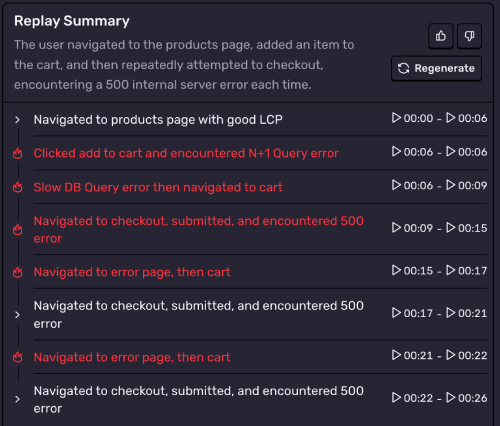
Head to Explore > Replays and click into a specific replay to see the AI summary tab.
Translate frustration into something you can actually use with User Feedback Summaries
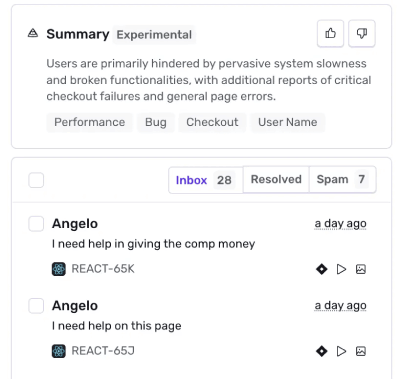
User feedback is helpful, but reading it at scale is slow and often inconsistent. People describe the same issue in completely different ways, mix in frustration, or focus on symptoms rather than what actually went wrong. Located at the top of the User Feedback view, user feedback summaries process all incoming feedback and generates a concise, high-level explanation of what users are collectively experiencing across the projects and date ranges you have selected.
The system looks across every submission in your project and identifies the dominant themes: what users were trying to do, what failed, and how those failures cluster. You can still dive into specific submissions when needed, but you no longer have to manually read and categorize them to understand the broader problem.
Bring Sentry context into your AI tools with Sentry MCP
Context switching takes you out of flow and disrupts your thinking, so we created an MCP server that lets you interact with Sentry data without leaving Cursor, Claude Code, Codex, or your favorite client. Sentry’s MCP can access data about your organizations, projects, teams, issues, errors, releases, performance and more.
For example, you can ask it to identify and fix the most critical issue in a given project, as shown here. Sentry’s MCP identifies a missing null check that would cause a 500 error. It shows what’s broken and why, and implements the fix, all through Cursor.
Less hunting, more fixing
These updates are available today for all Sentry users. You can try them directly and we’ll continue improving them as we get more real-world usage and feedback. Give it a try and let us know what you think.