Sentry now supports log drains, making it easy to forward logs into Sentry without any application code changes or manual project-key lookups needed. If your logs already exist somewhere else, you can now see them alongside errors and traces in Sentry, no code changes required.
Already want to get started? The quickstart guide is one click away.
Get all your logs in one place connected to issue context
When we made logs generally available in Sentry back in September 2025, the goal was to enable developers to view logs, traces, errors, and replays in a single platform. And the feedback was largely about having the right logs attached to the right issues by default.
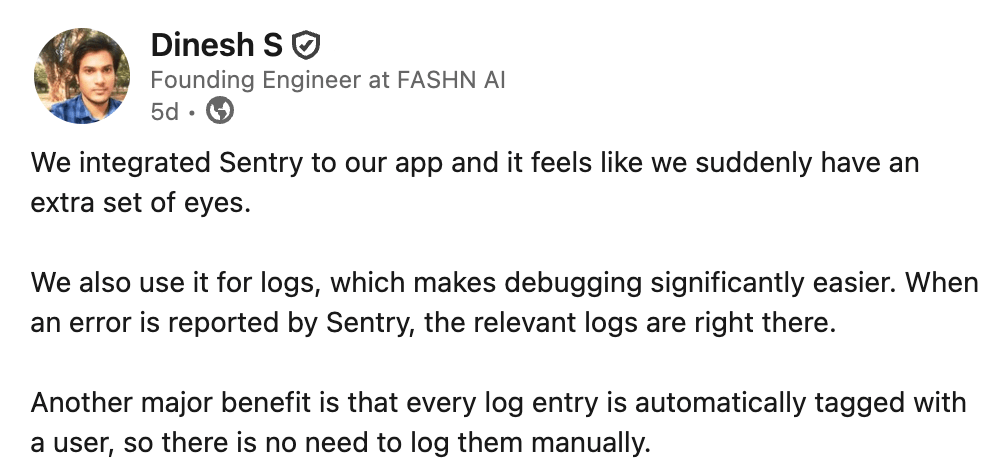
Now with log drains, your platform logs (and traces) automatically flow into Sentry so the same “extra set of eyes” extends to platform-level events outside your application code.
By pulling platform logs into the same place as your application errors and traces, teams get a complete picture of how systems behave across builds, deploys, edge runtimes, databases, and auth layers—without running additional agents or touching application code.
Instead of jumping between dashboards or losing logs to short retention windows, engineers can investigate issues end-to-end in Sentry.
Get started with 5GB of logs included on every plan (with additional usage at $0.50 per GB).
How are teams already using drains?
Debugging a Vercel deployment without leaving Sentry
After a deploy, an ecommerce team sees a spike in client-side failures in Sentry. Browser events and logs captured by the Sentry SDK, like ui.render_failed and api.fetch_failed, cluster around the billing page route=/settings/billing, mostly affecting Safari users in one region. The SDK gives them the who and where, with route, user agent, region, and release already attached. And because they add vercel.deployment_id as a custom tag in Sentry, it’s easy to see the spike lines up with a single deploy rather than a broader issue.
From there, the team pivots to Vercel logs in Sentry, filtering to log drain events using origin:auto.log_drain.vercel for the same time window. Grouping runtime logs by the resolved function path vercel.path and where the code actually ran vercel.execution_region reveals a clear hotspot. Requests to /api/billing/subscription are returning 5xx responses, concentrated in a single region.
Now the same failure is visible from two useful angles. The SDK view shows what went wrong inside the application, with stack traces and app context. The Vercel log drain view adds the surrounding runtime details like request IDs, duration, memory usage, and stderr output. Switching between the two makes it easier to understand not just the error, but how it behaved in production.
Build logs for the deploy using vercel.source:build are clean, confirming the deploy itself succeeded. Looking next at Vercel firewall logs using vercel.source:firewall fills in the final piece. There is a spike in deny actions for the same route at the edge vercel.proxy.path in the affected region. These platform signals explain why some requests never reach application code.
Putting it all together, the team sees the billing page fails because its backing API intermittently fails and in some cases is blocked within a specific region. They add log-based alerts on runtime 5xxs and firewall actions, grouped by path and region, so future regressions are immediately tied back to a specific deploy and blast radius.
Debugging Supabase auth and database issues
A team using Supabase for Postgres relied on Sentry SDKs in their application services, but had limited visibility into issues originating inside Supabase itself. Database errors were only available in the Supabase dashboard with limited retention, making post-incident investigation difficult.
By enabling a Supabase Log Drain, the team forwarded Supabase Postgres logs into Sentry without changing application code. This surfaced database activity in the same place as their application telemetry, searchable with queries like:
service:supabase AND message:error
In one incident, an increase in login failures lined up with Supabase database logs showing repeated errors related to expired tokens (message:*JWT*expired*). With those logs retained in Sentry, the team quickly identified a misconfigured token lifetime rather than an application issue, avoided unnecessary code changes, and resolved the problem directly in Supabase.
Bringing Cloudflare Worker logs into Sentry
A team running an API behind Cloudflare Workers used Sentry SDKs in their core services, but Worker behavior remained a blind spot. Requests were occasionally failing due to routing, caching, or request-size issues, yet Cloudflare Worker logs only lived in the Cloudflare dashboard and were often unavailable during incident reviews.
After enabling a Cloudflare Log Drain, the team streamed Cloudflare Worker application logs into Sentry without deploying agents or modifying application code. They were able to search Worker errors using queries like:
service:cloudflare AND message:*error*
During one incident, a spike in 4xx errors aligned with Worker logs showing repeated request-size rejections (message:*request body too large*) from a single region. With these logs visible in Sentry, the team identified the issue as an edge configuration problem rather than a backend failure, avoided unnecessary service changes, and fixed the issue directly in Cloudflare.
Ready to get started?
Logs are available for all plans. Every plan includes 5GB of logs, with additional usage at $0.50 per GB and a 30-day log lookback (plus an unlimited 14-day trial you can start anytime).
For setup details, choose our logs and log drains documentation or choose your platform below:
The all-or-nothing sendDefaultPii boolean is going away. dataCollection replaces it with a dial for each category of data, so you can keep the headers you debug with and drop the values you would rather not store.
A full roundup of everything that shipped for Sentry Logs this summer — log pinning, overhauled exports, chart enhancements, terabyte-scale search, and a pile of usability fixes.
A stack trace tells you where your game died, not why. Session Replay for the Sentry Unreal Engine SDK attaches the last few seconds of gameplay to every crash report so you can watch what actually happened.