We just released the Sentry SDK for Unity 4.0.0 , our biggest update yet. This major release brings comprehensive gaming console support, structured logging, user feedback capabilities, and significant improvements to help you build better games across all platforms. Here’s what’s new:
Gaming console support
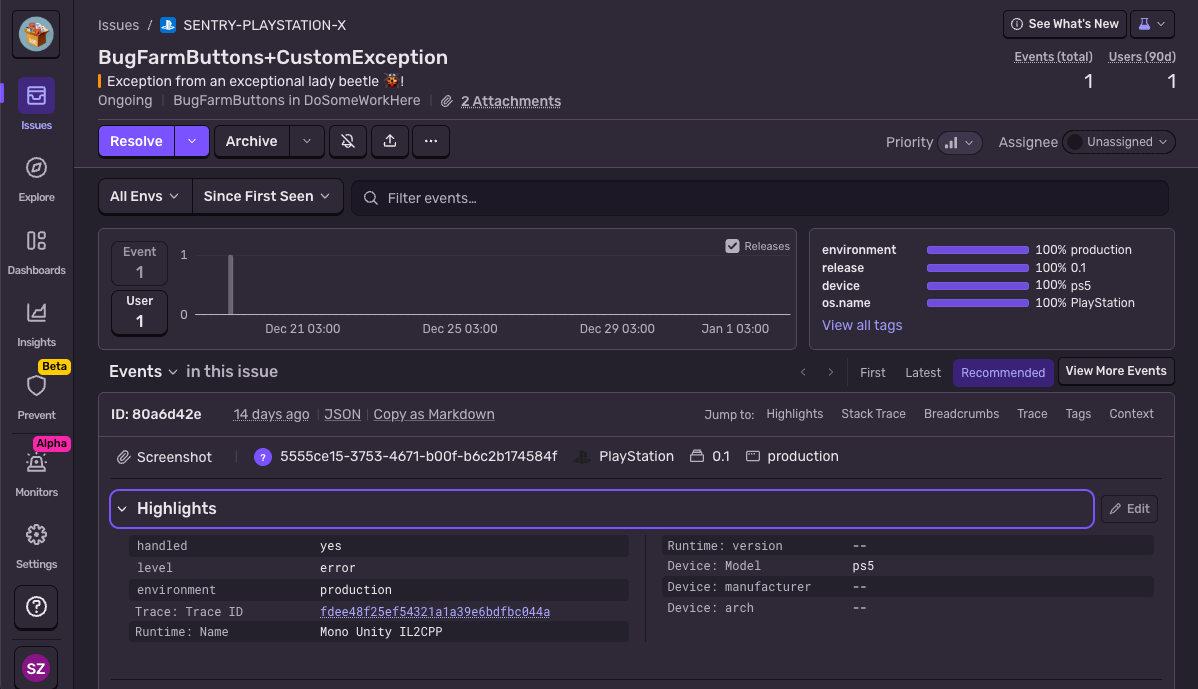
The Sentry SDK for Unity now provides native support for Xbox and PlayStation, bringing the full scope of Sentry’s error tracking to gaming consoles. The SDK automatically syncs the scope to the native layer, so that when the game experiences a crash on consoles the captured issue has full stack traces with proper C# line numbers, Sentry provides custom contexts, tags, and breadcrumbs. This unified experience across all platforms makes it easier to triage and fix issues regardless of where they occur.
Structured logs
Structured logs are now production-ready in the Sentry SDK for Unity. This means that log output is directly connected to errors, crashes, and performance issues in your game.
The SDK automatically captures debug log output based on your configuration, creating structured log entries that you can browse and search on Sentry. When a player experiences a crash during scene loading or gets stuck in a loading screen, you’ll have the complete log trail leading up to the problem, making it much easier to diagnose hard-to-reproduce issues.
User feedback
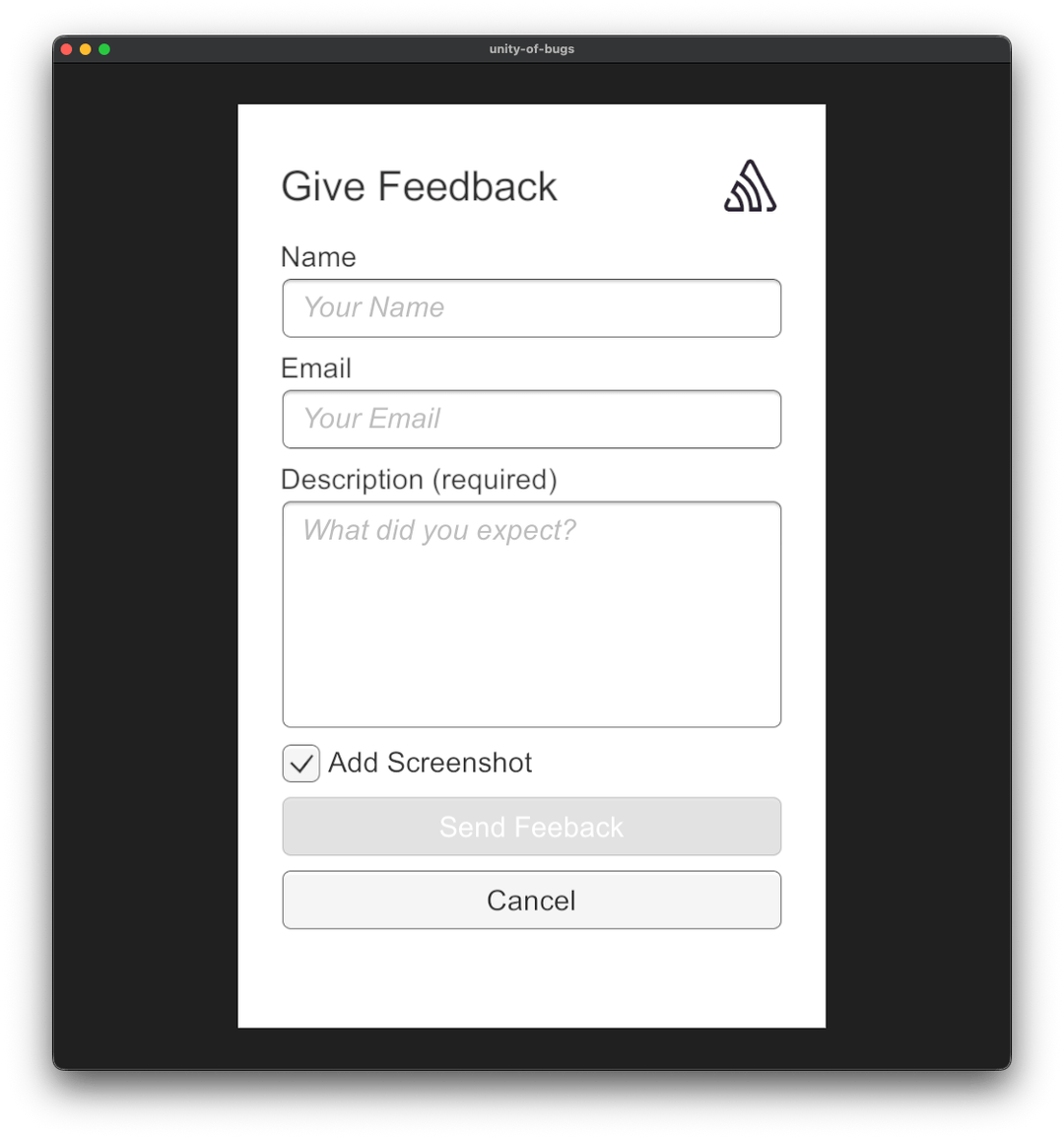
User Feedback support is now available in the Sentry SDK for Unity, enabling players to report issues or share general feedback about their gameplay experience. This helps bridge the gap between technical error data and player perspective, allowing you to see real player insights alongside stack traces and technical diagnostics.
The SDK includes a ready-to-use SentryUserFeedback prefab that you can drag and drop into your scenes or customize by creating your own prefab variant. Players can provide written messages with optional screenshots attached, helping you understand issues from their point of view. Of course, if you want to build your own custom feedback UI, you can submit User Feedback programmatically using the static API. Learn more about implementing User Feedback in the documentation.
Simplified configuration
The 4.0.0 release streamlines SDK configuration by consolidating Runtime and BuildTime configurations into a single OptionsConfiguration script. This simplification makes it easier to configure platform-specific options using preprocessor directives. This also allows you to opt-out of the auto-initialization behaviour, enabling you to programmatically call Init at any point during the game’s lifecycle, without sacrificing any features or support, i.e. native error coverage on mobile.
Check out the Migration Guide for details on updating your configuration.
Performance and reliability improvements
This release includes numerous fixes that improve stability across all platforms, most notably:
Fixed Android race conditions
that could cause crashes, especially in concurrent scenarios, by replacing the ThreadPool with a dedicated background worker thread that properly manages JNI lifecycle
Improved WebGL exception capture
through the logging integration for better stack trace support
Additional improvements include better debug symbol discovery, correct scene name reporting, improved Burst support, and thread-safe screenshot capture.
Enhanced context and debugging
The SDK now provides richer context automatically:
Screenshots on crashes - When targeting Windows with screenshot capture enabled, the SDK will now capture and attach screenshots to native crashes
Memory reporting - Allocated memory is now reported with every event and transaction
Low memory breadcrumbs - Automatic breadcrumbs for Application.lowMemory events
Lifecycle breadcrumbs - Automatic tracking when the game loses and regains focus
Session improvements - Exceptions are correctly marked as unhandled rather than crashed, and sessions now persist from game start to end
For third-party plugin users, the SDK automatically marks stack frames from popular libraries like Cysharp and DOTween as non-in-app, significantly improving stack trace readability and issue grouping.
Breaking changes
This major release drops support for Unity 2020, which reached End of Life in 2023. The minimum supported version is now Unity 2021. Additionally, if you’re running your game or your server on Ubuntu 20.04, you should update to Ubuntu 22.04 before upgrading to this SDK version, as sentry-native is now built against the newer Ubuntu version. For a complete list of breaking changes and migration guidance, see the full changelog.
Platform support and getting started
The Sentry Unity SDK supports Windows, Linux, macOS, iOS, Android, Xbox, and PlayStation.
More code is shipping faster than ever, and most of it is no longer written by people. The speed is the story everyone tells. What matters more is what happens after the code ships, where software is starting to notice it is broken, understand why, and write the fix itself.
We trained and deployed a new issue grouping model that prevents 20% more duplicate issues, halves incorrect merges, and makes future model upgrades trivial.