This is a guest post by Dan Mindru and Oleh Stasula. Dan is an indie maker, enterprise consultant, and co-host of the Morning Maker Show. Oleh is a full-time indie developer and founder of WinWinKit and Usage.
It feels like with every release, we are walking a tightrope. We need to keep our app lightweight, stable, and performant, all the while depending on APIs that can shift at any moment (without warning, too!).
After 1.6 million downloads, we have a responsibility to our users to keep quality high. We are proud to have kept our rating to 4.7 stars on the App Store, even though we’re a tiny team. So how do we do it?
The short answer: a safety net, built with Sentry. This post lays out how we use it at scale, from fixing crashes before users notice, to catching build issues, to getting user feedback that goes beyond the stack trace.
Setting the stage
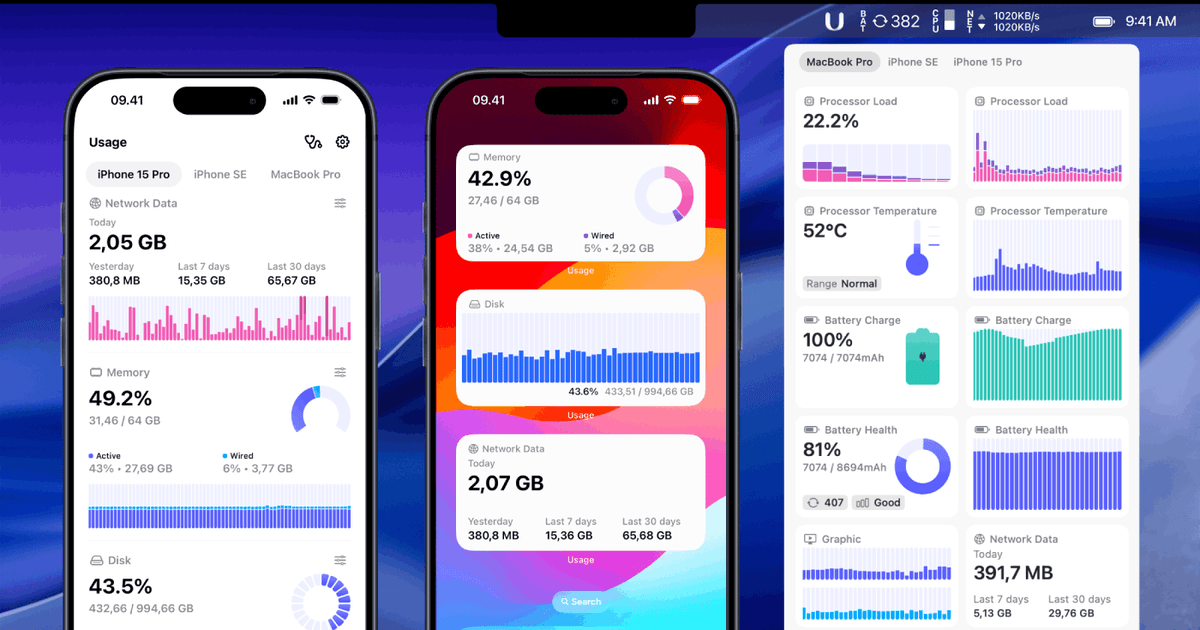
The application in question is called Usage, a system activity monitor that works across iPhone, iPad, and Mac. It tracks how your device uses its resources: CPU, memory, network, disk, battery, graphics. This plus the rich historical data makes it popular to power users that like to keep a close eye on their device.
This comes with a few challenges.
Usage’s entire job is to watch your device work without becoming part of the workload. That makes for a strange engineering constraint: every feature we add, every dependency we pull in, every timer we schedule competes with the very thing we promise our users. Nobody wants a system monitor that shows up in its own charts.
And that’s not even the half of it.
The ground under us isn’t stable either. To read some of the data we need, we lean on undocumented APIs in places where Apple doesn’t offer a public alternative. That means any OS update can quietly change a data structure under us, on any device, at any time. We don’t get a deprecation notice. So we need to stay on top of it at all times.
Usage is also not a single process. The app is built as a small constellation of cooperating components: the main and menu bar apps, the background service, and the widgets. Each has its own lifecycle and its own failure modes. To keep that visible, each component is a separate Sentry project, all grouped under the same workspace. That way crashes and errors stay attributable to the exact process they came from, while we still get a single place to look at the health of the whole system.
Keeping all of this smooth and performant is no small feat, and we lean on a good chunk of Sentry’s toolbox to do it:
Crash Monitoring is the baseline that everything else builds on.
Error Monitoring catches the quiet failures, like an OS update changing a data structure we depend on.
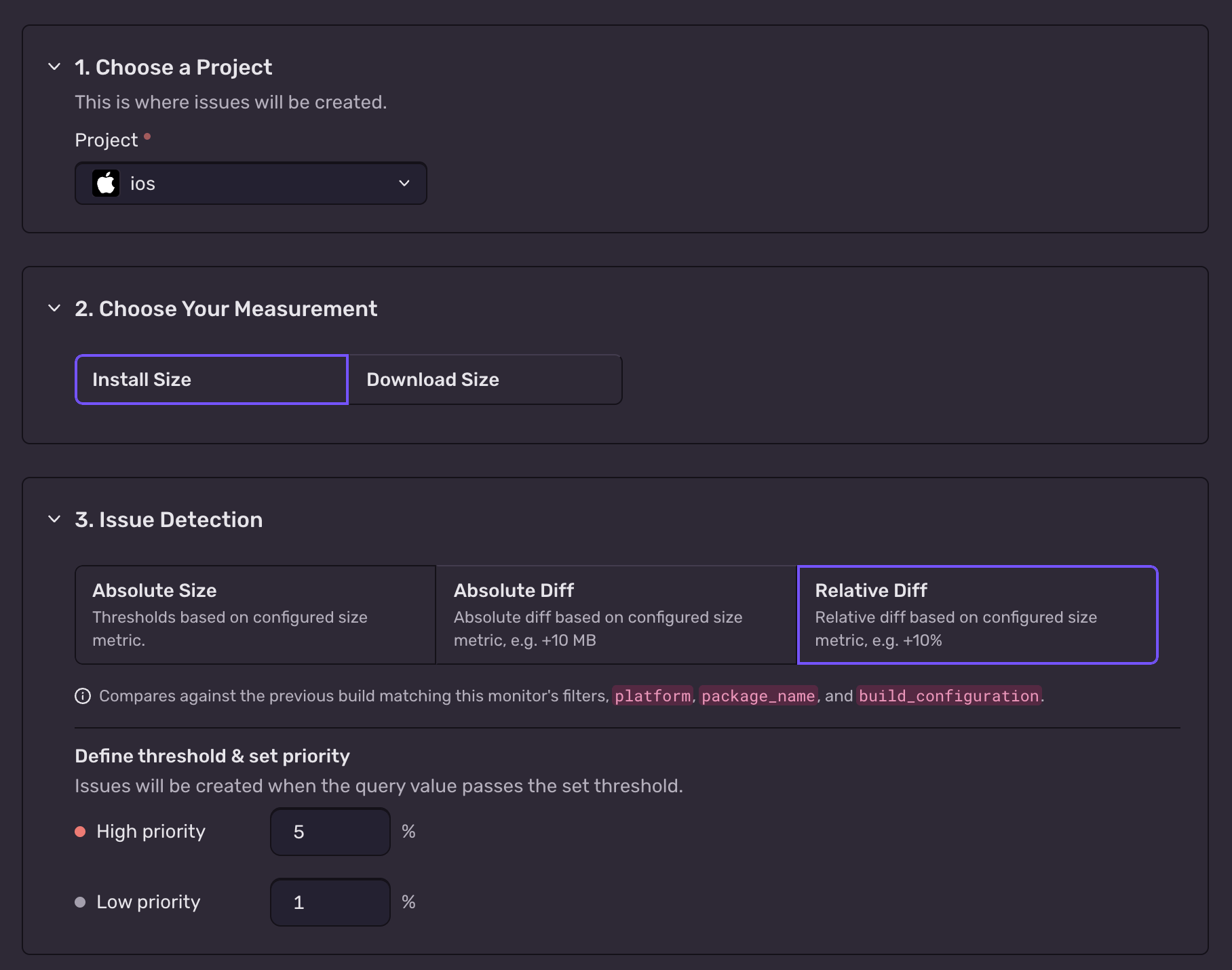
Size Analysis diffs every build, so a broken release can’t sneak past us twice.
Metrics is how we plan to prove that our optimization work actually works.
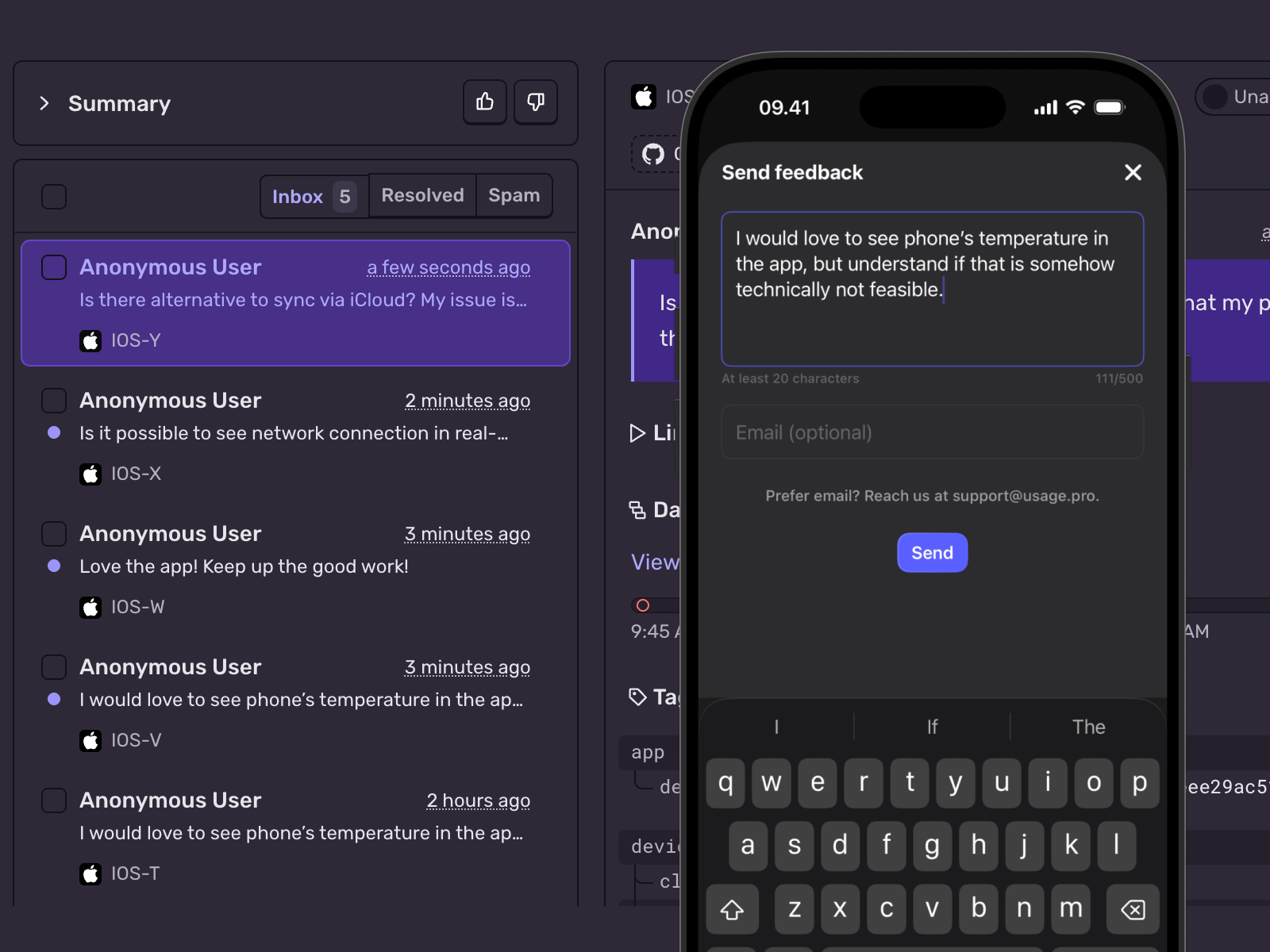
User Feedback gives users a direct line to us from inside the app.
Here’s how we use each of them.
Crash Monitoring
Crash monitoring is the baseline. Every app needs it, and most of what makes Sentry valuable to us later in this article rests on having the Sentry SDK initialized early in the app’s launch.
In each of our targets, Sentry initialization looks pretty standard:
import SentrySentrySDK.start { options in options.dsn = "___PUBLIC_DSN___" // deviceId is a UUID assigned at the first launch and used for: // - cross-device sync when enabled // - troubleshooting / debugging SentrySDK.setUser(User(userId: deviceId)) SentrySDK.configureScope { scope in scope.setTag(value: deviceId, key: "device_id") }}
From this point on, any crash in the app is captured, whether it’s a hard signal, an uncaught Swift error, or an NSException. Each one comes with a symbolicated stack trace, the breadcrumbs that led up to it, and the exact release it happened in.
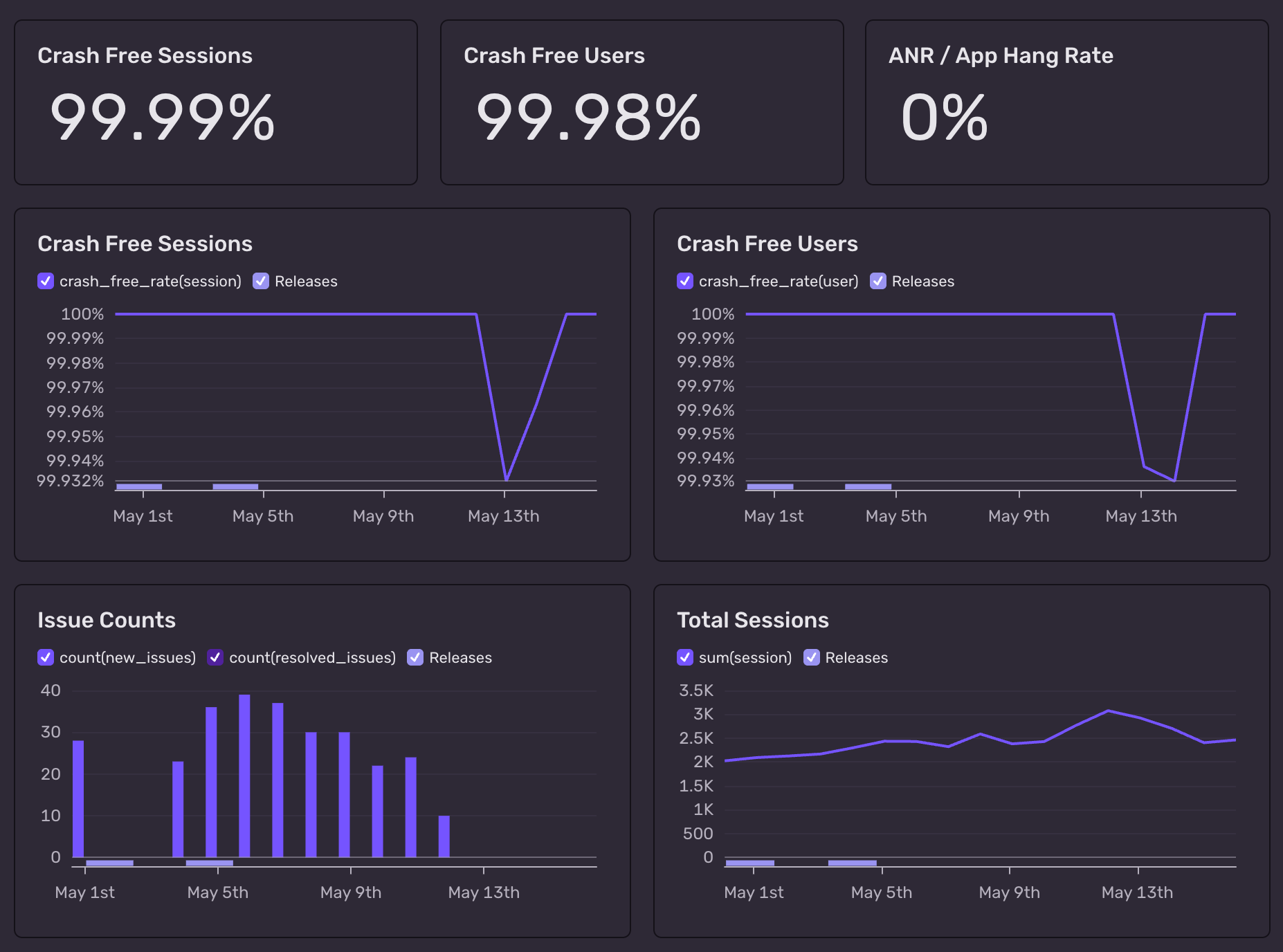
What we actually get from that is a clear picture of stability over time. It’s the foundation everything else in this article builds on.
Error Monitoring
With crashes out of the way, let’s talk about all subtle errors. A crash at least announces itself. What worries us more is the failure that doesn’t: the app keeps running, but somewhere a reading has quietly gone wrong. This usually results in a wrong metric, and a wrong metric is an unhappy user.
For Usage, it’s critical to catch these errors early and react quickly. As we mentioned earlier, many parts of the app read system data through undocumented sources and APIs. We don’t always know in advance what shape a given reading will take on a given device, OS version, and hardware generation.
Comprehensive error logging is what lets us live with that uncertainty. Every time the app reads a value it doesn’t recognize, we capture it as a non-fatal error in Sentry. That covers a missing field, a structure of a type we don’t support yet, or a number outside the expected range. This is also where Sentry helps us with privacy. An event only carries the context we choose to attach. We send the shape of the unexpected reading, like the type and fields of a graphics card response. We never send the values, and we never send anything about the user. And if something slips through anyway, beforeSend gives us one last checkpoint to scrub each event before it leaves the device.
One concrete example we hit most often: graphics card readings. The data structure Apple returns for GPU stats has shifted subtly between macOS versions and between hardware generations. When a new Mac shows up with a slightly different shape, we’d be flying blind. Instead, we get a Sentry event the same day with the unexpected structure recorded.
That early warning means support for the new shape usually ships in the next release. By the time most users get that hardware, the fix is already out.
When Error is not enough
A stack trace alone is rarely enough to figure out what went wrong with a parsing or decoding error. We almost always want to see the thing that failed alongside the error itself.
Swift’s Error protocol doesn’t carry an arbitrary payload by default, so we add one. A small wrapper struct and a single extension method are enough:
struct ErrorWithData: Error { let error: Error let data: Any}extension Error { func with(data optionalData: Any?) -> Error { if let data = optionalData { return ErrorWithData( error: self, data: data ) } return self }}
The with(data:) method is the call-site sugar: it lets us tack context onto any error without rewriting our error types, and it gracefully no-ops when there’s nothing to attach. A typical use looks like:
Then at the capture site, we unwrap the data and put it on the Sentry scope as an extra:
SentrySDK.capture(error: actualError) { scope in ... if let data = (error as? ErrorWithData)?.data { scope.setExtra(value: data, key: "data") }}
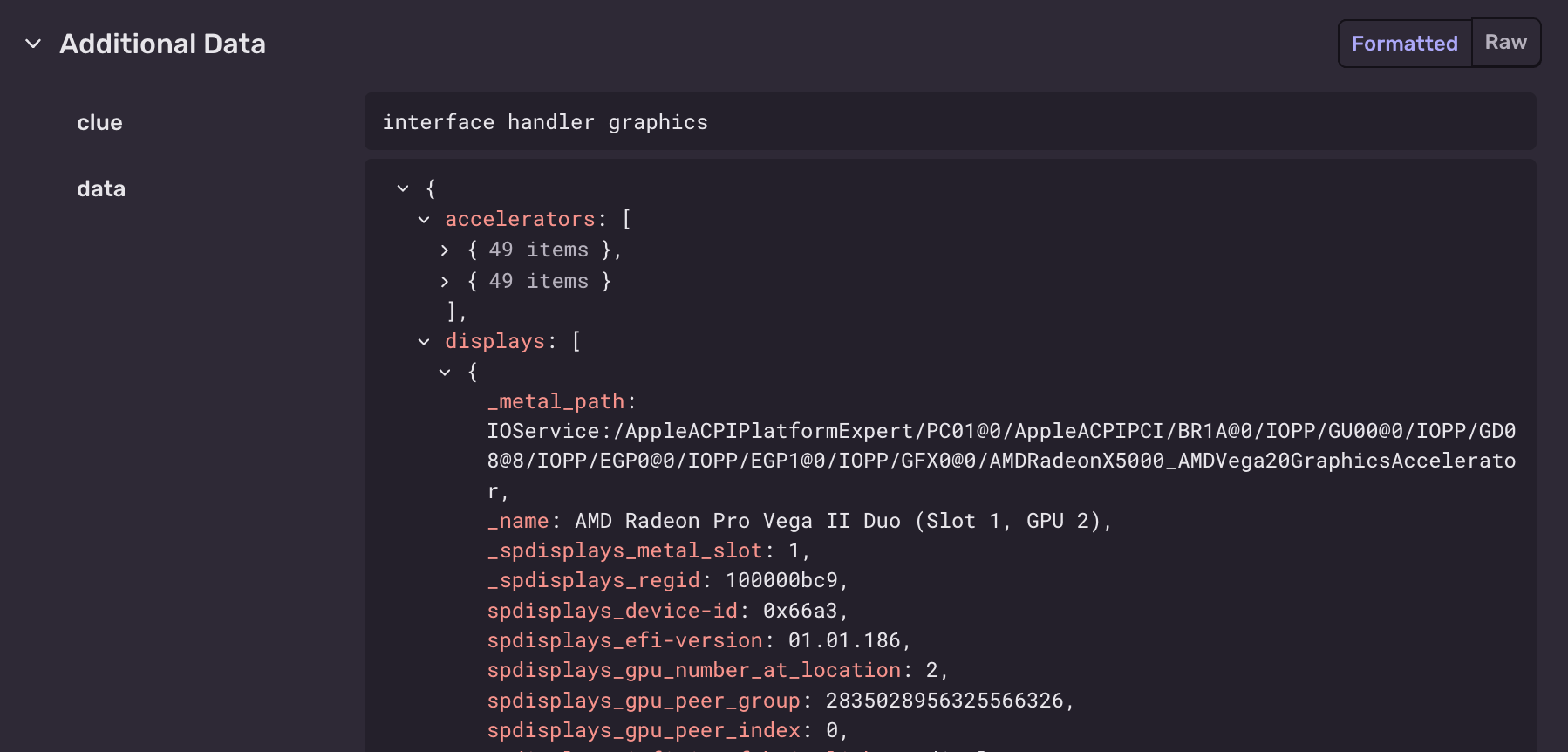
In Sentry, the data ends up as a labeled field on the event, right next to the stack trace. For the kinds of errors we deal with, unrecognized system readings and unexpected field shapes, that one field is often what makes the difference.
Here’s that pattern in action.
The screenshots below show a real Sentry event from the macOS app: a parsing error on a graphics reading where one of the display objects came back without a property we expected. The stack trace tells us where it failed, but the data field tells us why: the raw structure is right there, missing the field, on a GPU and macOS combination we hadn’t seen before. That’s our signal to update our handling of display objects in graphics data, and we can usually ship the fix in the next release.
Size Analysis
Crash and error monitoring watch the app while it runs. They can’t catch a build that was broken before anyone ever launched it. We learned that one the hard way.
A while back, a refactor accidentally removed one of the app’s localizations. Somehow the diff didn’t go through our usual review process, and a build with the broken refactor was uploaded and selected for release. Once it hit production, the effect was immediate and not subtle: active users in the affected locales fell off a cliff before we understood why.
While rare, these things can happen on any team. We needed a second line of defense beyond reviewing diffs.
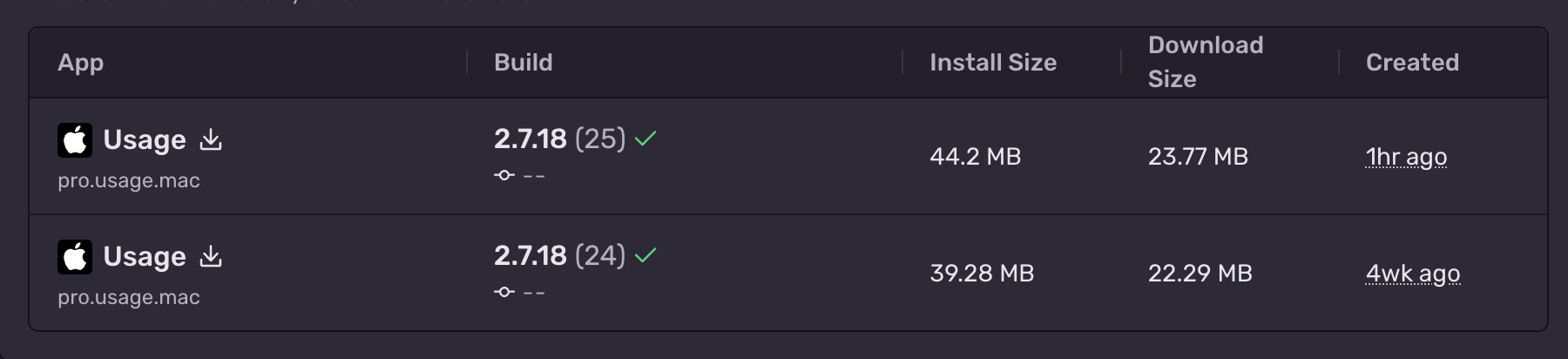
Sentry’s Size Analysis turned out to be exactly that. It runs on every release build, attaches a size report to the same version+build release tag the rest of Sentry already uses, and diffs the new build against the previous one. If a localization file, an asset, or an entire bundle resource disappears, the diff makes it impossible to miss. Same goes for the inverse: a release that mysteriously grew has its cause sitting right there in the breakdown.
Even though Size Analysis is (probably) meant for only keeping app size in check (and we use it for that too!), what sold us is using it as a regression gate. We can’t guarantee that a human or automated process will catch these issues in a review, and size analysis works well as an additional sanity check.
On top of the size reports, we’ve set up a Sentry monitor that watches the delta between releases and alerts us whenever a build comes in noticeably heavier or lighter than the previous one. The “lighter” direction is what makes the localization incident obvious; the “heavier” direction catches bloat creeping in. Either way, now we can rest assured that we’ll know about these issues before they become a problem.
Metrics
Everything above is about catching what goes wrong. The last piece is proving what goes right.
Metrics is a newer Sentry feature that we’re in the middle of adopting. For an app like Usage, performance and resource footprint aren’t just a nice-to-have; they’re the product. So being able to emit our own counters and gauges from anywhere in the codebase, and see them sitting next to crashes and errors, is a big deal.
We’re instrumenting the things we already care about, like sampling latency, background work duration, and sync intervals, so Metrics can confirm that our optimization work is actually moving those numbers.
So far the results are promising. We’ll write a proper deep dive once we’ve used it extensively.
User Feedback
Not everything users do shows up as a crash or error. Sometimes the app is technically healthy and someone is still staring at a chart that doesn’t look right. For those cases, we’d rather they tell us directly.
We first tried Sentry’s User Feedback in our other product, WinWinKit, and once we saw the value we knew we had to immediately add it to Usage too.
It became one of the bigger drivers of faster iteration and stronger user engagement.
It’s an easy one for us to recommend. With a few lines of code you get a small in-app form that lets users send feedback without leaving the app. The feedback lands in the same workspace as our crashes and errors, tagged with the same release.
If you’re on the fence about it, we can definitely recommend it. Every report makes the next build a little better than it would have been.
Wrapping up
We’re still walking the tightrope, but these days we actually enjoy the view. Apple will ship another update, some struct will grow a new shape, and a Mac we’ve never touched will send us bytes we’ve never seen.
Bring it on!
If you’re building something that depends on a platform you don’t control (and honestly, who isn’t?), our advice is simple: have as many safety nets as you can. Your users will thank you for it!
Session replay tools split into UX analytics tools and developer debugging tools. Here's how to tell which one you're evaluating, and the architectural questions that matter for each.
Every morning, a Claude Routine reads the previous night's Seer conversations, flags the broken ones, and files Linear tickets — before anyone's at their desk.